 AIImageInsight
In the ever-evolving landscape of digital design, Canva's Magic Studio stands as a beacon of innovation, transforming how creators bring their visions to life. As of 2026, the suite of artificial intelligence tools has become more intuitive and powerful than ever, seamlessly integrating into the workflow of professionals and hobbyists alike. These intelligent assistants don't just automate tasks; they amplify human creativity, offering solutions that were once the exclusive domain of complex, expensive software. From resizing intricate layouts to generating stunning visual effects, Canva's AI has democratized high-quality design, making it accessible to all. This story explores the most impactful and beloved AI features that have become essential tools in the modern creator's digital toolkit.
🔮 Magic Switch and Resize: The Ultimate Format Adaptor
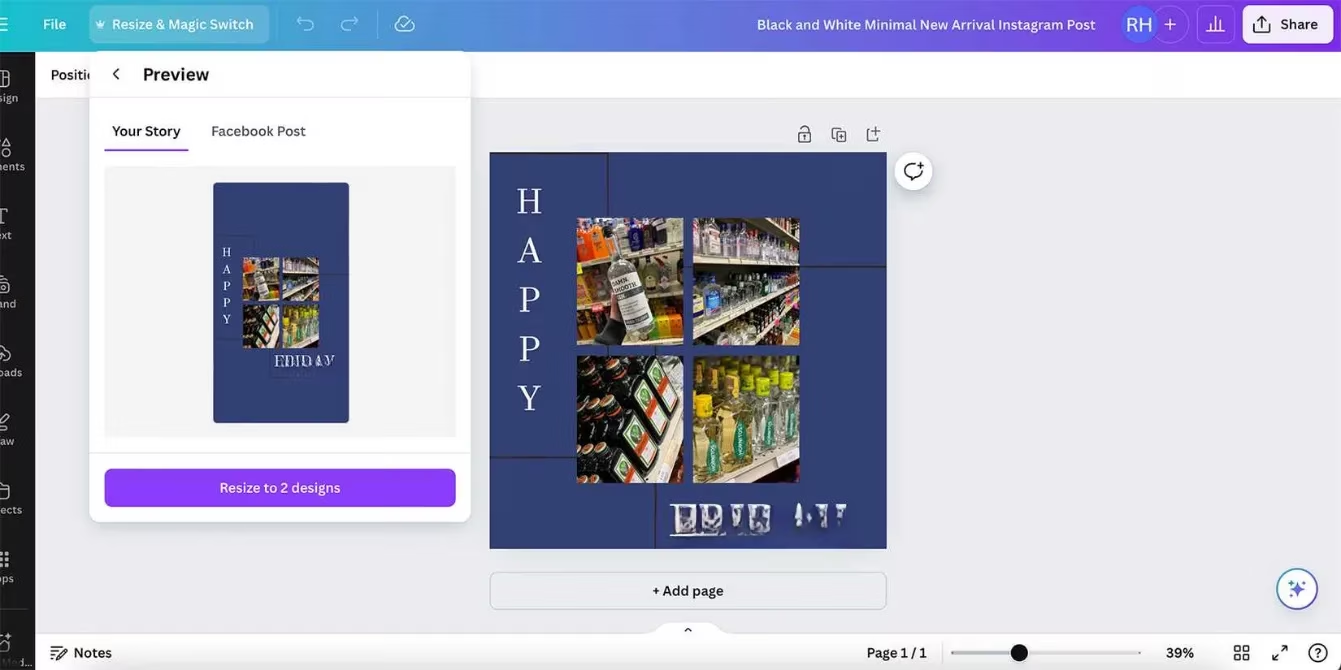
For any designer crafting assets for a multi-platform world, the chore of manually adapting a single design for dozens of different formats—be it Instagram stories, LinkedIn banners, or print posters—can be a soul-crushing endeavor. Enter Canva's Magic Switch and Resize tools, a dynamic duo that has revolutionized this process. With a simple click, this intelligent system utilizes advanced algorithms to recompose and rearrange your entire design to fit a new canvas size. It intelligently analyzes the hierarchy and relationships between elements, ensuring the core message and aesthetic are preserved. While the initial AI-generated result is often impressively accurate, it still provides the creative freedom for final tweaks and perfect alignment. For serious creators, this feature alone presents a compelling case for upgrading to Canva Pro, saving countless hours and eliminating the frustration of starting from scratch for each new format. The related Docs to Decks feature offers a similar transformative power, effortlessly converting text-heavy documents into sleek, visually engaging presentation slides.
🌍 Magic Translate: Bridging Global Audiences

In our interconnected global marketplace, communicating across languages is paramount. Canva's Magic Translate, introduced a few years prior and refined to near perfection by 2026, is a game-changer for creating multilingual content. This sophisticated tool does more than just swap words; it translates entire design documents while meticulously preserving the original layout, typography, and visual style. One of its most powerful aspects is the ability to select a specific tone of voice—be it professional, friendly, persuasive, or casual—ensuring the translated message resonates correctly with the target culture and aligns with brand identity. This is crucial, as direct translation often misses nuanced meanings and cultural context.
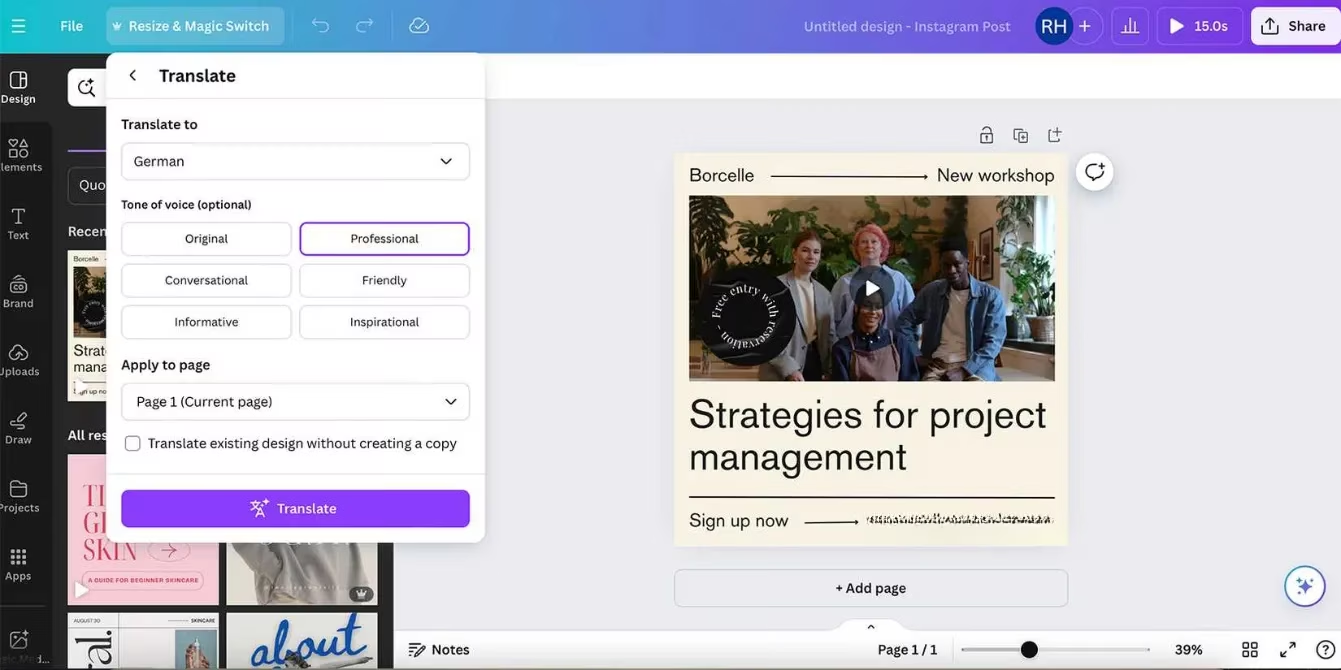
Accessing over 130 languages and continually adding more, the tool is found under the Resize & Magic Switch menu. While primarily a Canva Pro feature, free-tier users can dip their toes in using their allocation of monthly AI credits. However, seasoned designers always recommend a final review by a native speaker to catch any subtle linguistic quirks the AI might have missed, ensuring the message is not just translated, but truly communicated.
✍️ Magic Write: The AI-Powered Wordsmith
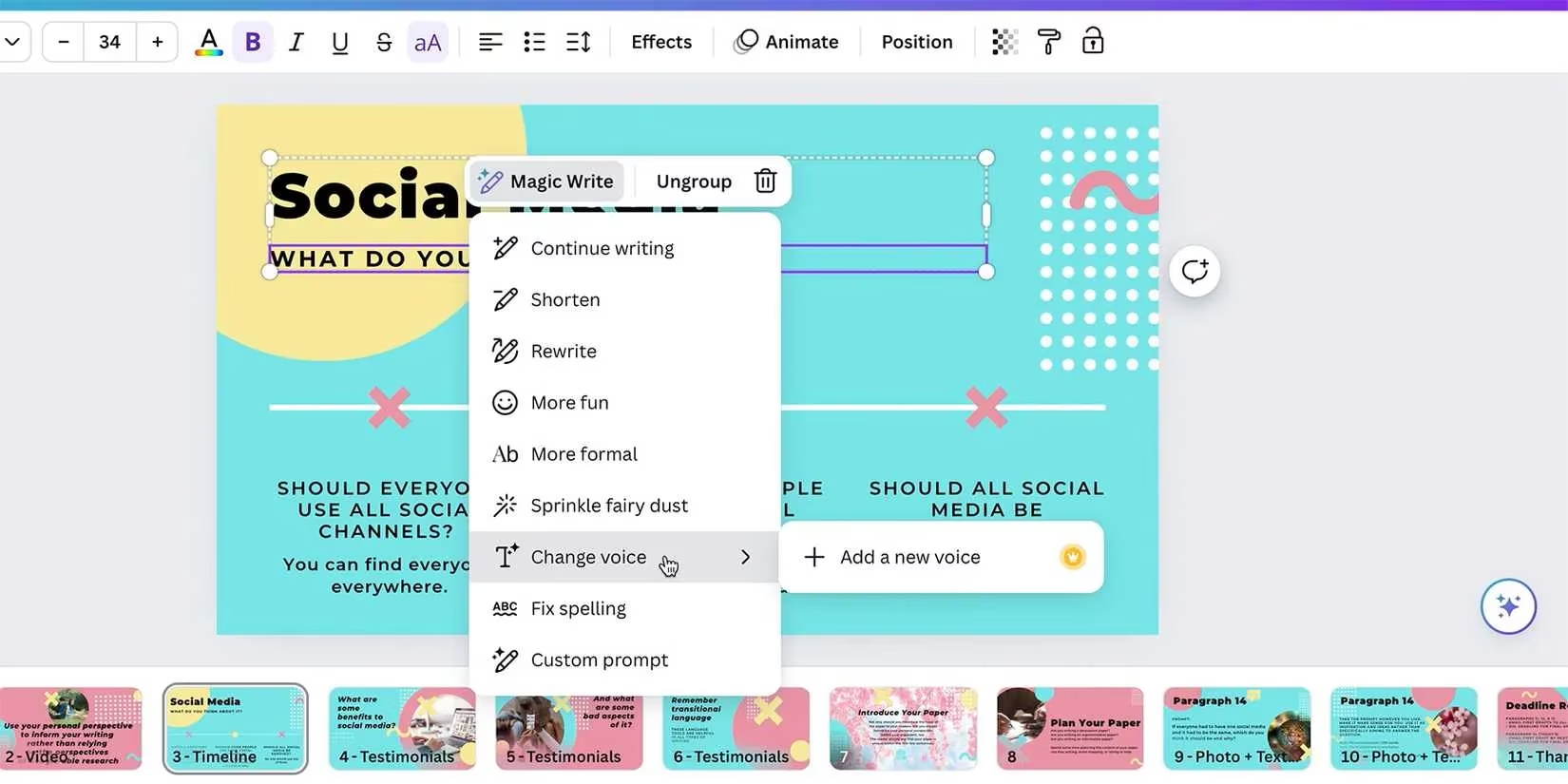
Writer's block is a relic of the past with Magic Write, Canva's comprehensive suite of writing enhancement tools. Accessible via a text box or a quick keyboard shortcut (/), this assistant offers a plethora of functions to polish and perfect any copy. Its capabilities are vast:
-
Tone Transformation: Instantly shift text from formal to playful, or from concise to elaborate.
-
Synthesis & Summarization: Condense lengthy paragraphs into clear, impactful bullet points.
-
Creative Rewriting: Refresh stale phrasing and generate new ways to express an idea.
-
Error Correction: Automatically catch and fix spelling and grammatical mistakes.
For those who find writing daunting, the Custom Prompt option is a revelation. Functioning like a built-in ChatGPT, it allows users to describe what they need—"Write a catchy slogan for a new eco-friendly coffee brand" or "Generate three blog title options about summer gardening"—and the AI delivers tailored content. This tool empowers everyone to create compelling written material, from social media captions to full website copy, with confidence. A significant portion of these features remains accessible on the free plan, making professional-grade writing assistance available to all.
✨ Magic Morph: Adding Dimension and Texture
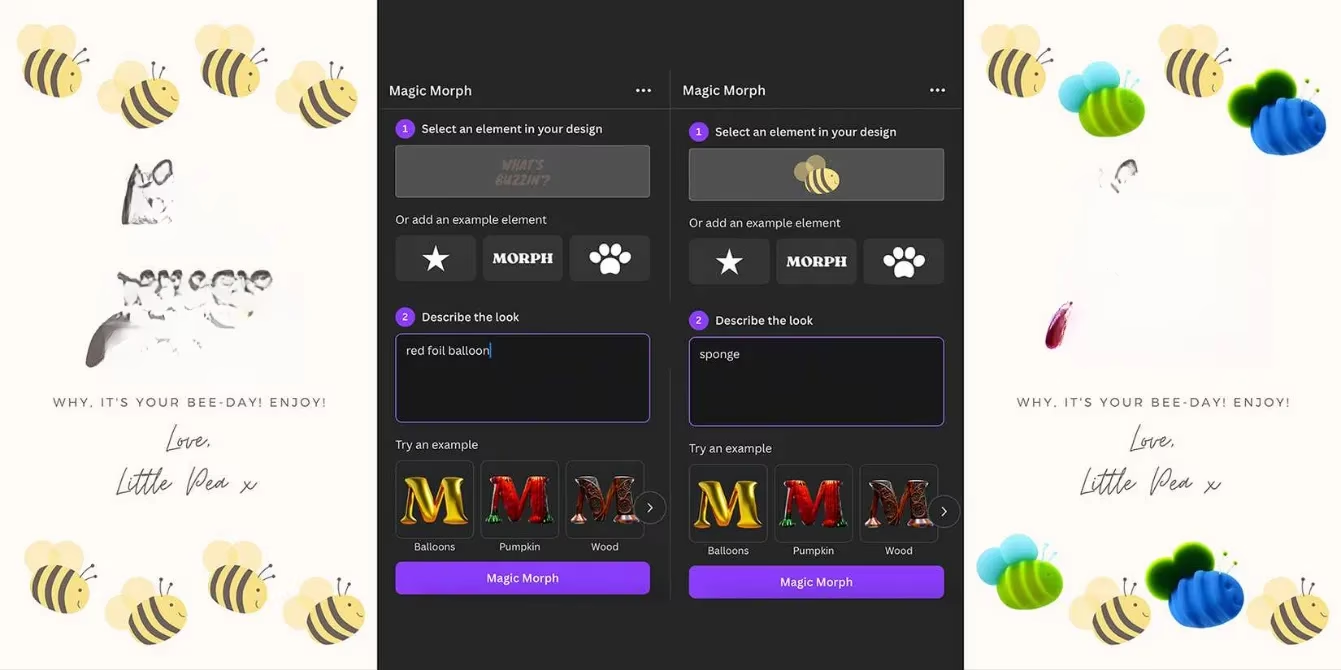
Imagine turning plain text into shimmering gold foil, glowing neon, or rustic carved wood—all with a few keystrokes. Magic Morph makes this possible, bringing a level of textural and dimensional artistry to Canva that rivals specialized font generators. This Canva Pro tool, found in Quick Actions or the Apps menu, allows users to select any element or text block and transform it using descriptive prompts. By typing ideas like "liquid mercury," "green moss," or "geometric crystal," the AI generates four unique visual interpretations. The tool is particularly effective on text, elevating flat typography into a central, eye-catching design element. It also works on shapes and graphics, adding intricate details and styles that go far beyond standard fill and effect options. For users who need advanced visual effects but don't have access to complex software like Adobe Photoshop, Magic Morph is a revolutionary shortcut, producing stunning, manipulated-style graphics in mere seconds.
🔍 Grab Text: The Ultimate Editor for AI-Generated Imagery
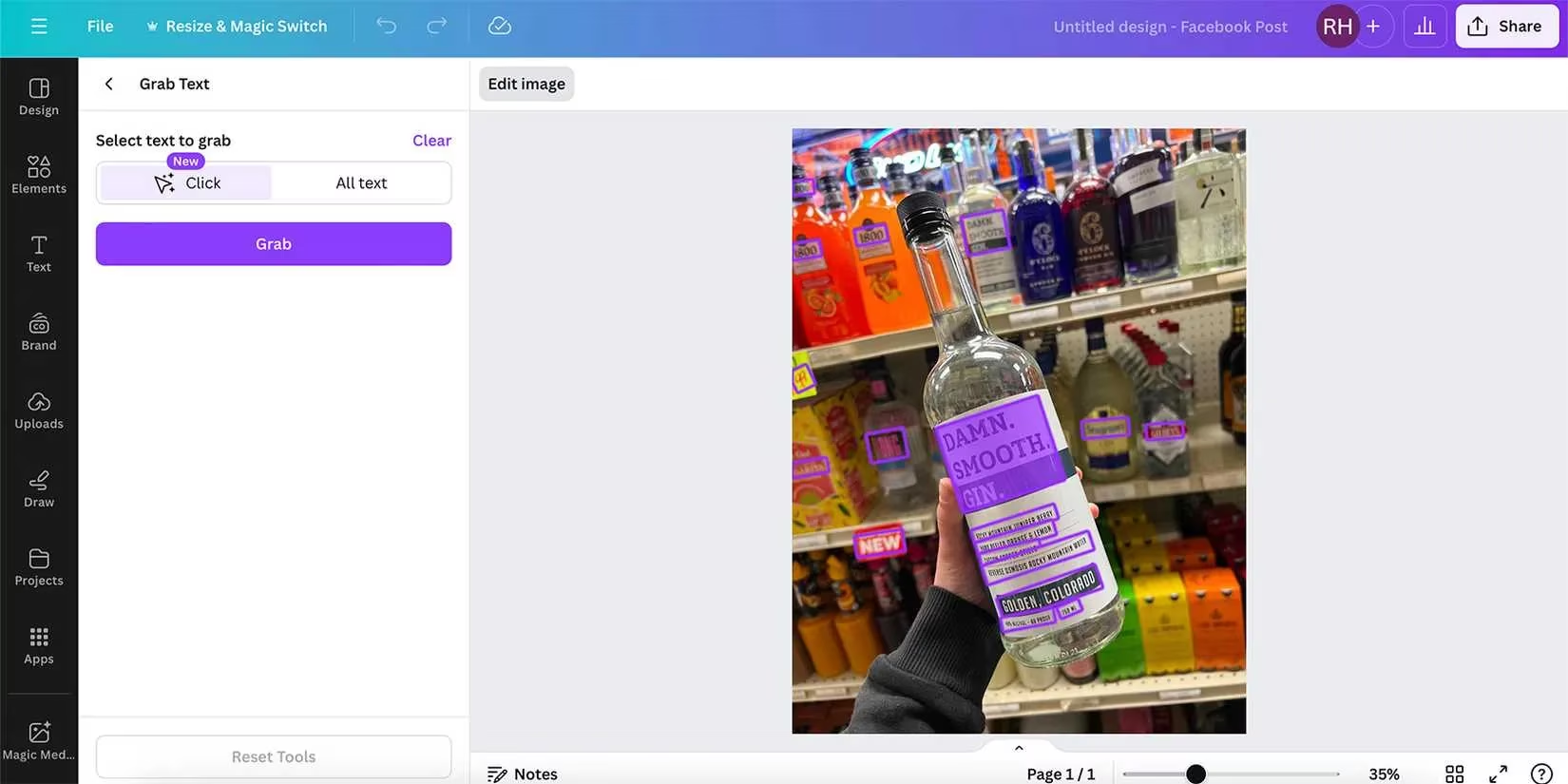
One of the most persistent quirks of AI image generation has been its comical inability to produce legible text, often rendering nonsensical glyphs dubbed "AI gibberish." Canva's Grab Text tool is the elegant solution to this pervasive problem. This Canva Pro feature is a true time-saver. Simply upload an image containing text—whether it's a photo of a storefront, a screenshot, or an AI-generated image with garbled letters—select Edit Image > Grab Text, and watch the magic happen. The AI scans the image, identifies all text regions (even in different languages or non-sensical strings), and converts them into fully editable, vector-based text elements.
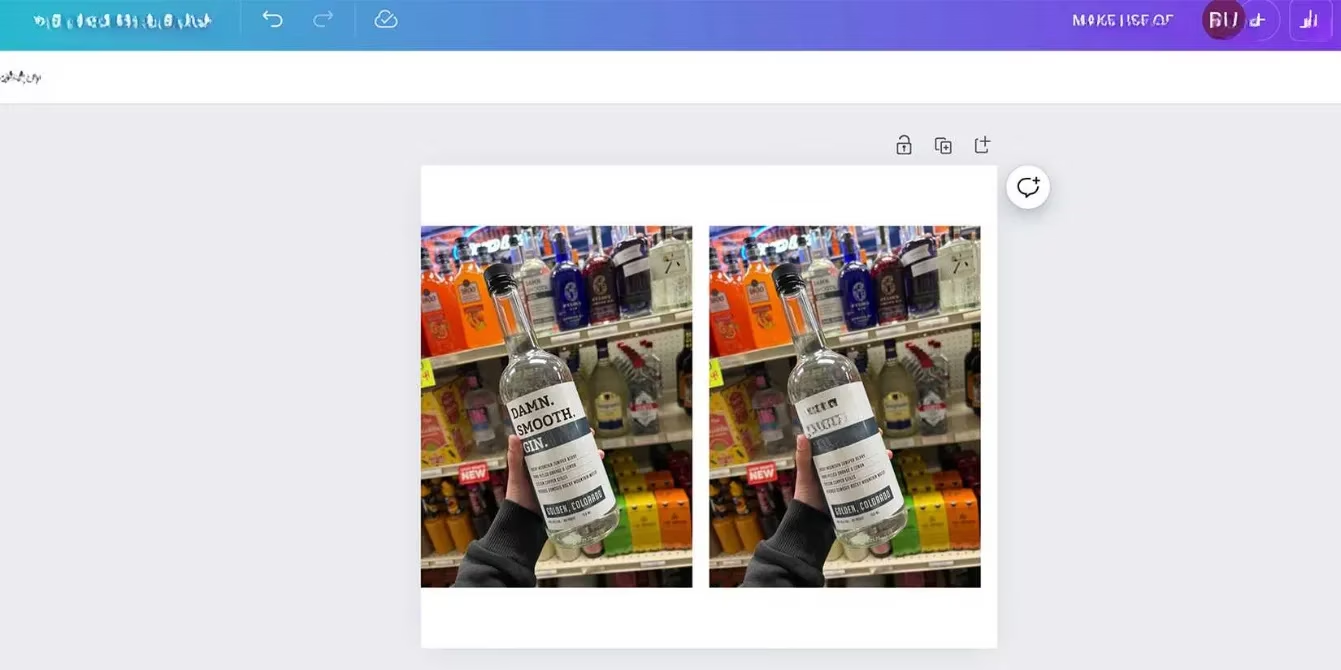
Its intelligence is twofold: it either accurately identifies the original font or suggests a remarkably close match, and it can seamlessly inpaint the background if you choose to delete the text entirely. What might take several meticulous minutes with layer masks in professional photo editing software is accomplished in an instant. This tool not only fixes AI errors but also unlocks new creative possibilities, allowing designers to easily rewrite signs in photos or clean up text-heavy images.
🚀 Beyond the Favorites: A Universe of AI Possibilities
While these five tools represent the cornerstone of Canva's AI prowess, the Magic Studio ecosystem is vast and continually expanding. Designers in 2026 regularly explore:
-
Magic Design: Generates complete design templates from a simple text prompt.
-
Magic Animate: Adds subtle, professional animations to design elements with one click.
-
Magic Expand & Edit: Intelligently alters image dimensions or edits specific parts of a photo using AI.
-
AI Image & Video Generators: Create custom visuals directly within the platform.
In a digital era saturated with AI claims, Canva's implementation stands out for its practicality, integration, and user-centric design. These tools collectively lower barriers, enhance efficiency, and most importantly, empower every individual to create visually stunning and effective communications. For countless creators worldwide, these intelligent features have transformed Canva from a simple design tool into an indispensable creative partner.
Comments