 AIImageInsight
Remember when editing photos meant spending hours on complicated software or settling for basic filters that never quite hit the mark? Fast forward to 2026, and Samsung's Galaxy AI has completely changed the game, turning every smartphone user into a potential digital artist. The journey from ordinary snapshots to extraordinary images is now just a few taps away, and the results? Well, let's just say they're nothing short of magical.
The Generative Editing Magic ✨
First up is the generative editing feature—honestly, it's like having a professional photo editor living inside your phone. Gone are the days of worrying about photobombers or accidental objects ruining that perfect shot. With this tool, you can simply outline unwanted elements and watch as the AI intelligently removes them, filling in the gaps so seamlessly that you'd never know anything was there. The process is so intuitive:
-
Open your photo in the Gallery app
-
Tap the Edit icon (that little pencil) > Generative edit icon (blue circle with four stars)
-
Outline what you want to move or remove
-
Tap Generate and let the AI work its magic
-
Save your masterpiece as a copy
It's that simple! The AI doesn't just delete things—it actually understands the context of your image and reconstructs what should be there instead. Talk about smart technology!
From Doodles to Masterpieces: Sketch to Image 🎨
Now here's a feature that really lets your creativity run wild. Sketch to Image is perfect for those of us who aren't exactly Picasso but still want to create something beautiful. Imagine drawing a rough sketch and having it transformed into a polished artwork—that's exactly what this tool does. The process feels like magic:
-
Open your photo and tap the Photo Assist icon (those grouped stars)
-
Select Sketch to image to enter drawing mode
-
Use your finger or S Pen to sketch directly on the image
-
Tap Generate when you're happy with your drawing
The AI then analyzes your sketch and creates multiple artistic versions, each with different styles and effects. Swipe through them to find your favorite, then save it to your device. It's incredible how a few simple lines can become a complete work of art!
Edit Suggestions: Your Personal Photo Assistant 🤖
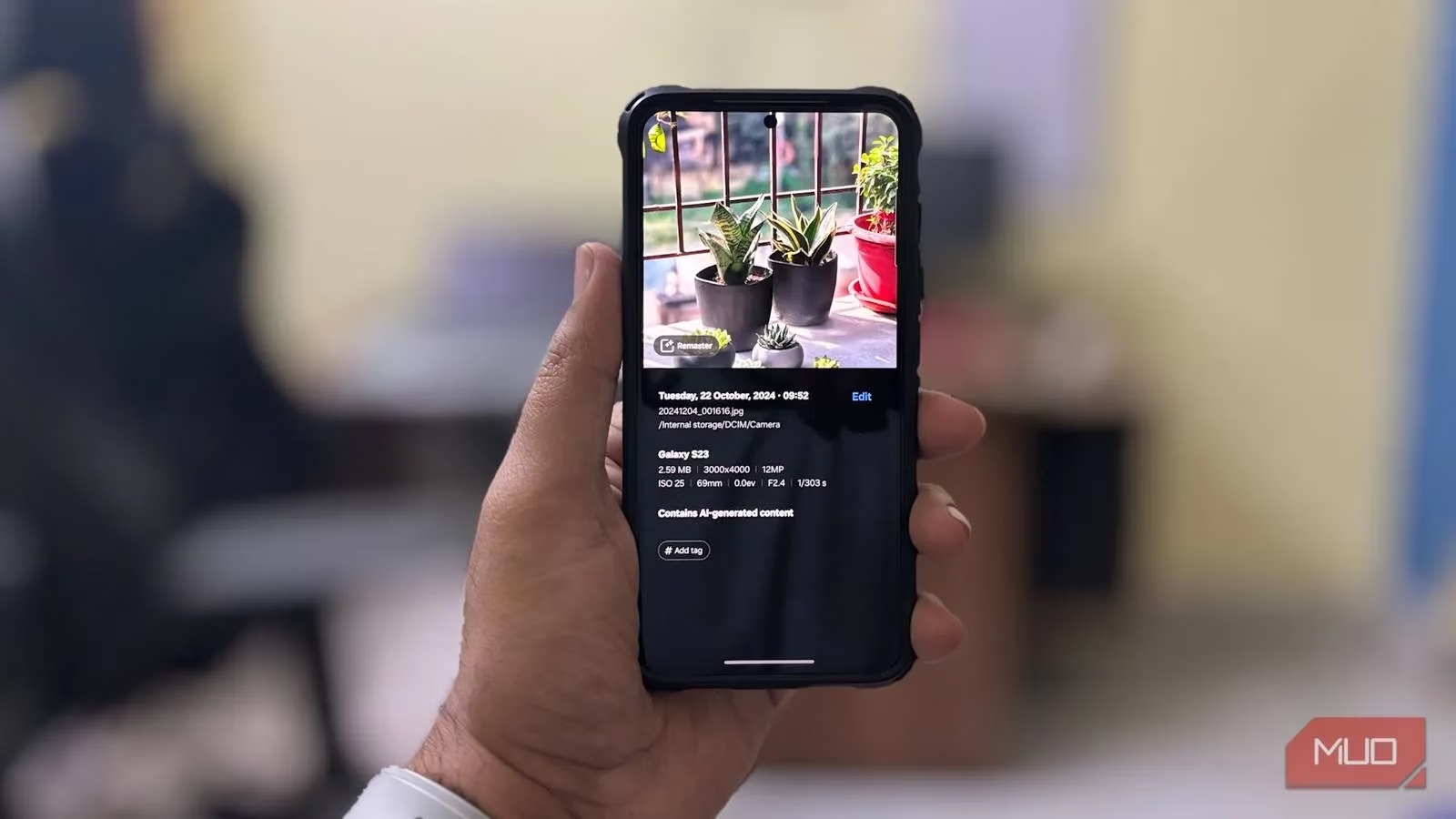
Once you've created or edited an image, Samsung's Edit Suggestions come in to add those final touches. These AI-powered recommendations analyze your photo and suggest improvements that can take it from good to amazing. Here are the standout options:
| Feature | What It Does | Best For |
|---|---|---|
| Remaster | Fixes blurry photos, adjusts brightness/contrast, removes shadows | Old photos needing refresh |
| Live Effect | Creates 3D simulations from 2D images | Adding dynamic movement |
| Background Blur | Blurs background to highlight subjects | Portrait photography |
To access these, just open your image in Gallery, tap More (the three dots) and choose Details, or simply swipe up. The suggestions appear automatically—try them out and see what works best for your photo!
Portrait Studio: Become a Cartoon Character 🎭
This is where things get really fun! Portrait Studio, part of Samsung's Galaxy AI suite, turns regular selfies into artistic cartoon versions while keeping your original personality intact. Choose from styles like:
-
Comic book characters
-
3D cartoons
-
Watercolor paintings
-
Sketch drawings
The process is straightforward: take or select a photo, tap the Photo Assist AI icon, hit Portrait studio, pick your style, and let the AI create your unique portrait. Save it with the download icon or Save copy. Just remember—this feature is cloud-based, so you'll need internet and a Samsung account.
What's really cool? The 3D avatars come in multiple formats (JPG, HEIC, BMP, PNG), making them perfect for:
• Social media profile pictures
• Gaming app avatars
• Digital stickers and emojis
• Personalized digital content
Galaxy Enhance-X: The Power Tool Kit 🔧
For those who want even more control, there's Galaxy Enhance-X—available for download from the Galaxy Store. This app offers specialized tools for specific editing needs. After granting permissions and selecting your image, you get a before-and-after preview to see exactly what changes you're making.
Here are some favorite features users love:
🔥 Magic: All-in-one enhancement reducing noise, improving brightness, and sharpening images
🔥 Fix Blur: Corrects lens smudges and focus issues in blurry photos
🔥 Remove Reflection: Clears glare from photos taken in bright light
🔥 Increase Resolution: Boosts quality of old scans or downloaded pictures
🔥 Denoise: Removes graininess from low-light photos
🔥 Face: Smooths skin tones and reduces blemishes for flawless portraits
🔥 Fix Moire: Eliminates unwanted patterns from fabric photos
🔥 Brighten: Enhances dull or underexposed images
Each tool is designed to solve specific photography problems, giving you professional-level results without the professional-level complexity.
The Future Is Creative 🌟
As we look at smartphone photography in 2026, it's clear that AI isn't just an add-on—it's becoming the creative partner we never knew we needed. Samsung's Galaxy AI features represent a fundamental shift in how we approach image creation and editing. No longer are we limited by technical skills or expensive software; now, imagination is the only boundary.
The beauty of these tools lies in their accessibility. Whether you're removing an unwanted object from a vacation photo, turning a simple sketch into artwork, or giving new life to old memories, the process feels natural and intuitive. And the best part? You're learning and improving with every edit, developing your creative eye while the AI handles the technical heavy lifting.
So go ahead—explore, experiment, and unleash your creativity. Your smartphone isn't just a camera anymore; it's a portable art studio, a professional editing suite, and a creative playground all in one. The question isn't whether you can create amazing images anymore, but rather: what amazing images will you create today?
Comments