 AIImageInsight
In an ideal recording scenario, every podcast, voiceover, or video call would take place in a perfectly silent studio with acoustic panels and zero external disturbance. The reality of 2026, however, is that traffic hums, pets scurry, air conditioners rumble, and noisy neighbors laugh a little too loudly just when the microphone is live. Whether someone is a content creator, remote worker, or occasional interviewer, unwanted background noise can turn an otherwise excellent recording into a grating experience for listeners. Thanks to rapid advances in machine learning, a variety of AI‑powered audio cleaning solutions now exist that can transform any racket‑filled clip into a studio‑quality masterpiece with just a few clicks. These intelligent systems listen deeply to the sound spectrum, distinguish human speech from ambient clatter, and surgically strip away hums, hisses, echoes, and other sonic distractions without harming the vocal clarity. Below is a curated list of the best AI tools that any user can rely on in 2026 to achieve crisp, professional audio without hiring a sound engineer.
🥇 Adobe Enhance Speech – The One‑Click Wonder
Adobe’s Enhance Speech feature has held its gold‑medal status for years, and as of 2026 it remains a favorite for anyone who values sheer simplicity. The process feels almost magical: a noisy recording is uploaded, a single button is pressed, and within seconds the audio emerges sounding as if it was captured inside a soundproofed booth. Behind the scenes, Adobe’s AI models analyze the frequency signature of the human voice and separate it from irregular background patterns such as wind, street rumble, or appliance drone. This light‑touch noise removal works best when the main speaker is already distinguishable from the interference; if the noise completely drowns out the words, the algorithm may accidentally treat mumbled syllables as unwanted sound. Nevertheless, for everyday cleanup tasks – cleaning a Zoom meeting recording, tidying up a field interview, or polishing a voice memo – Enhance Speech is a lifesaver.
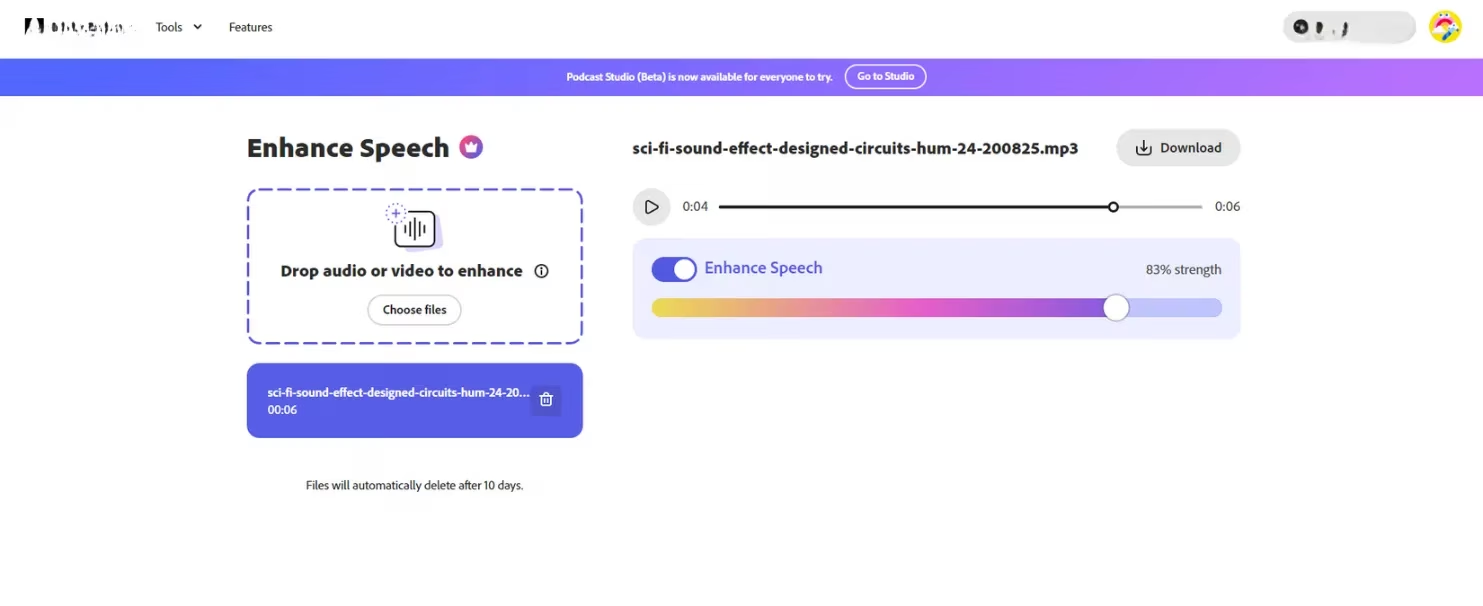
At the time of writing in 2026, this tool remains free for processing audio files directly through the Adobe Express web app. Video file support, however, requires an Adobe Express Premium subscription, which continues to be priced competitively around $11.49 per month. For users who need to denoise a video clip without breaking the bank, the investment quickly pays for itself in time saved manually tweaking equalizers and noise gates.
🥈 Audio Enhancer – Customizable Cleanup With Polish
While Adobe wins on speed, Audio Enhancer snags the silver medal because it does far more than simple denoising. This AI‑driven platform not only scrubs away background hiss and hum but also actively enhances the quality of the human voice. It can repair thin, tinny recordings by restoring natural warmth and presence, and it intelligently normalizes loudness levels so that soft whispers and sudden shouts both sit comfortably in the mix. The result is a track that sounds professionally mastered, not just cleaned.
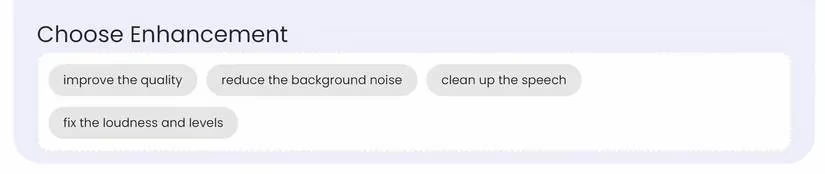
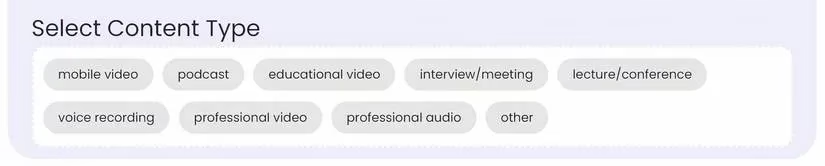
What truly sets Audio Enhancer apart in 2026 is its generous free tier, which gives users access to a suite of enhancement presets. After uploading a file, the system asks what kind of improvement is desired – options range from gentle noise reduction to full “speech repair” – and then prompts the user to select the content type, such as podcast, interview, or lecture. This guided customization ensures that the AI picks the optimal processing chain for the specific use case, leading to consistently satisfying outcomes.
For those who need even finer control, the Pro plan (starting at $10 per month) unlocks additional parameters such as reverb reduction strength, dynamic range compression, and targeted EQ shaping. As of 2026, Audio Enhancer remains a go‑to for podcasters, YouTubers, and online course creators who want to deliver broadcast‑quality sound without complicated editing software.
🥉 Audo Studio – Effortless Echo and Noise Removal
Audo Studio earns the bronze medal by striking a beautiful balance between power and effortlessness. Much like Adobe Enhance Speech, Audo Studio operates as a one‑click solution, but it places special emphasis on removing echoes alongside background noise. This makes it particularly useful for recordings made in large, reflective rooms – think living rooms with hardwood floors or conference halls where the mic picks up a hollow ring. Users simply drag and drop a file; the AI automatically detects and suppresses both steady‑state noise and reverberation before delivering a clean, dry voice track.
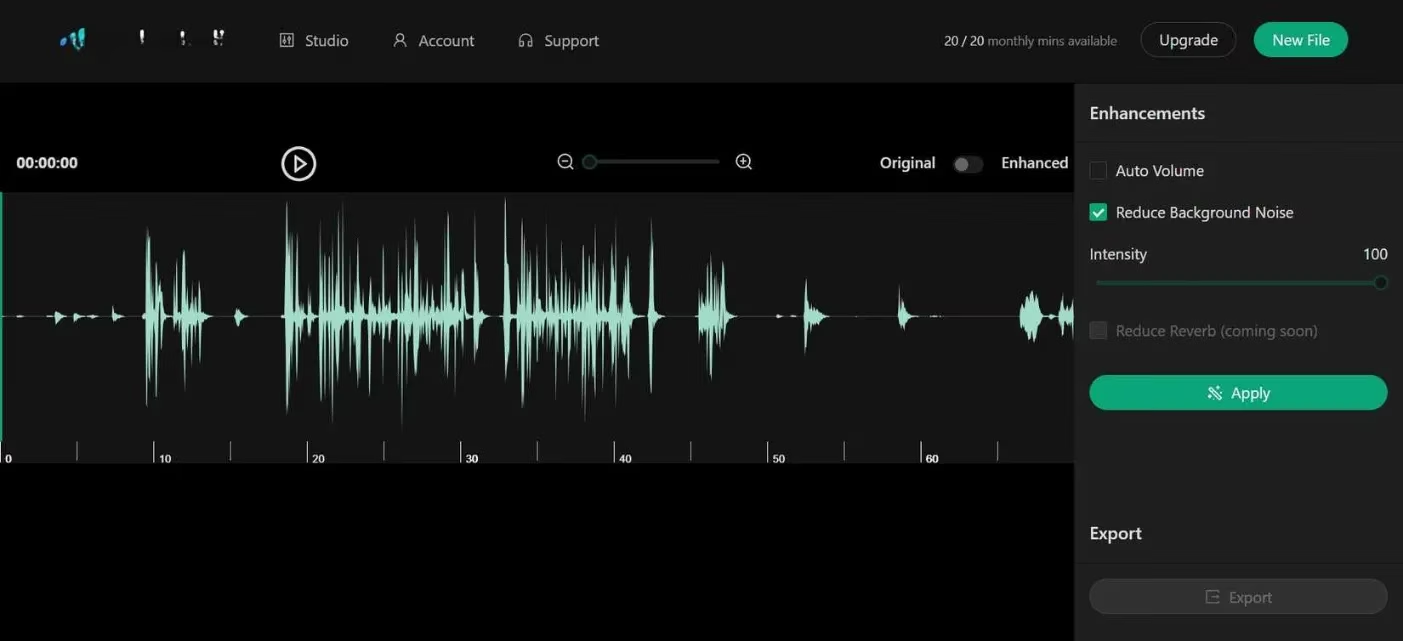
A highlight of Audo Studio in 2026 is its free monthly allowance of 20 minutes of enhanced audio, which is perfect for casual users who only need to clean a short message or a couple of social media clips each month. The Pro plans start at $12 per month and lift the minute cap while adding batch processing and higher fidelity output. With its straightforward interface and reliable results, Audo Studio continues to be a trusted companion for students, voice message enthusiasts, and remote workers looking to sound professional on conference calls.
🔍 Other Worthy Contenders
Beyond the medal podium, several other AI‑based denoising tools have built loyal followings by offering specialized features or attractive pricing models. In 2026, the landscape is richer than ever, giving users the freedom to pick the tool that matches their exact workflow.
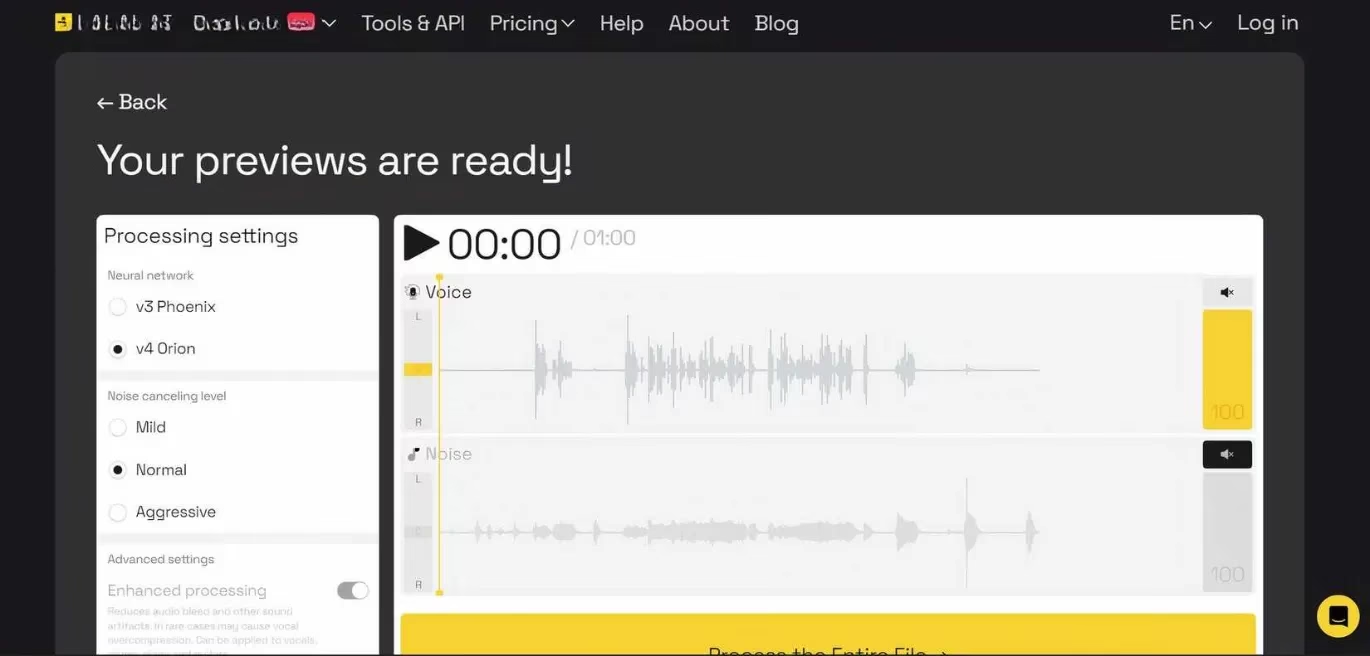
Lalal.ai has carved out a niche as an AI stem separator that can isolate vocals from even the most complex audio mixtures. Instead of simply reducing noise, it literally splits a file into a voice track and a noise track, allowing users to download just the pristine vocal part. Listening to cleaned previews is free, but downloading the separated files requires purchasing a usage‑based Pro plan, which starts at $18 for 90 minutes of processed audio. This pay‑as‑you‑go model makes Lalal.ai a favorite among musicians and DJs who occasionally need to salvage a sample or extract spoken word from a noisy background.
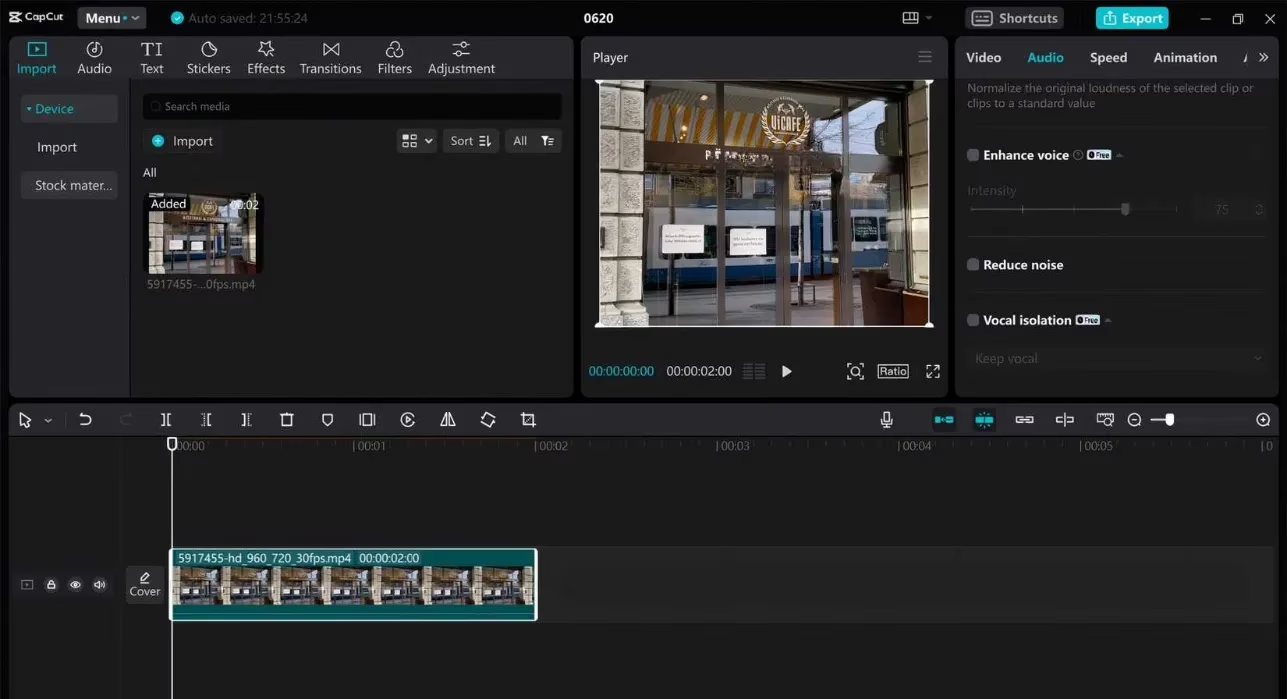
CapCut, the versatile video editor that first rose to fame alongside TikTok, also packs a remarkably capable noise reduction module. Available on both mobile and desktop, CapCut’s one‑tap denoising slider is incredibly convenient for content creators who are already cutting and captioning videos inside the app. As of 2026, the noise reduction feature remains free with no limits, which makes it an easy recommendation for anyone already using the CapCut ecosystem. Some privacy‑conscious users express reservations about data handling, but for those comfortable with mainstream social media editing tools, CapCut offers a seamless, all‑in‑one production pipeline.
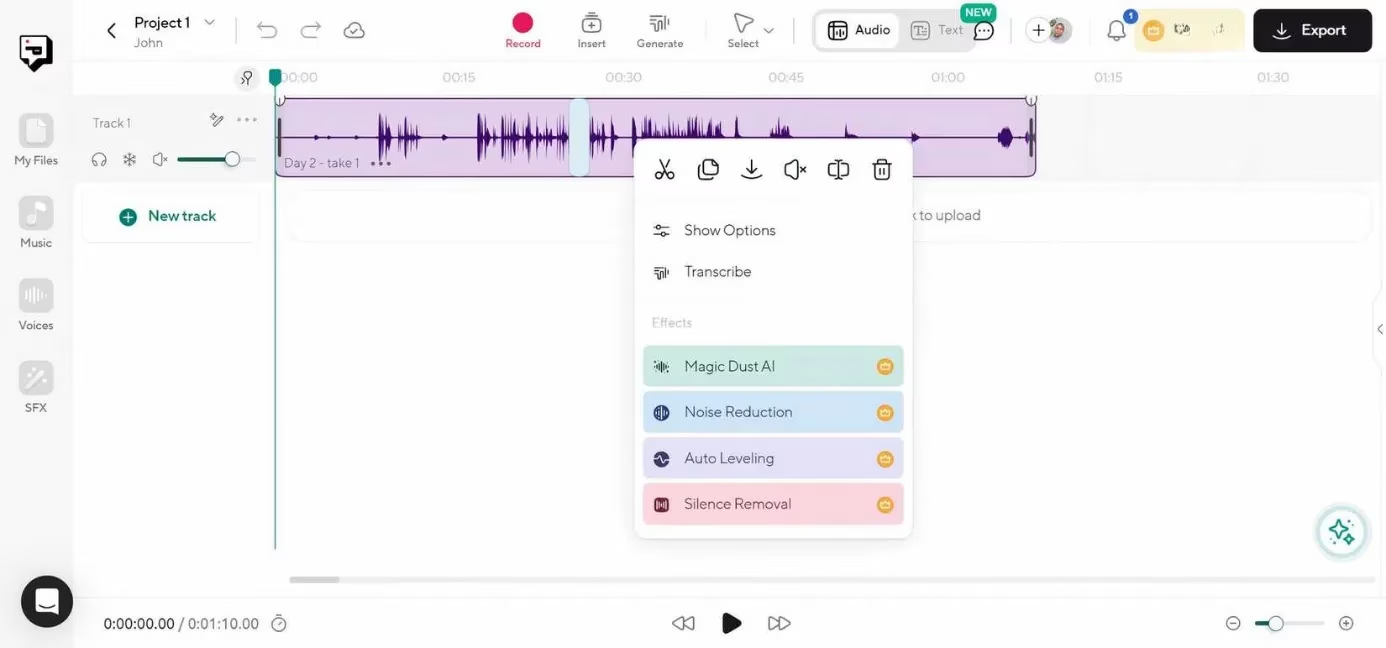
Podcastle takes a holistic approach to audio creation. Its proprietary “Magic Dust” feature leverages AI to sweep away background noise, but that is only one part of a much larger toolkit that includes recording, multi‑track editing, and even text‑to‑speech generation. After uploading a noisy file, users can trim, rearrange, or layer in music, and then apply Magic Dust to let the AI intelligently polish the final mix. This power does come at a price: a Podcastle subscription is required for noise cleaning and other Pro‑level features, with plans starting at $23.99 per month (or $11.99 per month when billed annually). For podcast producers and audio storytellers who want an entire creative suite under one roof, Podcastle represents a solid investment in 2026.
🎯 Choosing the Right AI Noise Remover in 2026
With so many excellent choices available, the best tool depends on individual priorities. Here’s a quick comparison to help narrow down the options:
| Tool | Best For | Free Tier | Starting Price (2026) |
|---|---|---|---|
| Adobe Enhance Speech | Instant one‑click cleanup | Free for audio files | $11.49/mo for video |
| Audio Enhancer | Voice quality boost and customization | Free with enhancement presets | $10/mo (Pro) |
| Audo Studio | Echo and noise removal with ease | 20 min/month free | $12/mo (Pro) |
| Lalal.ai | Isolating vocals from complex noise | Free previews only | $18 (per 90 min pack) |
| CapCut | Free built‑in editing and denoising | Fully free | Free |
| Podcastle | Full podcast production suite | Free limited features | $11.99/mo (annual) |
No matter whether the goal is to rescue a cherished voice recording, produce a polished video essay, or deliver crystal‑clear remote presentations, the AI tools of 2026 have brought professional‑grade audio restoration into everyone’s hands. The days of endlessly fiddling with high‑pass filters and noise gates are fading; instead, one need only upload a file and let machine learning work its magic. It is a quiet revolution – one that ensures every voice can be heard clearly, even in a noisy world.
Comments