 AIImageInsight
For decades, Microsoft Paint stood as a humble, almost forgotten, digital companion—a quiet witness to the dawn of the personal computing age. It was the place where childhood doodles and simple diagrams were born, a tool of pure, unadulterated simplicity. Then, 2026 arrived, and with it, a profound transformation. A whisper of intelligence, an infusion of creative spirit, has reawakened this slumbering giant. No longer just a canvas for stick figures, Paint has learned to dream. It now listens to whispers and interprets strokes, breathing life into the simplest of sketches with a soulful, artificial consciousness. It's like the old friend you grew up with suddenly revealed they were a wizard all along—pretty wild, right?
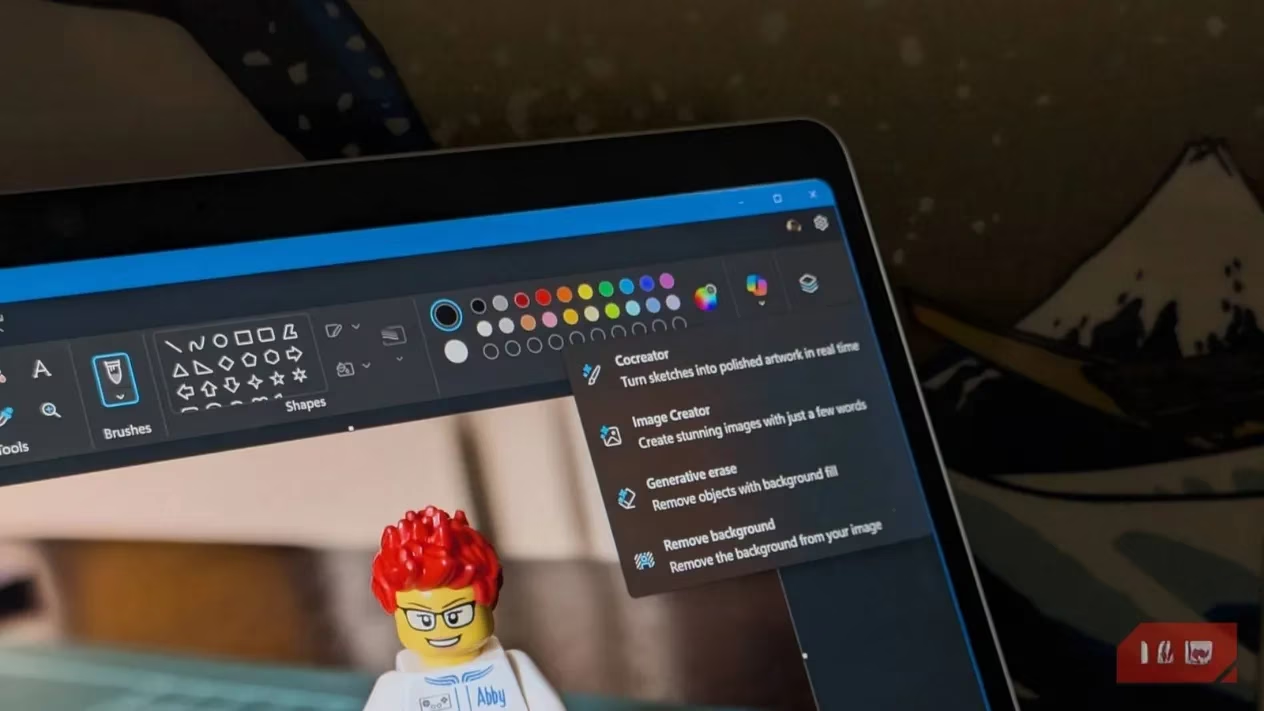
The Heart of Co-Creation: Cocreator
At the core of this renaissance is the Cocreator. This feature is the bridge between human intention and machine imagination. It’s where a clumsy sketch becomes a detailed landscape, where a few lines evolve into a character brimming with life. The process feels less like issuing commands and more like having a conversation with the canvas itself.
-
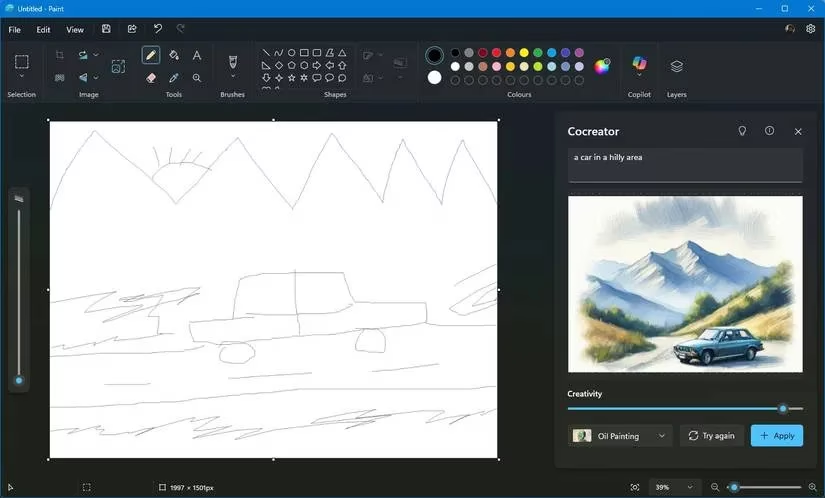
The Dance Begins: You open Paint, find the Copilot icon, and invite the Cocreator to your side. A text box awaits your description—a prompt in English that sets the stage. "A serene mountain lake at dusk," you might type.
-
The First Stroke: You draw. A wavy line for the horizon, a jagged shape for a mountain. The AI watches, learns, and begins to hum with activity in the side pane. It’s generating possibilities, interpreting your crude marks as the foundation for something grand.
-
Finding the Rhythm: A slider controls the Creativity level. Slide it left, and the AI follows your lead closely, a faithful scribe. Slide it right, and it takes flight, adding textures, shadows, and unexpected details—a true collaborator. You can choose a Style from a menu: the fluid grace of watercolor, the sharp edges of pixel art, the dreamy quality of oil painting.
-
The Finale: If the first attempt isn’t perfect, you simply ask it to Try again. It will offer variations until one makes your heart sing. Click Apply, and the artwork flows onto your canvas, ready for your final touches with Paint’s classic tools. It’s a godsend for idea generation, turning fleeting thoughts into tangible visuals without ever leaving the comfort of this familiar program. Talk about a glow-up!
The Dream Weaver: Image Creator
If Cocreator is a collaborative partner, then Image Creator is the pure dream weaver. It conjures entirely new worlds from text alone. Powered by advanced models, it listens to your descriptions and paints them into existence.
The process is beautifully straightforward:
-
Open Image Creator from the Copilot pane.
-
In the text box, pour out your vision. Be vivid. "A cyberpunk cat wearing a neon trench coat, standing in a rainy alley, reflective pavement."
-
Pick a style to guide the mood, then hit Create.
In moments, it presents you with three unique interpretations of your prompt. Click on your favorite, and it materializes on the canvas. This tool has become indispensable for creators in 2026, generating unique assets for articles, social media, presentations, and marketing campaigns—all from a simple sentence.
The Artful Surgeon: Generative Fill & Erase
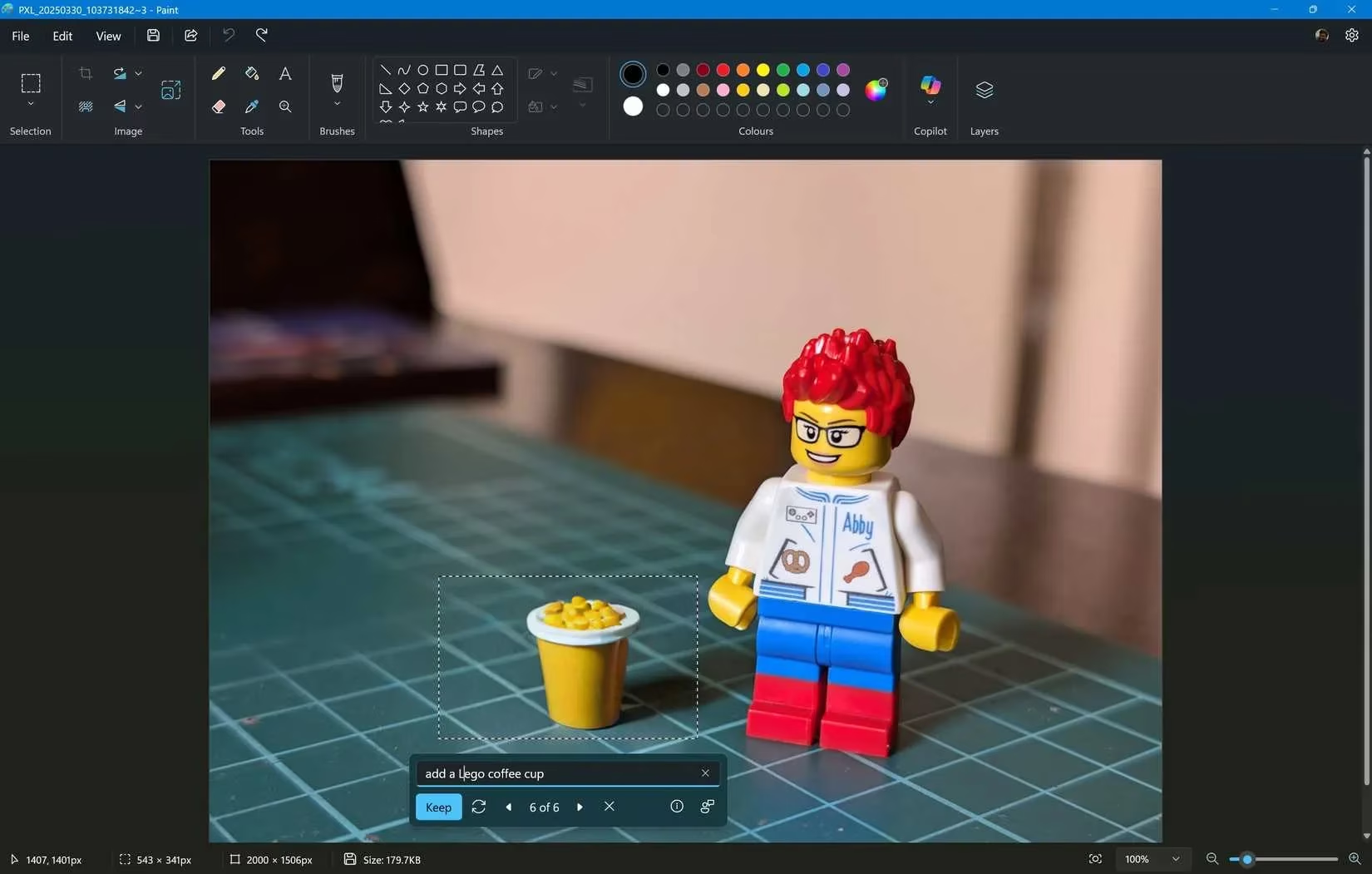
Then there are the features that feel like magic spells for editing: Generative Fill and Generative Erase. These tools understand context and content, allowing for seamless additions and subtractions.
| Action | How-To | The Magic It Performs |
|---|---|---|
| Generative Fill | Select an area, click Generative fill, describe what to add. | Adds a missing cloud, a fantastical creature, or a balancing object that blends perfectly. It’s like asking the void to paint for you. |
| Generative Erase | Select an object, click Generative erase. | Vanishes unwanted elements—a photobomber, a stray branch, an old memory—and intelligently rebuilds the background as if they were never there. |
These features empower both practical fixes and boundless creativity. Want to put a dragon in your backyard photo? Done. Need to remove a distracting signpost? Consider it gone. It turns photo enhancement and surreal art creation into an intuitive, playful process.
The Silent Curator: Remove Background
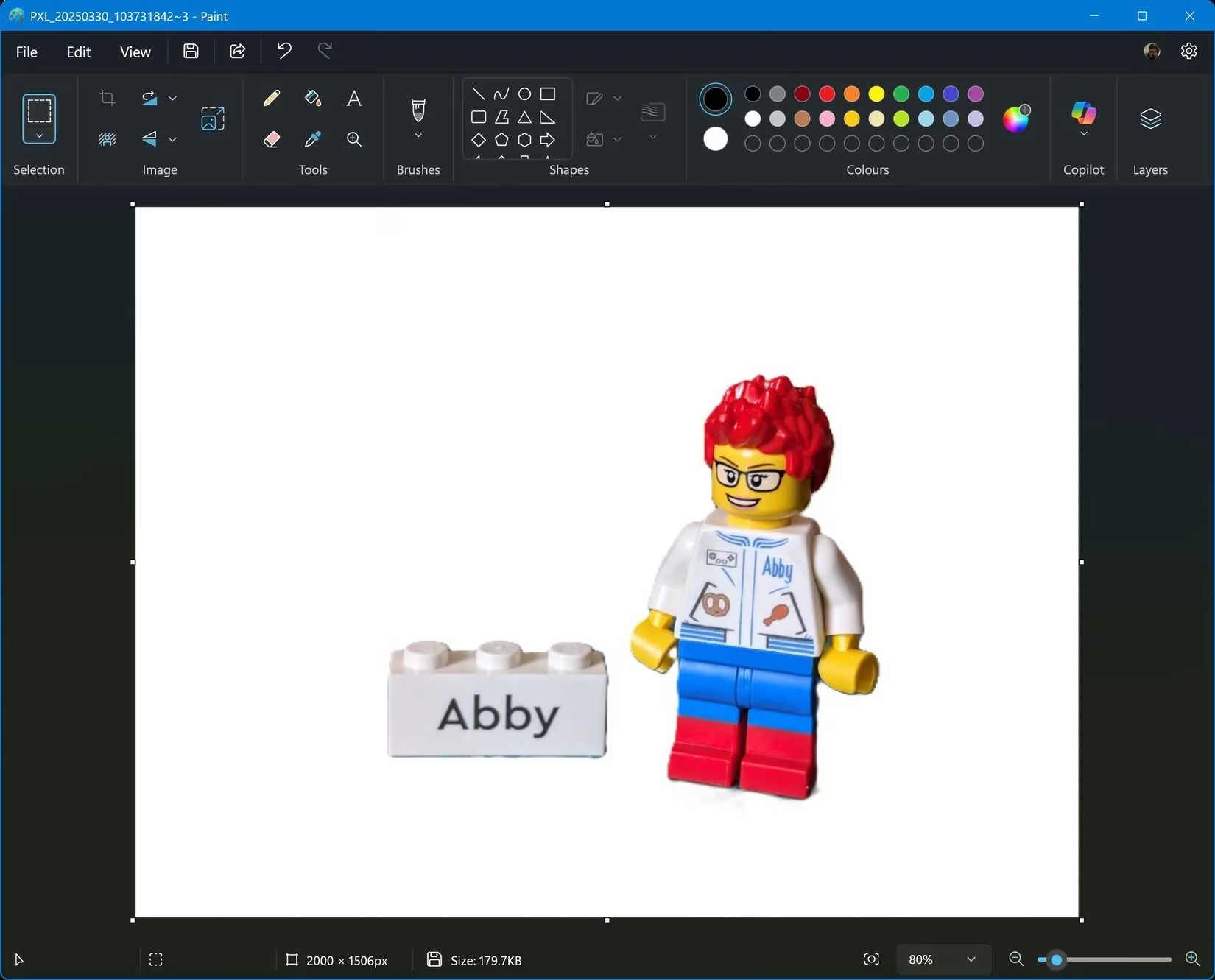
The Remove Background feature is the silent, efficient curator of your images. It performs the often-tedious task of isolation with astonishing grace.
-
Automatic Magic: Click the feature, and in seconds, Paint analyzes the image, identifies the main subject, and neatly separates it from its backdrop.
-
Precise Control: For tricky images, you can use the selection tools to guide it, ensuring perfect cuts.
Its applications are vast: creating clean product shots for e-commerce, designing compelling graphics with isolated subjects, or crafting professional portraits with flawless backdrops. It democratizes a task that once required specialized software, putting professional-grade editing at everyone’s fingertips. Honestly, it’s a game-changer.
Epilogue: A Canvas Reborn
In 2026, Microsoft Paint is no longer a relic. It is a vibrant, intelligent studio. The integration of AI has not merely added features; it has gifted the program with a new kind of sight and a gentle, creative hand. It simplifies the complex and magnifies the possible, all while retaining its foundational simplicity. For the casual user sketching an idea, the marketer needing a quick visual, or the artist exploring a concept, Paint has become a compelling first stop—a place where imagination meets a helpful, digital muse. The old friend has not just gotten an upgrade; it has undergone a poetic rebirth, waiting patiently on your desktop, ready to turn your next thought into art.
It makes you wonder... what else is waiting to be awakened?
Comments