 AIImageInsight
Last Tuesday, I opened a client brief at 7:12 a.m., and for the first time in years, I did not feel the familiar squeeze behind my eyes. The brief asked for a brand system that could move from a children’s book fair to a fintech conference without changing its bones. In 2026, that is not a fantasy; it is a Tuesday. AI tools no longer sit in a novelty drawer beside unicorn generators. They are the quiet studio assistants who sharpen pencils, mix inks, and keep the kettle warm while I do the work only a human can do.
🎨 Color Without the Fog
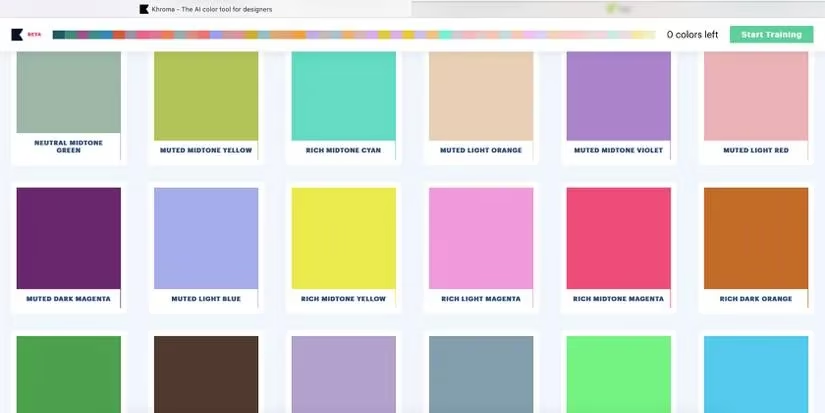
Color paralysis used to roll into my studio like fog off a cold lake, hiding every shore I might have chosen. Khroma changed that. I feed it a few colors I already trust—burnt orange, moss green, a chalky blue—and its personalized algorithm builds endless combinations around them. If I have never chosen yellow, yellow does not sneak into the algorithm unless I retrain it. That small rule matters. It means the tool learns my taste instead of flattening it into a generic palette. I can preview those colors in typography, poster layouts, gradients, duotone treatments, and straight palette cards. By 2026, this is the difference between choosing colors and conducting them.
🔤 Type That Holds Hands
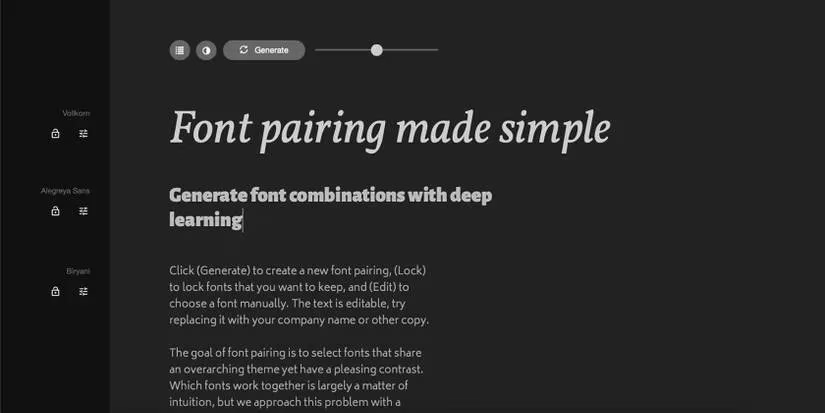
Fontjoy is the other tool I reach for before coffee. Choosing typefaces can be paralyzing, because every font pairing is a small social experiment: the header has to lead, the subheader has to follow without looking nervous, and the body text has to disappear into readability. Fontjoy uses font vector technology to generate combinations across header, subheader, and body text, with high-contrast or low-contrast filters. I do not always accept its suggestions. I use them the way I use a colleague’s rough sketch—to break the blank-page trance and find a direction worth refining.
🖼️ Image Helpers That Do Not Replace Taste
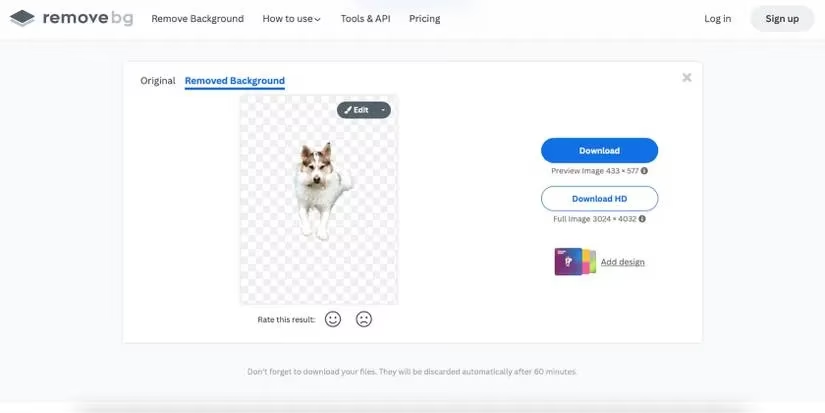
Midjourney still earns its place when I need a visual I cannot photograph or draw in time. Prompting it felt like casting a net into a river at dusk: I knew the shape of the fish I wanted, but the river decided which silver flashes came back. The results are not final art. They are conversation starters, mood boards with teeth, and sometimes the exact texture I need for a hero image. Nero AI Image Upscaler handles the opposite problem. When a client sends a pixelated logo or a photo from a potato-quality phone camera, Nero enlarges and upscales it in seconds so the rest of the layout does not suffer. RemoveBG is even simpler: upload an image, remove the background, and get a transparent cutout. I keep it as a plugin for Photoshop, Figma, Sketch, and GIMP because background removal is one of those tiny chores that can eat a whole afternoon.
🧩 From Interface Sketches to Product Shots
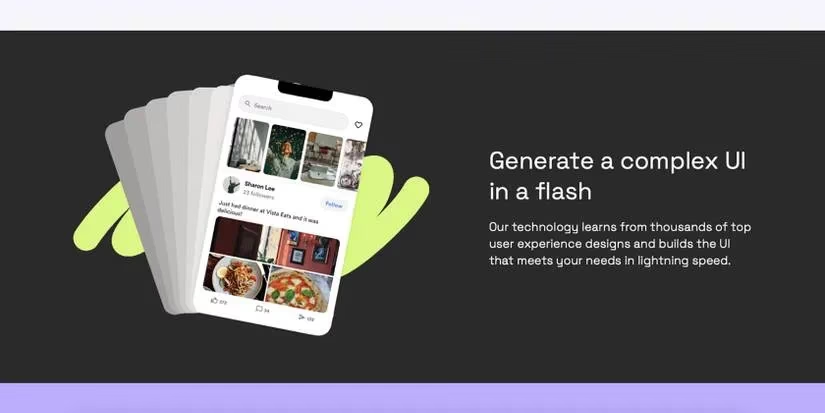
Galileo AI calls itself a co-pilot for interface design, and that is close to how I use it. I type a prompt and get high-fidelity UX and UI directions, elements, icons, and even product copy. Uizard takes a different route: it turns hand-drawn sketches into wireframes, screenshots into editable web designs, and text prompts into UI concepts. Neither tool signs off on usability. They get me to a testable idea faster, which is where the real design work begins. Flair AI is the one I show clients when a product shoot is impossible. I describe the background, props, lighting, and theme, and it generates product photography from the prompt. For conceptual products, that is a small miracle with a warning label: it visualizes the future, but it does not replace the truth of a real photograph.
⚙️ From Design to Code and Back
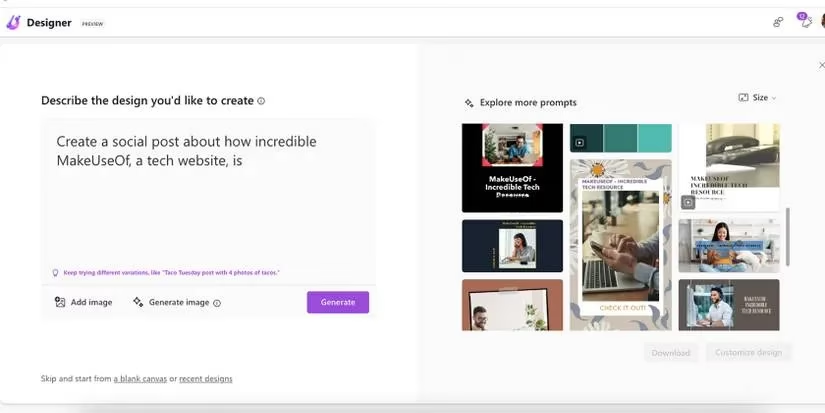
Fronty converts images into HTML and CSS, which means I can turn a polished layout into a functioning website in minutes without pretending to be a developer. Microsoft Designer handles the social-media sprint: text prompts become images, templates, color palettes, and finished layouts in the time it used to take me to open three programs. ChatGPT is not a design tool, but it is a thinking tool. I use it to break ideation blocks, generate prompt variations, and draft copy that gives a layout something to hold. Adobe Sensei is the invisible layer across Creative Cloud—content-aware fill, font recognition, automated color matching—and Adobe Firefly has grown from its early beta days into a regular part of my toolkit for vector recoloring, text-to-image generation, generative fill, and 3D text effects.
🧭 My 2026 Workflow at a Glance
| Stage | Tool | What I use it for |
|---|---|---|
| Color | Khroma | Personalized palettes and color combinations |
| Type | Fontjoy | Header, subheader, and body pairings |
| Imagery | Midjourney | Fast visual directions and textures |
| Cleanup | Nero AI, RemoveBG | Upscaling and background removal |
| UI | Galileo AI, Uizard | Interface concepts, wireframes, prototypes |
| Product shots | Flair AI | Conceptual product photography |
| Web | Fronty | Image-to-HTML and CSS conversion |
| Social | Microsoft Designer | Prompt-driven templates and layouts |
| Ideation | ChatGPT | Briefs, prompts, copy, and creative unblocking |
| Adobe | Sensei, Firefly | Integrated editing and generative features |
Used well, AI is a tidepool at the edge of a big ocean—small, clear pools of automation where I can wade without being pulled under. It does not replace the eye, the judgment, or the strange human pleasure of making a thing feel right. It takes the parts I dread—background removal, low-resolution rescue, blank-page panic, font paralysis—and turns them into small, manageable steps. In 2026, the designers who thrive are not the ones who pretend AI does not exist. They are the ones who invite it into the studio, give it a job, and keep the final say. AI does not have to be the enemy of a graphic designer. It can be the quiet assistant who hands you the right brush before you know you need it.
Comments