 AIImageInsight
OMG, fellow creators and gamers, let's spill the tea ☕ on something that’s been absolutely revolutionizing my digital art workflow lately! Remember the dark ages when turning a flat 2D image into a juicy 3D model meant slaving away for hours in Blender or Maya? Yeah, been there, done that, got the eye strain. But it’s 2026, babe, and AI is here to save our sanity – no cap.
I’ve been low-key obsessed with testing every AI tool under the sun that promises to whip my 2D screenshots, concept art, or even random shoe photos (more on that later) into 3D goodness. Whether you’re building a vibe-y AR scene, crafting unique assets for your indie game, or just flexing on your timeline with dimensional art, these babies deliver. So grab your favorite energy drink, and let’s dive into my top picks with all the pros, cons, and the real tea. 🍵
Alpha 3D: The AR Queen 👑
First up, Alpha 3D had me feeling like a tech witch the moment I dropped in a pic of my favorite sneakers. This freemium gal gives new users 50 free AI generation credits, which is pretty generous for testing the waters. The catch? As of now, the 2D-to-3D model is trained mainly on shoes and furniture – I know, kind of a vibe killer if you wanted to turn your cat into a 3D dragon. But the text-to-3D-image feature doesn’t have those limits, so you can still get those fantasy creatures vibin’.
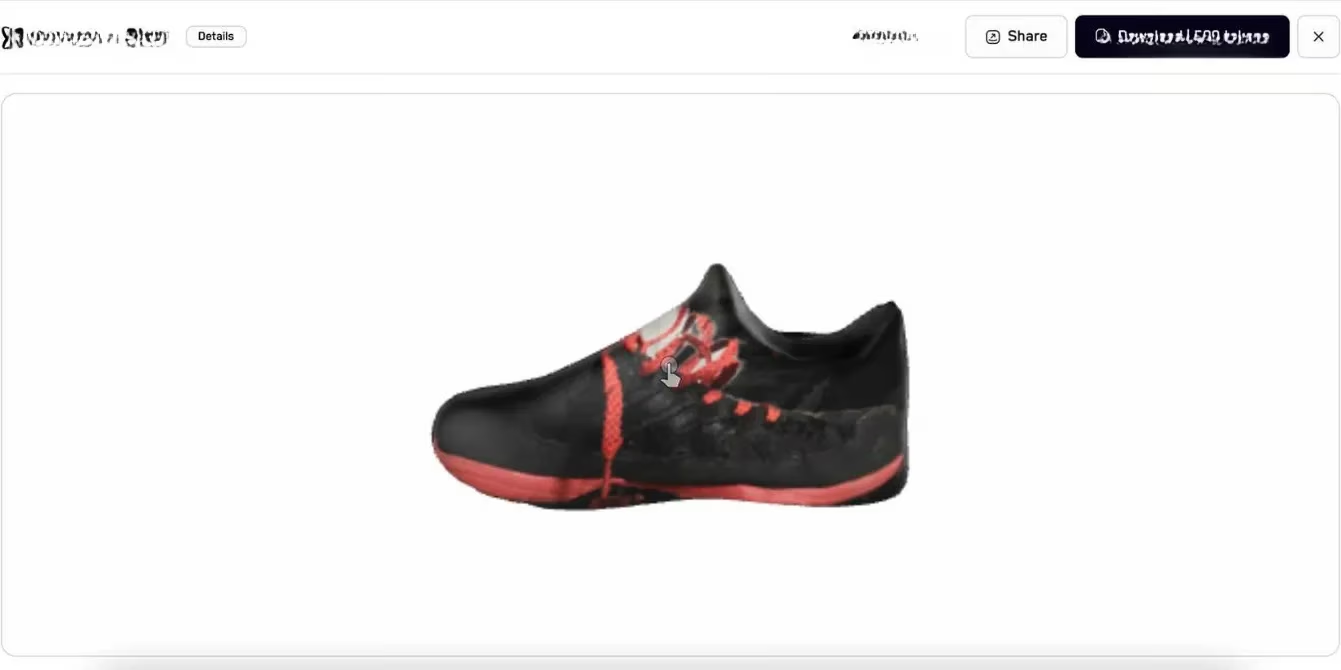
The real magic here is the augmented reality (AR) focus. I took my freshly generated 3D sneaker and imported it straight into Adobe Aero (yes, one of those free Adobe apps that’s actually useful) to build a mini AR scene. Watching my digital kicks hover in my living room had me screaming, literally, "It's giving futuristic, bestie!" If you're into AR content or wanna spice up your product showcases, this tool is straight fire.
The Free Depth King: Make 3D Image 👓
Now, if you’re after something simpler – a photo that suddenly has dimension like an old-school stereoscopic card but glossy and modern – check out this free browser-based tool (I call it the Depth Whisperer). No account drama, just upload your image or paste a URL. I threw in a flat landscape shot, and boom, the neural engine layered depth perception that made the mountains pop and the foreground feel close enough to touch.
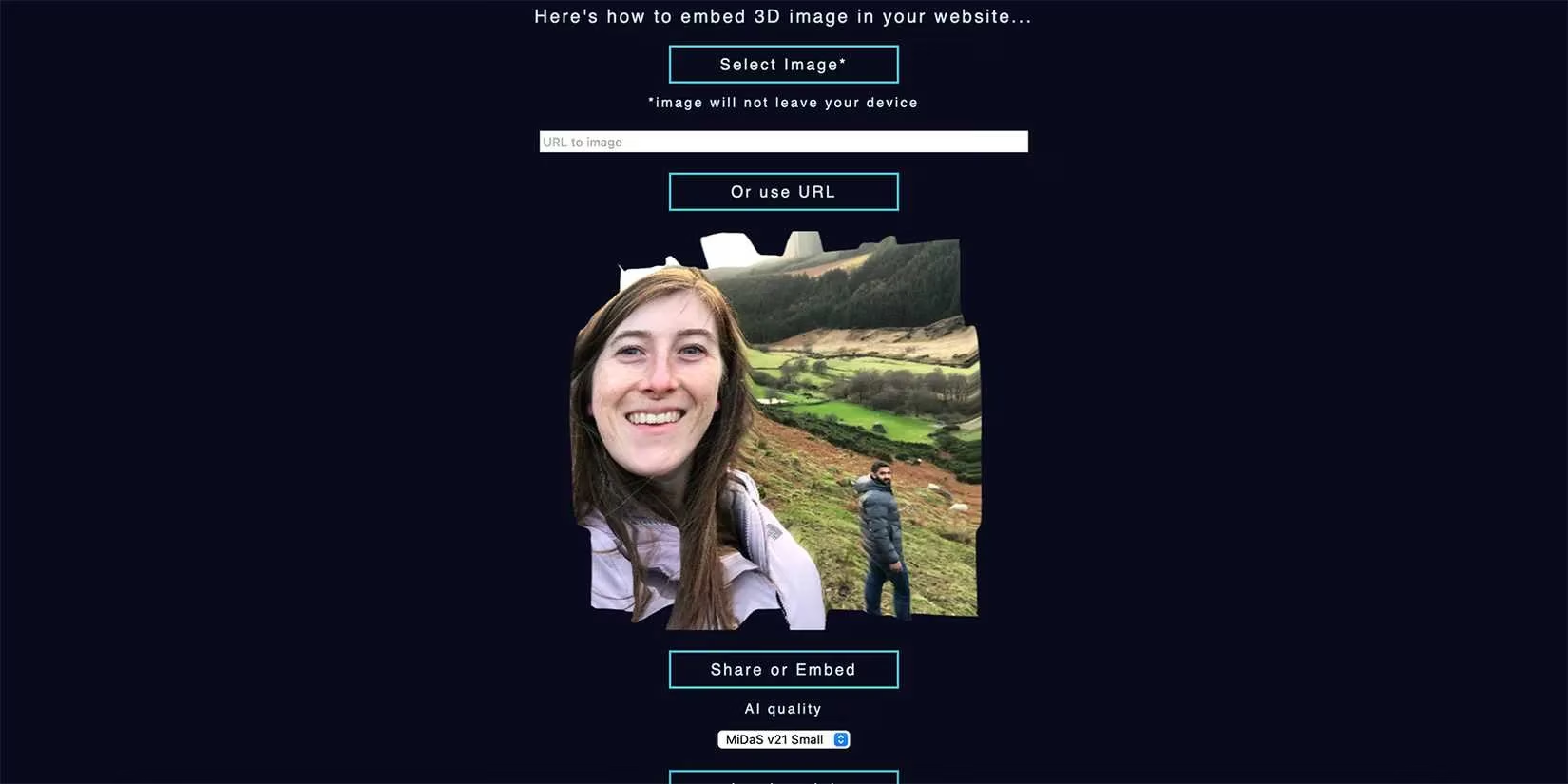
These are not full 3D models you can rotate, but dimensional photographs that look amazing when embedded in websites or used as profile art. The quality depends a lot on your source image – super busy pics can get muddy. For a free tool, though, the results are surprisingly aesthetic, not professional standard, but perfect for that "wait, how did they do that?" Instagram story. 🤳
Tripo: The Free Tool That Actually Slaps 🔥
Alright, let’s talk about my absolute fave for zero-budget creators: Tripo. This one adds full 3D rendering to uploaded PNG, JPEG, WEBP, or BMP files (illustrations or photos), and you can even use a text prompt. Free users get 600 monthly credits, which may sound tight, but I've cranked out dozens of models without hitting the limit because each generation is pretty affordable credit-wise.
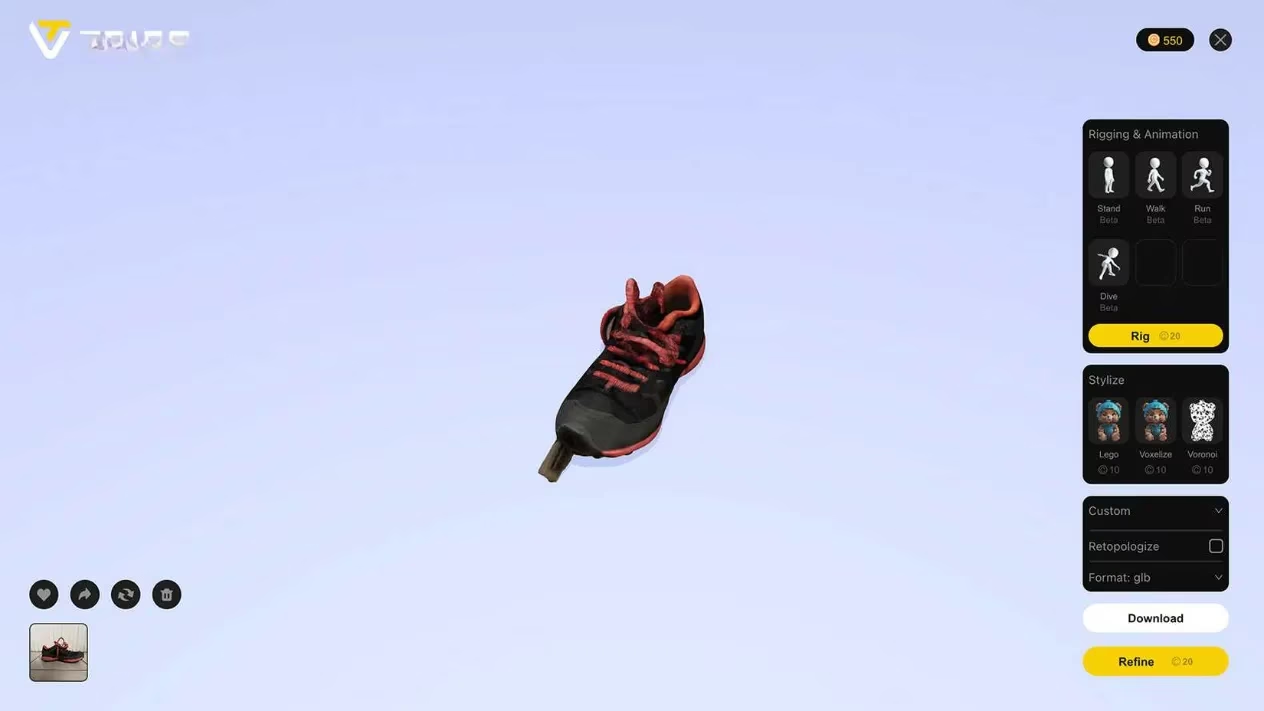
What really blew me away is that the free version delivers the same quality as the paid tiers – no watered-down, pixellated mess. I uploaded a digital painting of a stylized sword, and Tripo gave me a smooth, accurate 3D asset I could even rig (yes, there’s basic rigging support!) for a quick game prototype. Compared to Meshy (we'll get there), the render was crisp, colors popped, and the silhouette stayed true. Pro subscriptions start at $19.90/month for 3000 credits, but honestly, free is chef's kiss. If you're just starting out in 3D rendering, Tripo is your ride-or-die.
Immersity AI: Motion & Depth All-in-One 🎞️
Immersity AI is the quirky artist of the bunch. It not only turns 2D into 3D images but also creates subtle 3D motion videos – perfect for those looping social graphics that make people stop scrolling. The neural depth engine is wild; after uploading a pic of a rainy street, I got nine different motion style options, from gentle parallax to dreamy zooms.
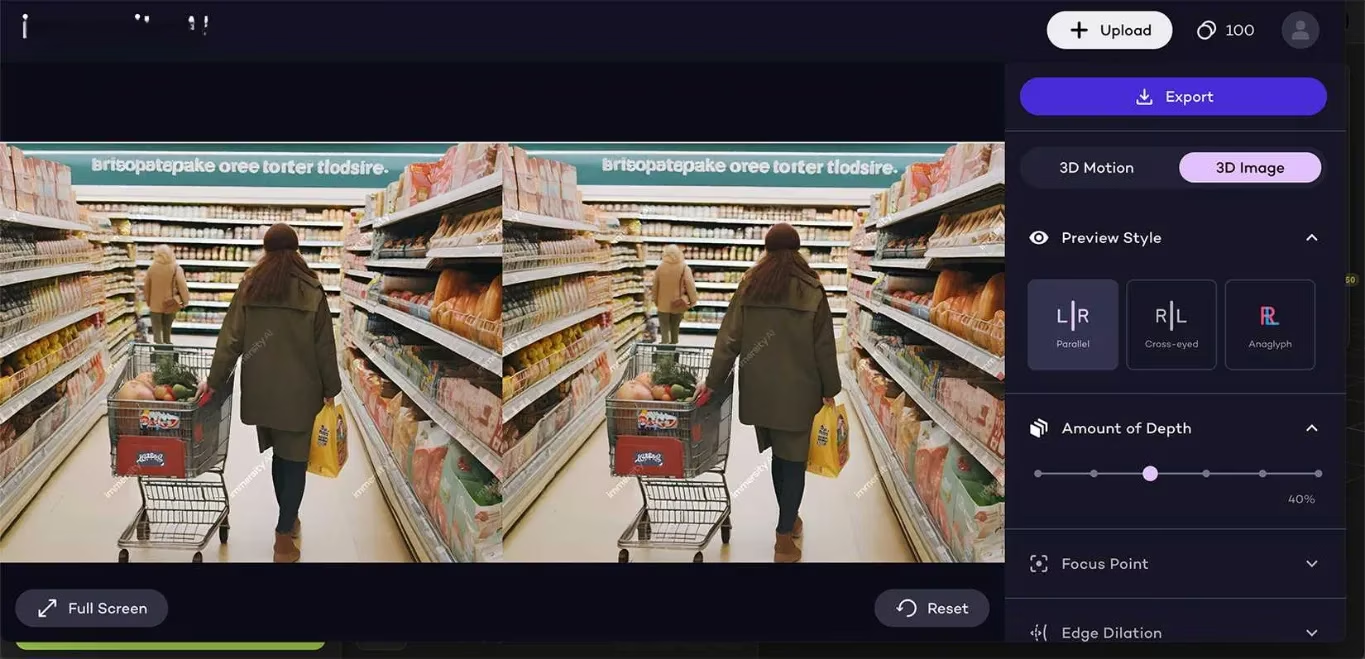
The level of control is low-key crazy – you can tweak animation style, motion amount, length, focus point, edge dilation, and the depth map until you get the exact vibe. For static 3D images, the results aren’t as strong as the motion ones, but still decent. New users get 100 free credits, and you can even export watermarked lower-quality stuff without spending a credit, which is clutch for cheapskates like me. When you do run out, 500 credits are just $5.00, and 1000 for $7.99. Total steal.
Meshy: The Premium Promise (with a Catch) 🎭
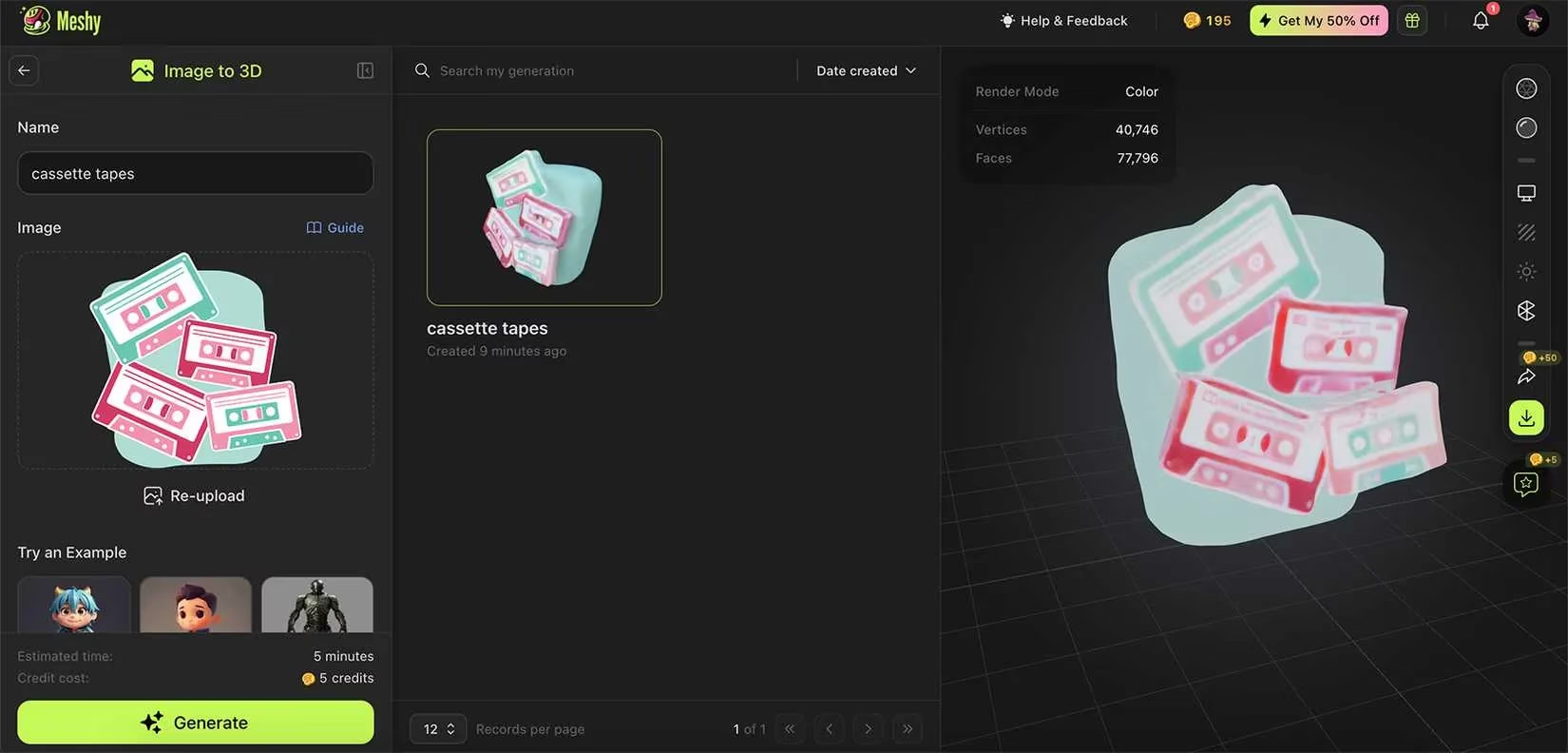
Meshy enters the chat with 200 free monthly credits and a 50% off discount on premium (Pro $8/mo, Max $24/mo, Max Unlimited $48/mo). Each 2D-to-3D generation costs 5 credits, with more credits needed for iterations. However, free users can’t touch the AI texture editing tool and are limited to one project in the queue at a time. I gotta keep it 100: my first render was… meh. I uploaded a clean illustration with solid color blocks, but the 3D model came out fuzzy and almost unrecognizable. The tea is that the free tier results aren’t mind-blowing, but upgrading to premium unlocks editing tools that can significantly polish the output. So if you’re ready to invest and tinker, Meshy might be your glow-up move.
Spline: The Pro-Level Powerhouse 🧙
And for those who are serioso about 3D, meet Spline. This platform has been a staple for vector-based 3D design (think website animations and interactive scenes), and its AI generator is now part of the Super package (from $24/month). With it, you can turn a 2D image into a 3D asset, use a text prompt, or even combine both – like uploading your character art and prompting it to place them in a cyberpunk alley. The real flex? AI textures, style transfer, and remix features let you explore variations until you find the one.
I've used Spline for client projects, and the ability to edit the AI result within its robust software (browser-based, or Mac/Windows apps) is a game-changer. If you need production-ready 3D that doesn’t scream "I was whipped up in five seconds," Spline is the way.
The Verdict: My Go-Tos 🏆
After weeks of testing, here’s the TL;DR for my fellow digital adventurers in 2026:
-
Free and fabulous: Tripo for solid model generation, Immersity AI for motion wizardry.
-
Premium polish: Spline when the budget allows – its heritage in 3D makes the results reliable and editable.
-
Quick depth fun: The Make 3D Image web tool for instant dimensional photos.
-
AR niche: Alpha 3D for shoe and furniture AR, with the hope that more categories drop soon.
AI isn’t just for regurgitating chatbot answers; it’s literally reshaping how we create. Turning your 2D pics into 3D art feels like peeking into the future – and honestly, we’re living in it. So go on, grab your favorite flat image, run it through one of these tools, and tag me in the results. Let’s make our feeds extra dimensional! 🚀✨
Stay creative, besties. Peace out. ✌️
Comments