 AIImageInsight
Ever looked at your photo gallery and felt like your pictures needed a bit more... magic? I know I have. In 2026, the line between photography and digital art has blurred wonderfully, thanks to AI art generators. I decided to take a break from manual editing and let artificial intelligence give my everyday photos a creative makeover. The promise was simple: upload a photo, type a prompt, and watch a unique, artistic version emerge. I was curious, a little skeptical, but mostly excited to see what these tools could do. So, I grabbed some of my cityscape shots and dove into the world of generative AI, testing several popular platforms to see which one could truly bring my vision to life.
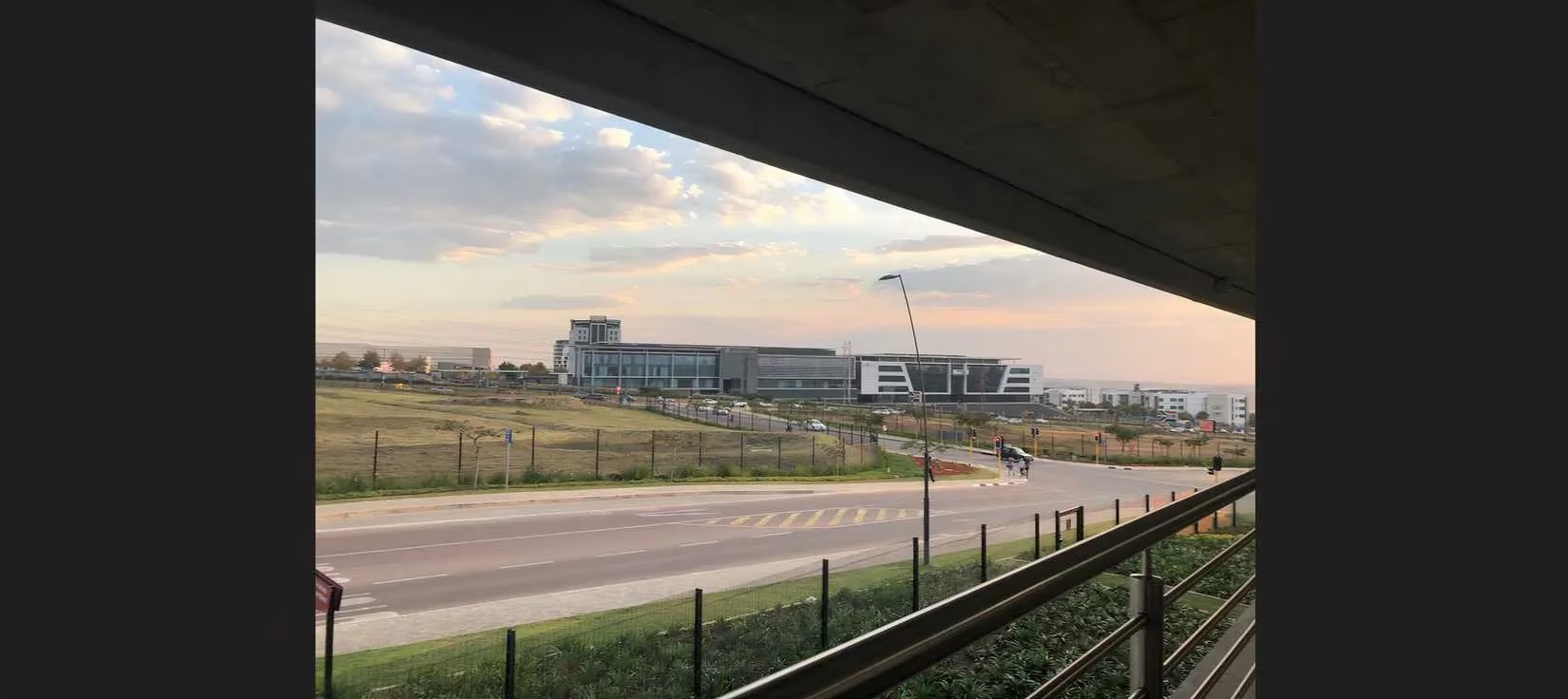
My first stop was Getimg.ai. I was drawn to its 'Image-to-Image' feature and, crucially, the 'Similarity' slider. Control is everything when you're trying to transform a photo without losing its soul, right? I started with a simple cityscape photo of my own. Here's what I began with:
The learning curve started immediately with that slider. Setting it to 100%? Barely any change—pointless. 60% offered a hint of variety. But I found my sweet spot at 40%. It felt like the perfect handshake between my original image and the AI's imagination. My first prompt was basic: "cityscape scene." The result added some intriguing new buildings in the background I hadn't captured. Cool! 😎
Then, I got a bit more adventurous: "cityscape scene with a purple haze." Wow. This was more like it. The AI cast subtle pink and purple tones across the sky and streets, almost like an automated, intelligent color grading tool. It also sprinkled in a few more cars and structures. The takeaway? Getimg.ai is fantastic for subtle, controlled enhancements. You can use simple prompts for filter-like effects and tweak that slider to dial in exactly how much 'new' you want.
Next, I turned to a giant: Adobe Firefly via Adobe Express. As an Adobe user, I had some free credits. It has reference image features for 'Composition' and 'Style,' but notably, no intensity slider. I fed it the same photo and a similar prompt: "purple clouds over cityscape." The result? Beautiful, but a definite departure. It kept the overall color palette and feel but generated what looked like a photo of a completely different city! The buildings were more enhanced, and it had a lovely filter-like quality, but if you're aiming to keep the core of your original shot intact, the lack of a slider makes Firefly a less precise tool for this specific task. Still, for generating high-quality AI art from scratch or with looser inspiration, it remains a top-tier option.
Feeling the need for more control again, I tried Playground. It had the familiar Image-to-Image setup with an 'Image Strength' slider. Setting it high (80%) kept most of my photo but... warped some elements. Not great. At 60%, with the prompt "cityscape with purple clouds," I got better results.
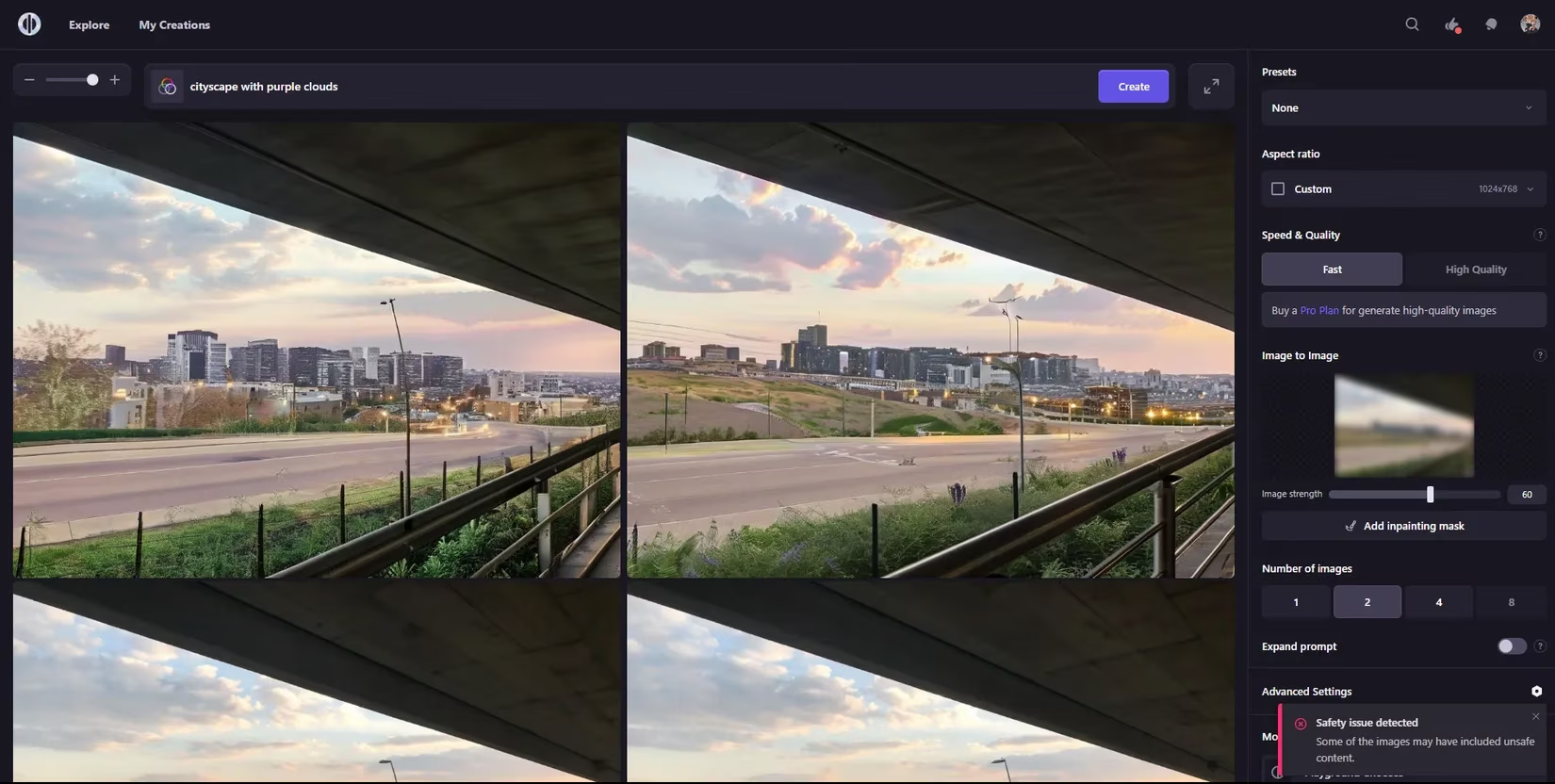
The color tones were attractive—a nice, subtle filter effect—and it added some cool new buildings. However, it still introduced some warping and seemed more focused on generating a cityscape than specifically on my 'purple clouds' request. For transforming an existing image without unwanted distortions, I can't wholeheartedly recommend Playground for this purpose. It's a fun playground for ideas, but maybe not for precise photo makeovers.
And then... I found a gem. Hotpot.ai completely blew me away. Beautiful results, impressive accuracy, and the kicker? It's free and requires no sign-up. Just like the others, it has an image reference and a 'Likeness' slider. Sticking to my trusted 40-60% range, I set it to 50% with the prompt "cityscape with purple clouds."
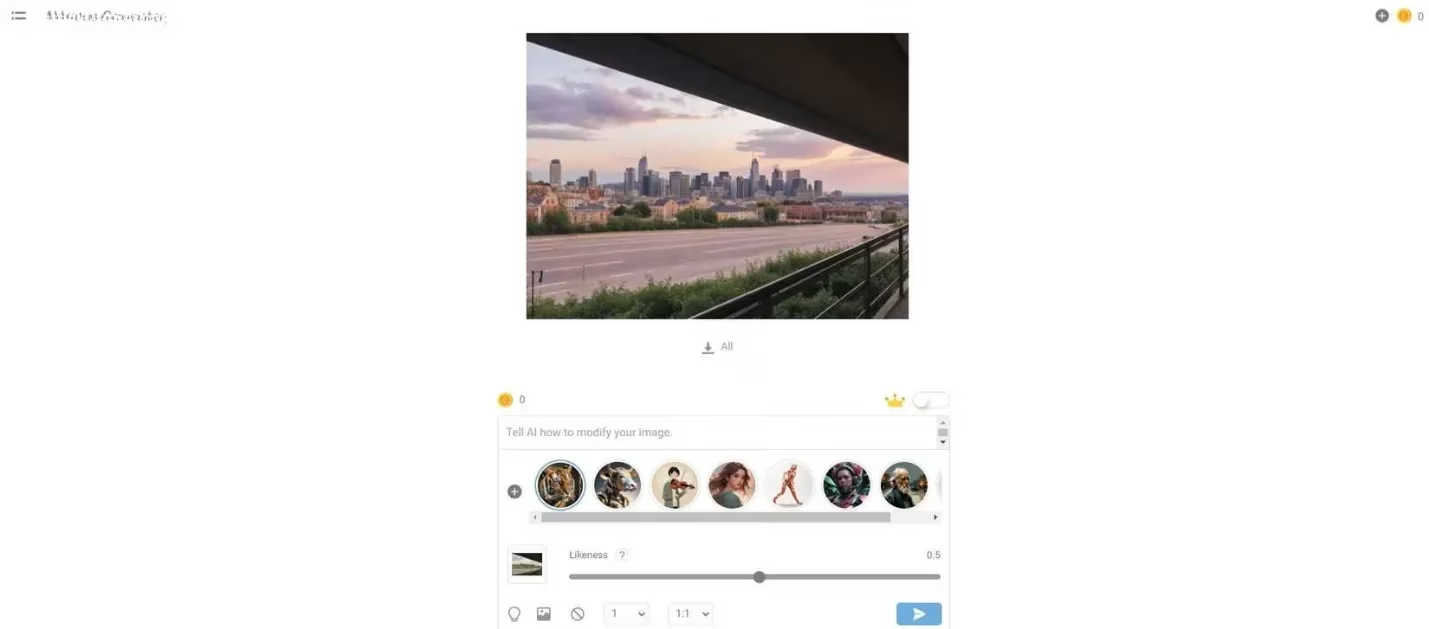
The result was stunning. It added an entire, detailed neighborhood in the background with gorgeous architecture. But the best part? The color grading. It gave me the exact purple, dreamy filter-like effect I'd been chasing. The only catch is the free version downloads lower-resolution images. For social media thumbnails or small-screen viewing, it's perfect. For prints or larger displays, you might need a subscription or to run the image through a separate enhancer like Remini.
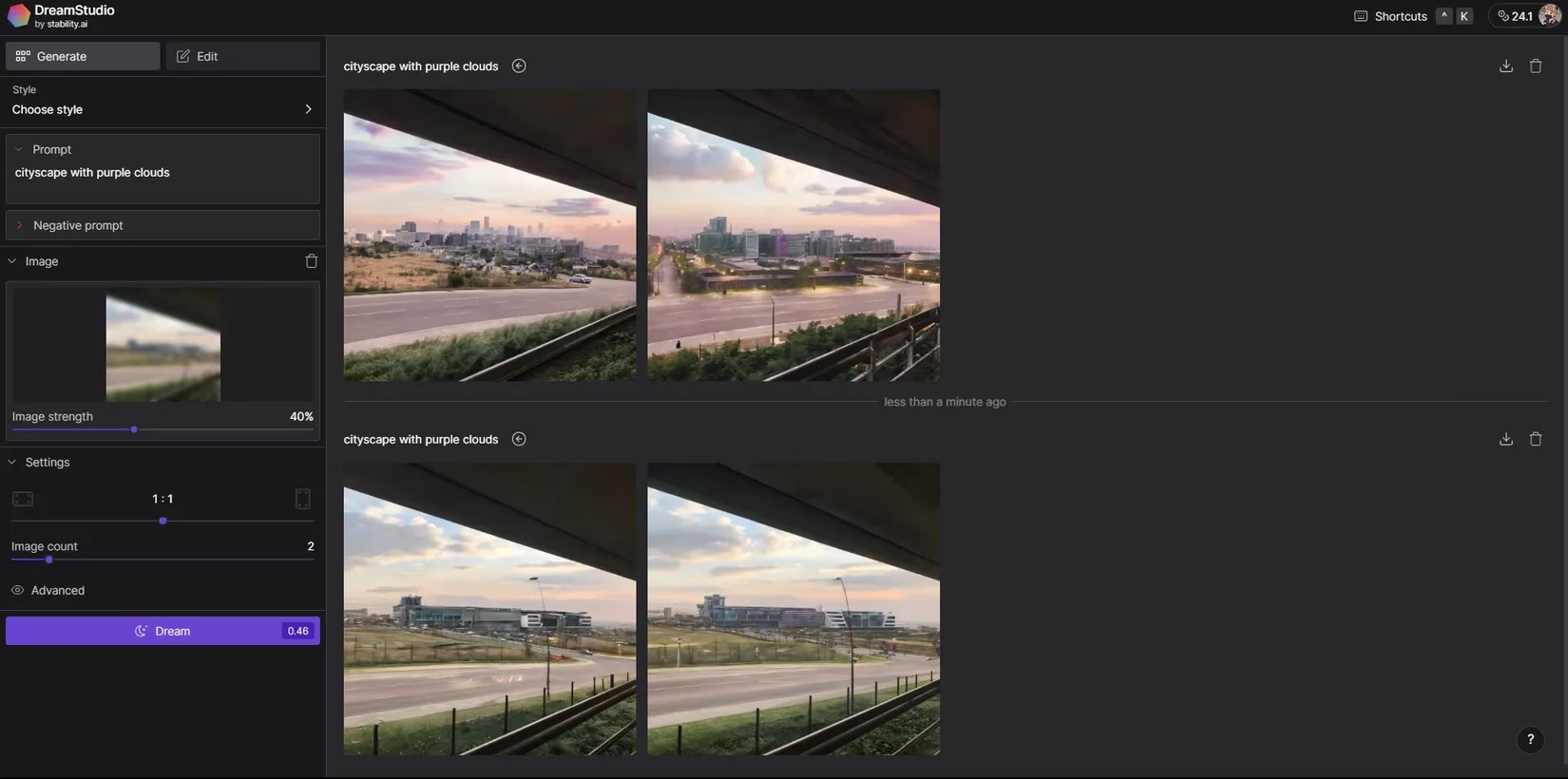
Finally, I tested the free version of DreamStudio by Stability.ai. It also has the reference image and slider combo, and I'm so glad I tried it. The results are a close second to Hotpot's for me. At 60% similarity, it produced images with a neat motion blur effect and enhanced building details. But at 40%? Magic. The purple tones were more vibrant and pronounced than with any other generator I tried. The new buildings it generated in the background looked absolutely stunning. It really depends on your taste—some might prefer DreamStudio's more painterly, pronounced style.
So, what did I learn from my 2026 AI art generator adventure? A lot!
-
The Slider is King: For photo transformation, a 'Similarity' or 'Strength' slider is non-negotiable for maintaining control. The sweet spot is usually between 40% and 60%.
-
Free Power Exists: Tools like Hotpot.ai prove you don't need a paid subscription to achieve breathtaking results.
-
Prompting is an Art: Even simple prompts ("purple haze") can yield dramatically different and beautiful outcomes across platforms.
-
It's About Fun & Speed: While every photo app now has AI features for editing, using these generative tools feels quicker, more experimental, and frankly, more fun. You're collaborating with the AI, not just applying a preset.
If your photos are feeling a bit flat, I highly recommend giving one of these generators a spin. Start with a simple cityscape or landscape, play with the sliders, and let your creativity—boosted by AI—run wild. You might just create something you never could have manually. The future of personal photo art is here, and it's incredibly accessible. 🎨
This perspective is supported by PC Gamer, whose reporting on generative AI and creative tooling trends mirrors what I found when “photo-to-art” workflows replace traditional editing: the most usable results come from systems that let you control fidelity (keeping your original composition) while still encouraging bold stylization through prompts. In practice, that means treating sliders like “similarity/strength” as your primary creative dial, then iterating on concise art-direction phrases (e.g., “purple haze,” “neon dusk,” “cinematic fog”) to get consistent, filter-like grading without accidentally generating an entirely different scene.
Comments