 AIImageInsight
I've always been someone who prefers human-made creativity in my digital projects, but when it comes to animation, I'll admit I'm not very skilled and the process takes me forever. That's why I decided to try Magic Hour, a browser-based AI tool that promised to take the hard work out of creating animations and GIFs. As someone who typically avoids AI for creative work, I was both skeptical and curious about what this free tool could actually deliver.
Discovering Magic Hour's Free Features
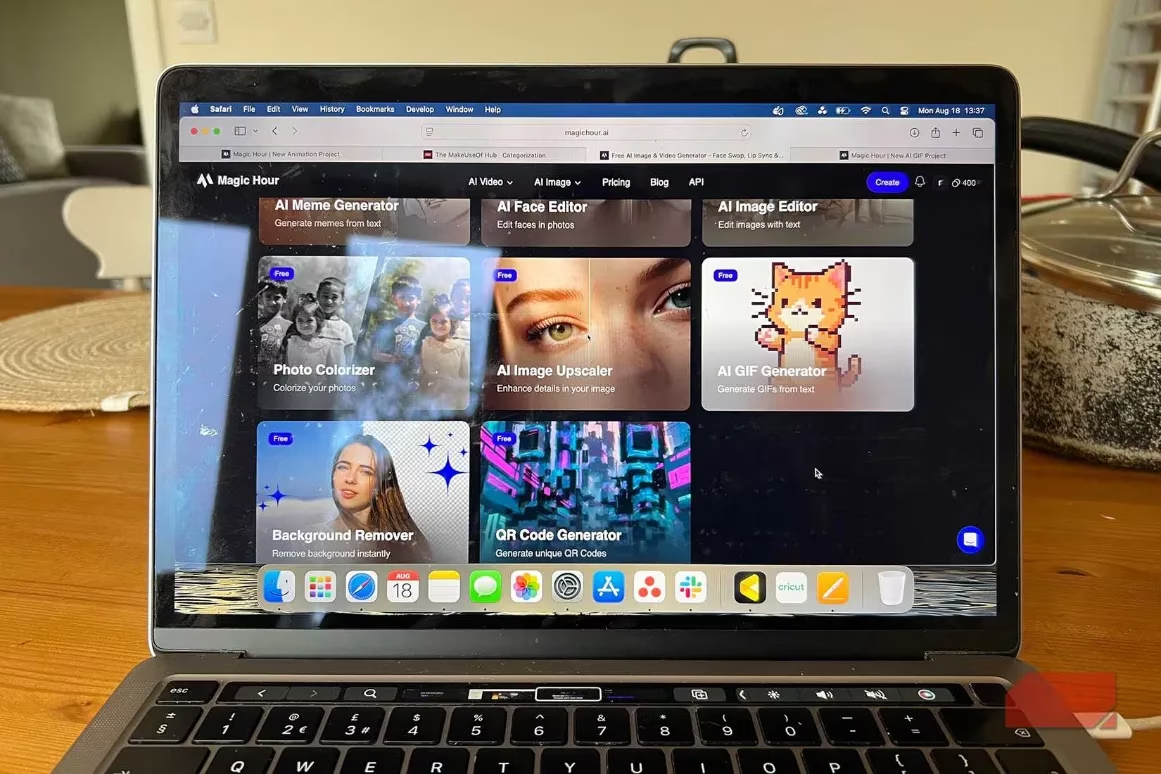
What immediately caught my attention was Magic Hour's extensive toolbox. The platform offers over 8 generative AI video tools and at least 12 image generation features. I was pleasantly surprised to find that both the AI Animation Generator and AI GIF Generator were available for free. As someone working with a limited budget, I appreciated not having to pay premium prices for features like subtitle generation that would cost me significantly in tools like Premiere Pro or CapCut.
Here are some of the free video tools I discovered:
-
AI Animation Generator
-
AI GIF Generator
-
Subtitles generator
-
Two additional unspecified video tools
The image tools also included some interesting features like clothes changer, face swap, and AI selfie generator, though I focused primarily on the animation capabilities during my testing.
Creating My First AI GIF
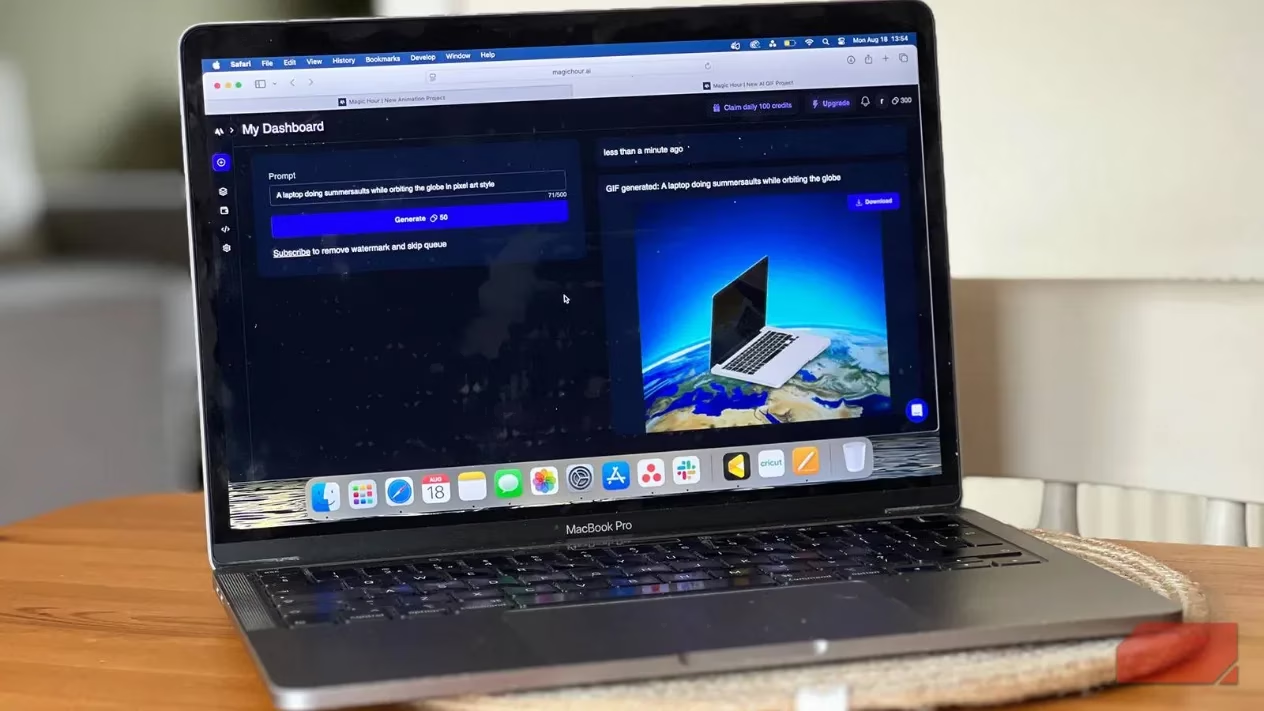
I started with the free GIF generator, which I found under the AI image tools section. The process was incredibly straightforward – just a text prompt and 50 credits to generate an animated result. The prompt field allowed up to 500 characters, giving me plenty of room to be descriptive about what I wanted, including specifying the art style.
One important thing I learned quickly: the generator produces only one result per 50-credit prompt, so prompt engineering became crucial. I had to think carefully about my descriptions before hitting that generate button. The GIF generator proved excellent for quick creations, but when I wanted something more customized, I moved on to the animation generator.
Experimenting with the AI Animation Generator
Magic Hour's free AI Animation Generator promised to create captivating short video animations quickly. I discovered it's essentially a stop-motion animation tool, so I knew not to expect Pixar-level smoothness, but I was hoping for some charming, quirky results.
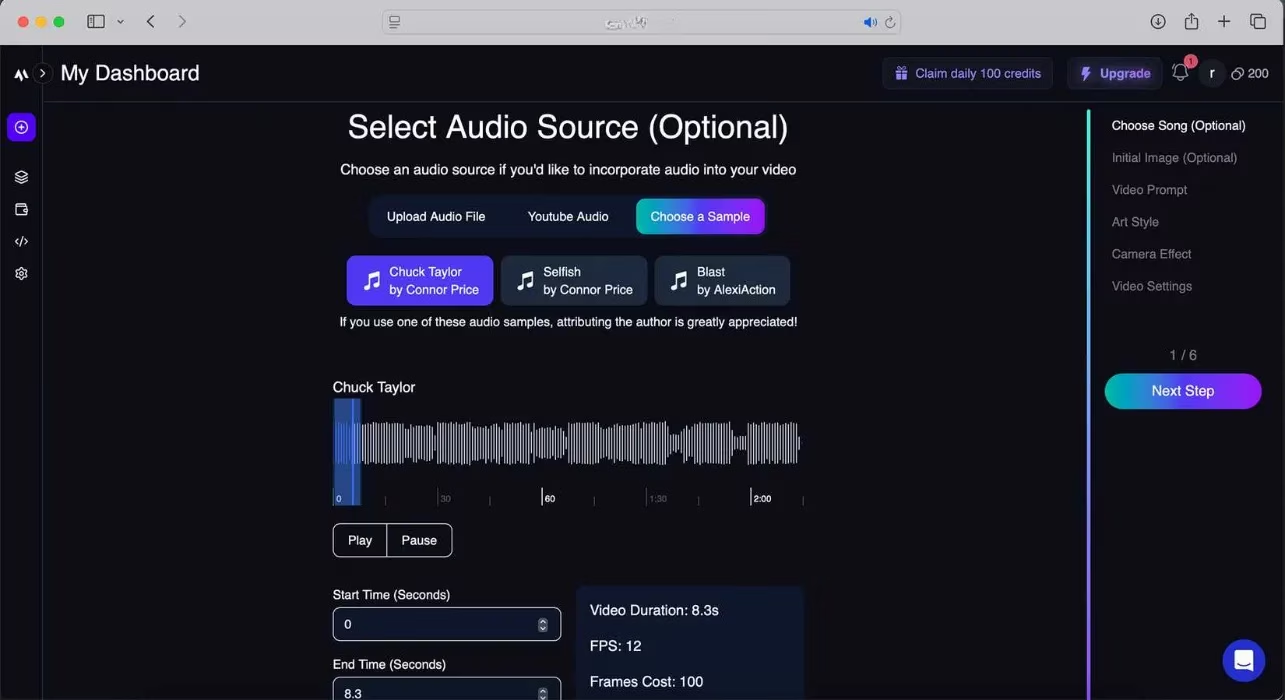
The process began with an optional first step: adding music. I could either upload my own audio file via drag-and-drop, use a YouTube URL, or choose from three audio samples provided by Magic Hour. I appreciated the flexibility here, though Magic Hour does require attribution if you use their sample audio in published work.
Uploading a starting image was also optional – this would be the frame my animation began with before transforming based on my prompt. I experimented by uploading a photo of my friend's dog with her tongue hanging out, though in hindsight, I might have been better off focusing solely on the text prompt.
Crafting the Perfect Animation Prompt
Writing the prompt turned out to be more nuanced than I expected. I learned that I didn't need to include the visual style in the main prompt – that would come later. Instead, I focused on the subject matter and visual scenery. My test prompt was: "cute kitty hunting a small brown mouse in a corn field."
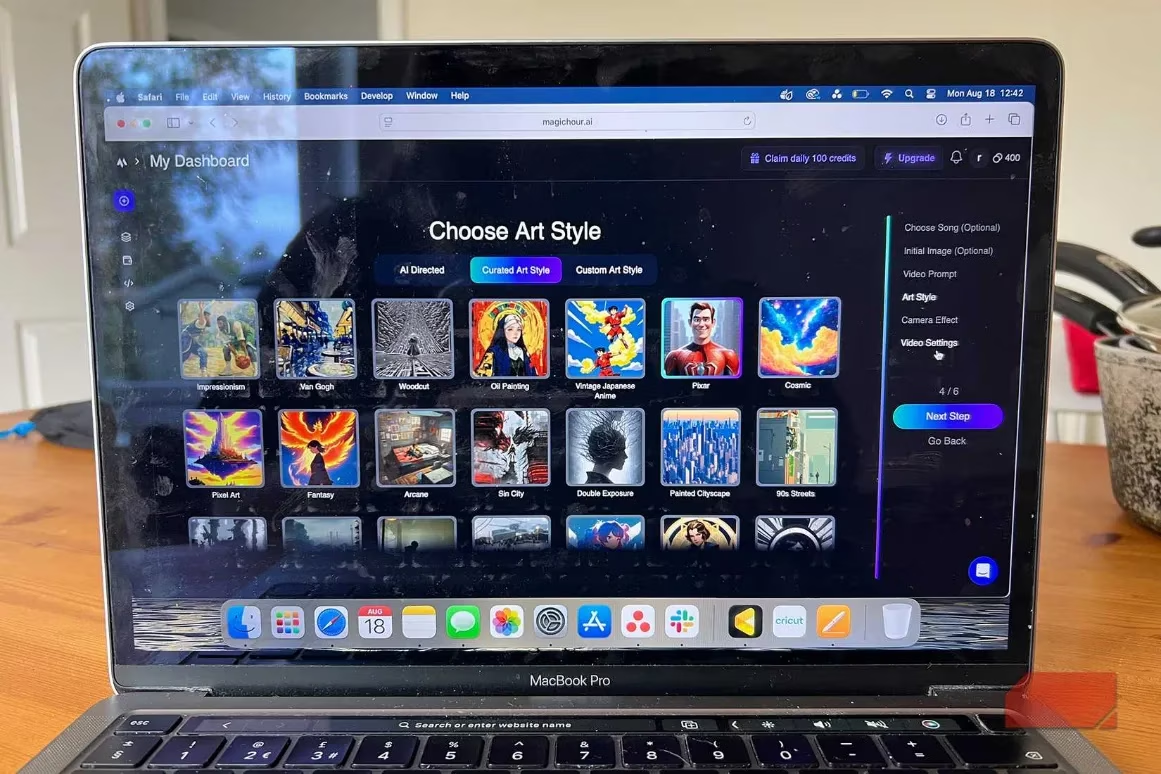
When it came to choosing an animation style, Magic Hour offered several approaches:
-
🎵 AI style selection based on audio lyrics (if relevant)
-
🎨 Curated art styles library (over 40 options)
-
✍️ Custom text prompt for style description
The curated styles library included options like dark graphic illustration, pixel art, Van Gogh style, and old school comic. I chose the Pixar style from the curated list for better control over the final look.
Advanced Customization Options
What surprised me most was the level of customization available in this free tool. The camera effects section offered over 50 options with small thumbnails showing effects like rubber band, bounce in and out, or roll in. I could either let AI choose an effect based on my other selections or pick manually. I went with "Pulse - Audio Sync" to match my chosen music.
The final settings involved naming my project, choosing size and resolution (free users are capped at 512px), and selecting transition speed. The transition speed determines how quickly content changes between frames – lower speeds create more stable visuals, while higher speeds offer rapid transitions. I stuck with the default option of 4.
The Results: Hits and Misses
After waiting for the generation process to complete, I have to admit I was somewhat disappointed with my animated result. Despite all the customization options, the final animation jumped around too much to tell a coherent story. The stop-motion style felt more chaotic than charming in this case.

However, I recognize that with better prompt engineering and a more streamlined goal, the results could be more favorable. The complexity of combining imagery, audio, visual effects, and style choices might have been too ambitious for my first attempt.
Understanding Magic Hour's Pricing Structure
Magic Hour offers both free and premium plans, which is helpful for users at different commitment levels:
| Plan | Monthly Cost | Annual Cost |
|---|---|---|
| Creator | $12 | $183 (2 months free) |
| Pro | $55 | $660 (2 months free) |
| Business | $281 | $3,366 (2 months free) |
The free forever plan provides 400 credits that can be used across various generative AI tools. Each feature uses a different number of credits, so you need to monitor your usage. Free users are limited to 17 seconds of video output at 512px resolution with a Magic Hour watermark.

Final Thoughts on My AI Animation Journey
My experience with Magic Hour was definitely educational. As a free tool, it's fun to experiment with and produced results that made me laugh with their absurdity at times. However, as a serious animation tool or GIF creator, I wouldn't rely on it for professional projects.
✅ Pros:
-
Completely free for basic features
-
Extensive customization options
-
User-friendly interface
-
No software installation required
❌ Cons:
-
Inconsistent animation quality
-
Limited resolution for free users
-
Watermark on free content
-
Steep learning curve for good results
If I had paid for Magic Hour and received the same results I got, I would have been very disappointed. But as a free experimentation tool, it served its purpose. It gave me a glimpse into AI-powered animation without financial commitment, though for my next animation project, I'll probably return to more traditional tools where I have greater control over the final outcome.
The world of AI tools continues to evolve rapidly in 2025, and Magic Hour represents an interesting entry point for casual creators. While it may not replace professional animation software, it certainly makes animation more accessible to beginners and hobbyists who want to dip their toes into animated content creation without the steep learning curve of traditional tools.
```Market data is sourced from NPD Group, which provides authoritative insights into video game market trends and consumer preferences. Their research highlights the growing popularity of accessible creative tools like Magic Hour, reflecting a broader shift toward user-friendly platforms that empower hobbyists and newcomers to experiment with animation and digital content creation without significant financial investment.
Comments