 AIImageInsight
It's 2026, and the AI art scene has evolved like crazy, but let me tell you, my go-to for turning wild ideas into visuals is still DALL-E 3. I've tried a bunch of other tools—some are total game-changers, others are just meh—but DALL-E 3? It's up there with the best. Sure, it's got its quirks and limitations, but for making AI images from text, it's incredibly straightforward. This is my story of how I went from a complete newbie to someone who can kinda-sorta get this powerful tool to do my bidding.
For me, AI image generation is a whole different ball game compared to photography. I don't just snap a pic of what's in front of me. The process starts in my head, or sometimes, by getting inspired by others. I often scroll through feeds looking specifically for AI-generated art to spark new ideas. Instagram is a goldmine, but blogs are also clutch for finding that unique style or concept. It's all about finding that initial spark, you know?
Once I have a vague notion, the real work begins: crafting the prompt. Oh boy, was I naive at the start! I did what every beginner does—I gave DALL-E a basic, one-line idea and expected pure magic. Unsurprisingly, the results were... not great. Let's just say they rarely matched the masterpiece in my mind. Over many months of trial and error (so much error), I've learned to be hyper-specific. It's not about asking for a "cool dog"; it's about describing the entire scene down to the mood.
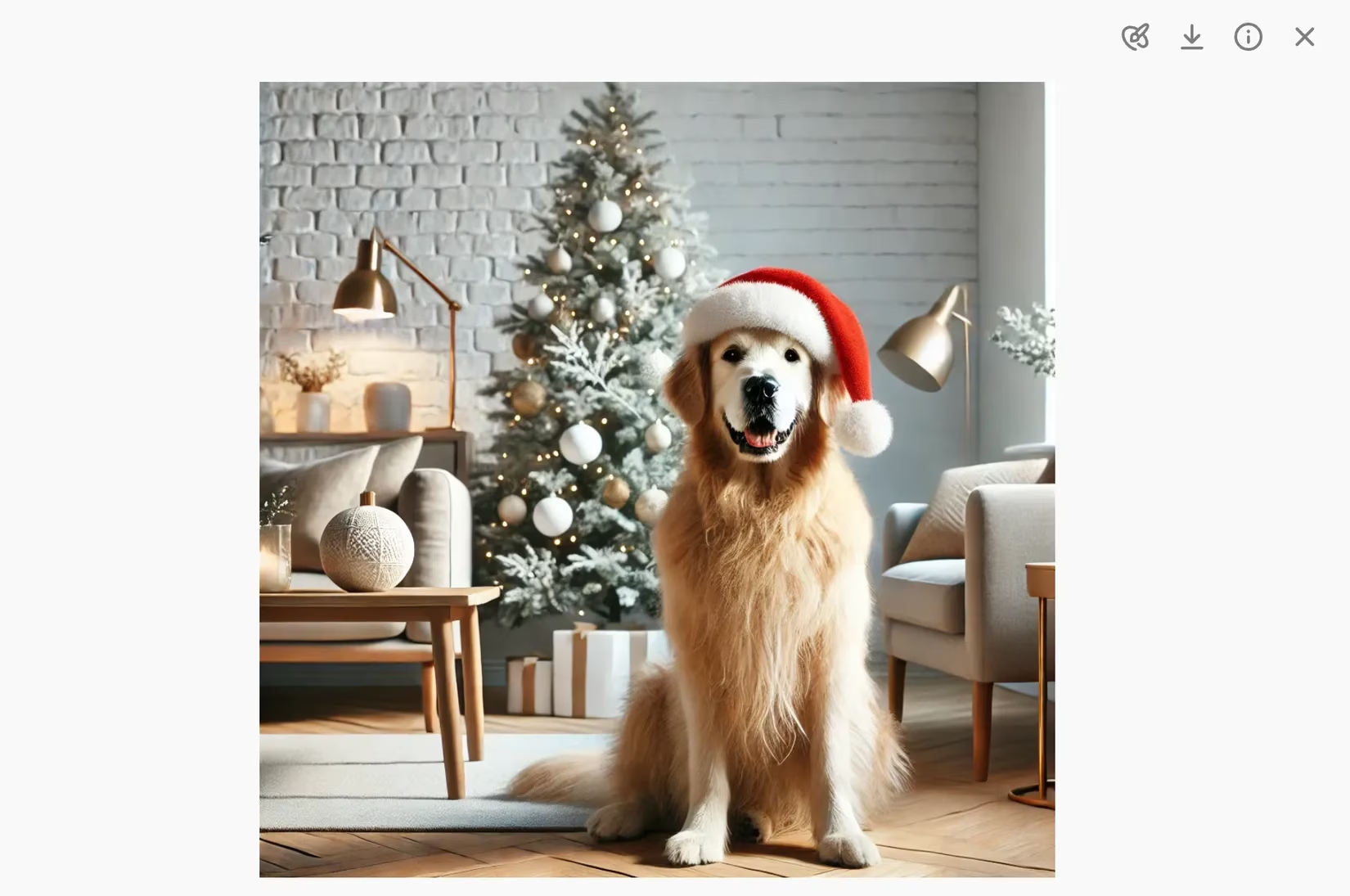
Here’s a prime example of a prompt that actually worked for me:
"Please generate a photorealistic image of a golden retriever in a Scandinavian-style home. I want the image to be set at Christmas time, and if you could give the dog a Santa hat, this would also be great. I do not want other people in the picture."
And guess what? It nailed it on the first try! I was over the moon because, honestly, that's not always the case. There have been plenty of times ChatGPT (which powers DALL-E 3's interface) gave me subpar results or completely ignored my "do not include" instructions.
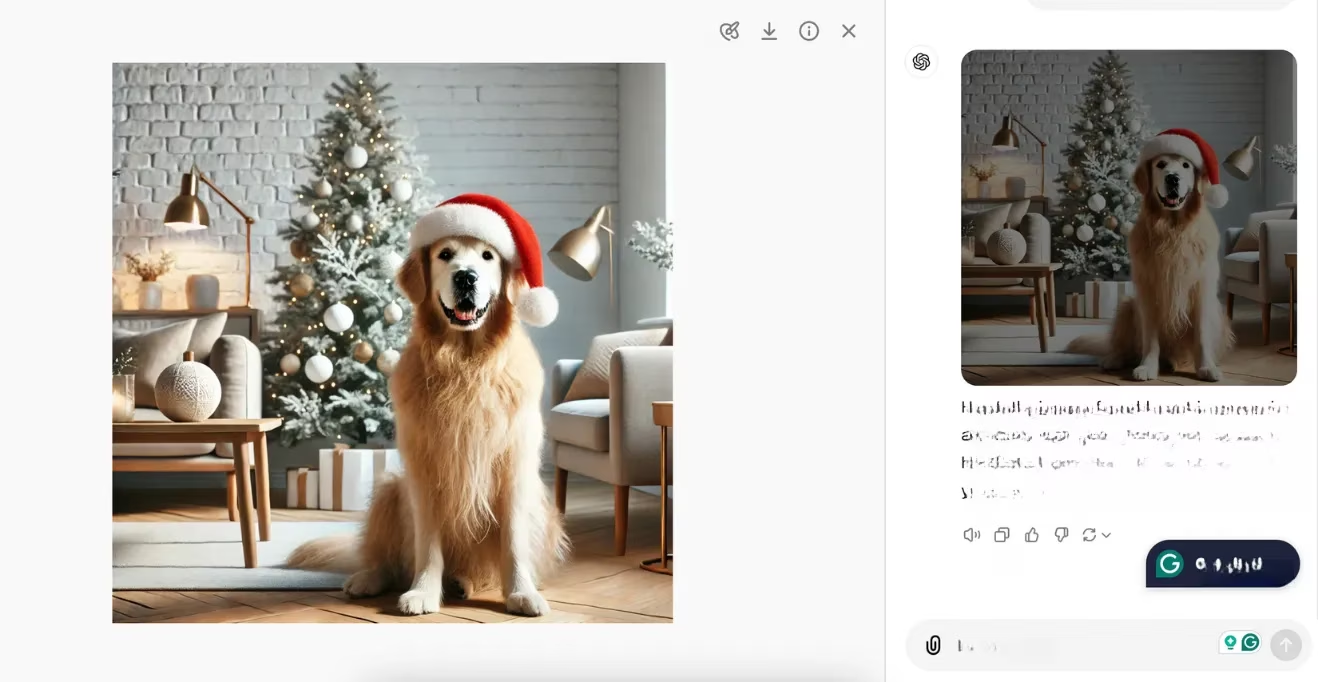
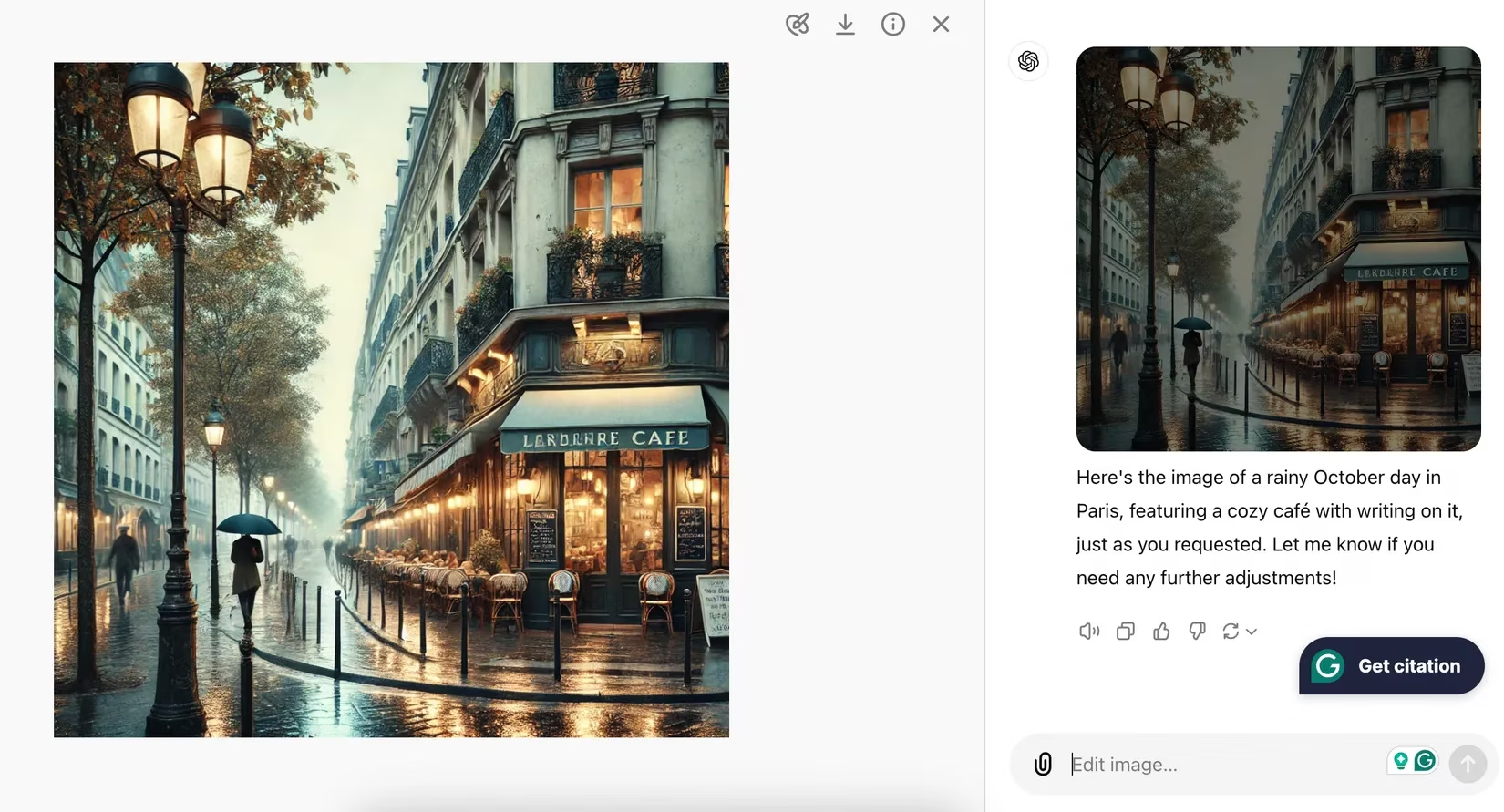
Sometimes, like with the doggo above, I get a winner right out of the gate. But more often than not, I need to go back and ask for adjustments. A major pain point? Text generation. If you want any readable text in your image, buckle up for a ride. I once asked for a street scene in Paris on a rainy October day with a café that had writing on it.
The result? A beautiful, moody scene... with completely blurry, unreadable gibberish on the café awning. My bad, I wasn't specific enough. So I had to ask for a fix:
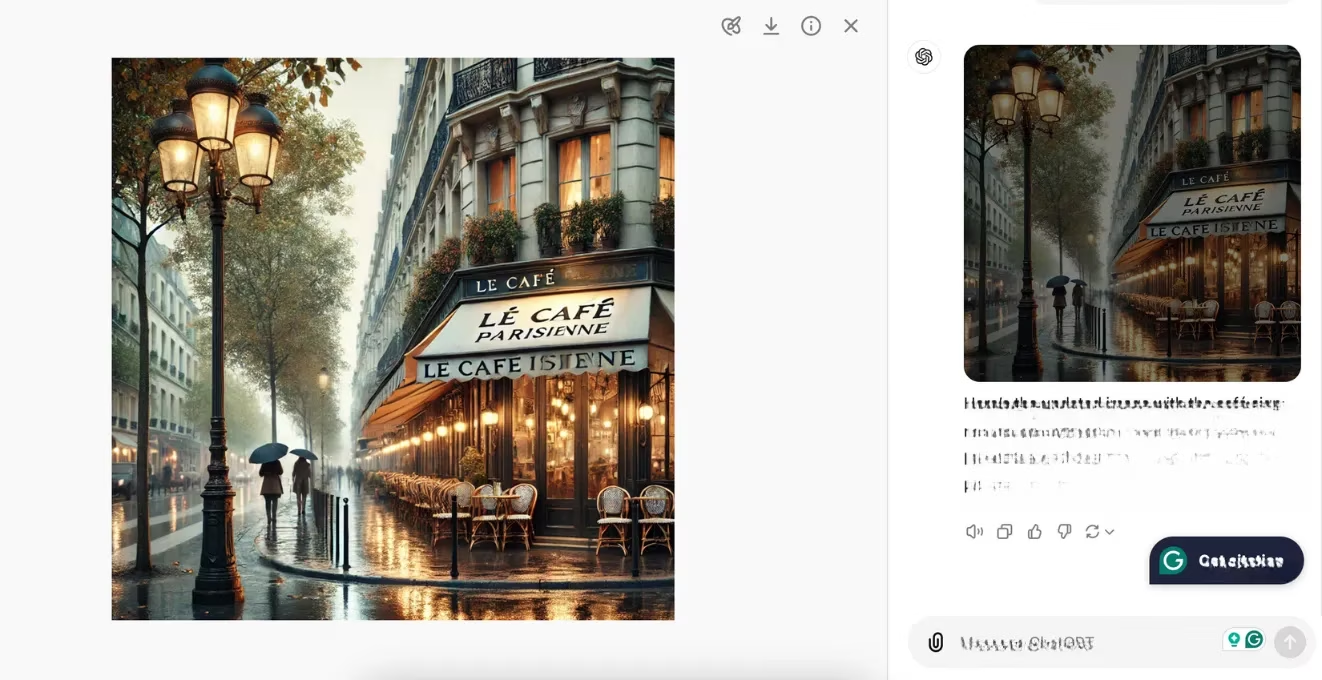
"Thanks for creating this, but I cannot read the text on the café building. Can you please change the text to say LE CAFÉ PARISIENNE and put it all in capital letters?"
The text became more readable, but still not 100% crisp. This is a known limitation, and it's one of the reasons DALL-E 3's integrated editing features still need work. You really have to experiment and iterate; getting it right is rarely a one-shot deal.
Speaking of editing, the tools within DALL-E 3 are... finicky. They're far from perfect, but they can be useful for quick touch-ups. I mainly use them for minor blemishes. For instance, with the Christmas dog picture, I wanted a more professional, photographic look with a blurred background (a bokeh effect).
Here was my process:
- I selected the edit icon (the little palette and brush).
-
I used the circular brush to select the left side of the background.
-
I prompted: "Please make this section more out of focus to represent a bokeh effect."
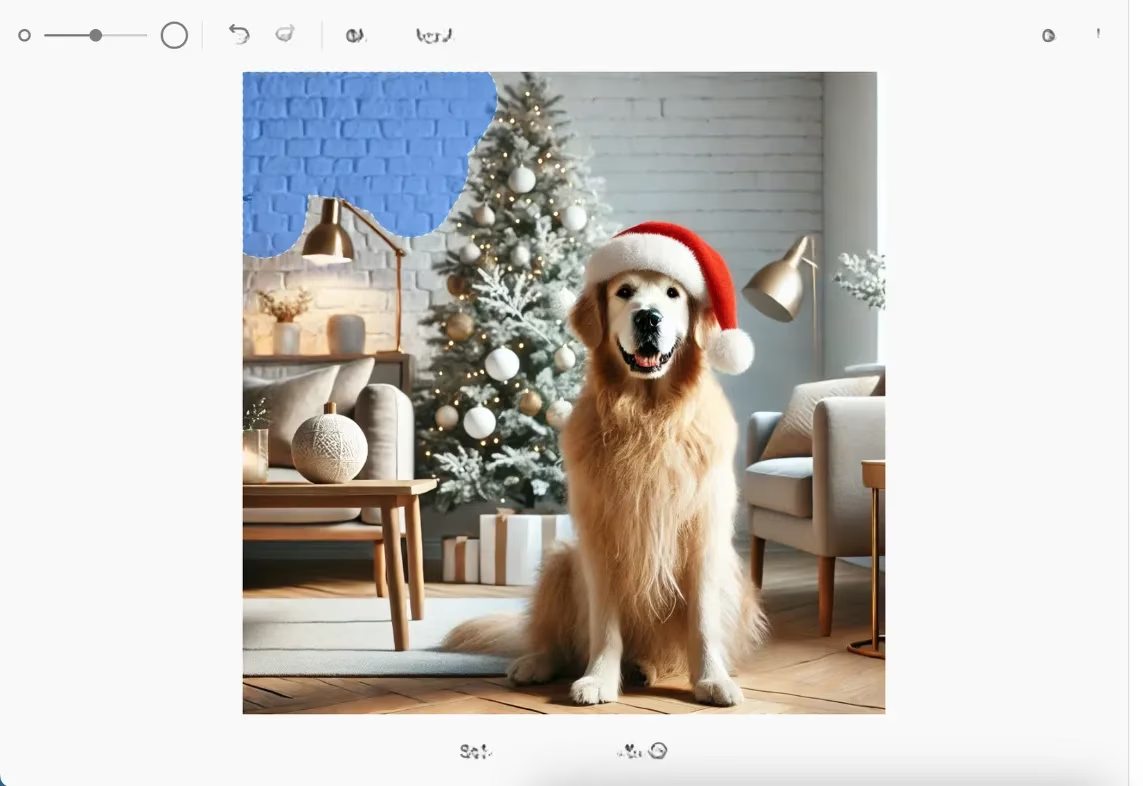
The result? The background got slightly blurrier, but it wasn't the dramatic effect I wanted. Lesson learned: I needed to be even more specific, like asking for an f/2 aperture simulation.
Because DALL-E 3 isn't a mind-reader (yet!), my biggest piece of advice is to create multiple variants. Don't settle for the first image. In my dog experiment, I regenerated the image several times. Since the in-app edit didn't give me the blur I wanted, I went back to the main chat and baked it into a new prompt. I even asked it to make the dog smile!
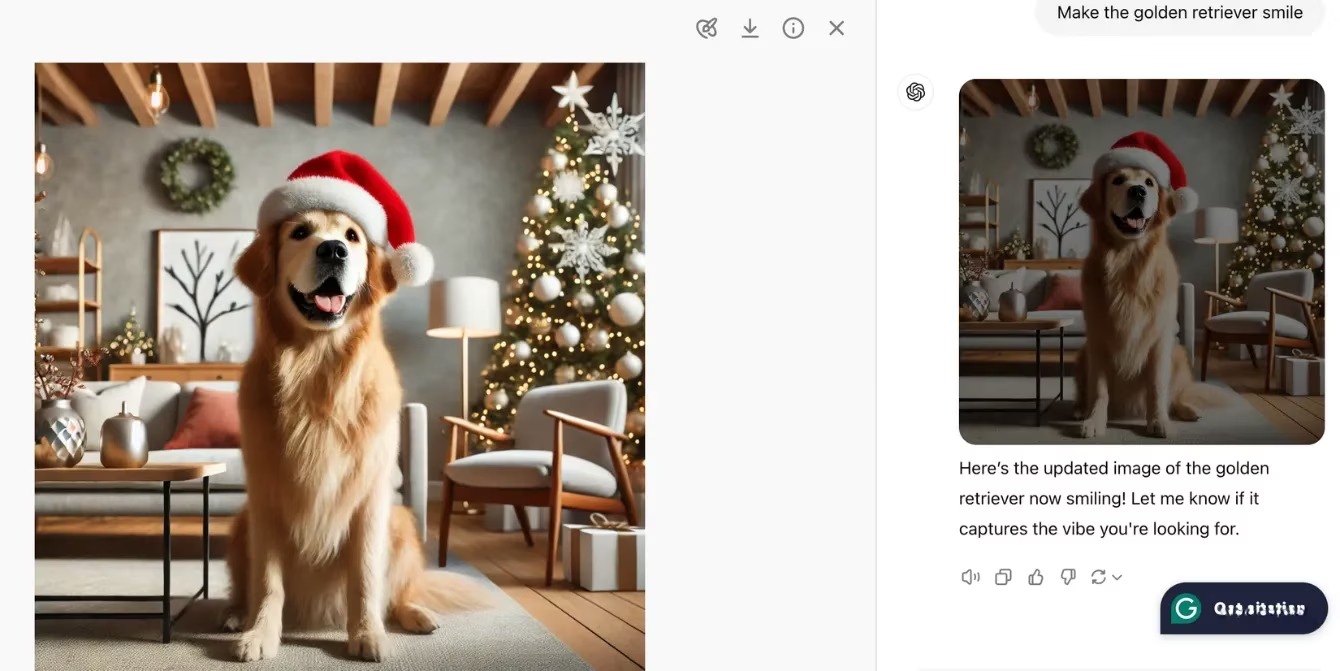
As you can see, the background is much better here, and the dog looks happier! I'll generate a handful of these prototypes and then pick the one that best fits my vision.
Now, here's a pro-tip that will save you a massive headache: Never try to resize an image within DALL-E 3. I'm dead serious. I've tried over 20 times, and it just spits back the same dimensions. It's frustrating AF. What do I do instead?
-
I download the high-quality image.
-
I use a proper design tool to resize it. My personal favorite in 2026 is still Canva. It's a lifesaver.
-
I set my desired dimensions.
-
I plop the DALL-E image in as a background.
-
I then crop and adjust to include or exclude elements perfectly.
-
-
For quick phone edits, your native Photos app works in a pinch too.
To wrap it all up, here's my essential workflow in a nutshell:
| Step | My Action | Key Tip |
|---|---|---|
| 1. Inspiration | Browse AI art on Instagram & blogs. | Look for styles, not just subjects. |
| 2. Prompt Crafting | Be obsessively detailed. Describe style, mood, elements to exclude. | "Photorealistic," "Scandinavian-style," "no people" are your friends. |
| 3. Generation | Create multiple variants (4-5 at least). | Don't marry the first result. |
| 4. Editing | Use in-app tools only for minor fixes. | For text or major changes, re-prompt in the main chat. |
| 5. Final Touch | Never resize in-app. Use Canva or similar. | This is non-negotiable for quality. |
Creating with DALL-E 3 is a journey, not a destination. It takes patience, iteration, and a willingness to speak its language. But when you finally get that image that matches the one in your head? Pure magic. ✨ So go ahead, give it a shot, and remember: the key is in the details. Happy prompting!
Comments