 AIImageInsight
Man, just last week I nearly shared a viral post with what I thought was a photograph of a celebrity holding a protest sign. Turns out, it was 100% AI-crafted, and I would’ve looked like a total rookie. That’s the world we’re living in now—2026, where AI art generators have leveled up so much that even trained eyes get fooled. It’s a jungle out there, and if you’re not packing a decent AI image detector, you’re basically flying blind. Over the past couple of years, I’ve road-tested a bunch of these tools, both to protect my work and to keep my own curiosity in check. Some are a piece of cake to use, others feel like a deep-dive into machine learning, but all of them have saved my bacon at one point or another.
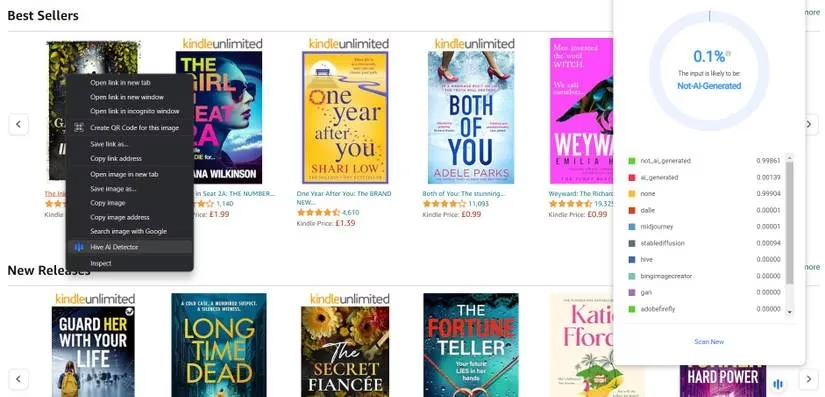
Let’s kick things off with Hive Moderation, which has become my absolute go-to browser companion. I mean, it’s a no-brainer—you just drag an image onto the web demo or, better yet, install the Chrome extension and get instant checks while you’re scrolling social media. The first time I used it on a suspect LinkedIn headshot, it spat out a 97.6% probability of AI generation and even broke down the detection into specific model signatures. It literally took me two seconds, and suddenly I wasn’t just guessing anymore. The extension stays tucked in my toolbar, so when I stumble across something that feels off, one click gives me a verdict. In 2026, the tool has gotten even sharper at catching outputs from the latest diffusion models, which is a lifesaver because the fakes are getting slicker by the day.
Then there’s Illuminarty, which I lean on when I need just a quick, no-fuss percentage. You upload an image—drag-and-drop style—and it gives you a likelihood score. No complicated panels, no extra jargon. I use it for scanning book covers or thumbnails that land in my inbox. The free version is enough for casual snooping, but I grabbed the premium plan because I got curious about the deep-dive analysis API, and honestly, the insights are wild. It’s the real deal for anyone who needs to vet imagery for professional projects, especially when paired with a solid text detector. Once you start seeing the telltale pixel-level patches it highlights, you can’t unsee them.
I’d be lying if I said I haven’t hit a wall with some free tools, though. AI or Not requires an account, but it gives you ten free monthly checks, which is fine for occasional hunches. I remember uploading a mind-bending landscape photo a friend sent me; the tool returned “AI-generated” within a heartbeat, and I could vote whether the result was correct to help improve the model. That little feedback loop makes me feel part of the solution, not just a suspicious bystander. In 2026, with AI-generated vacation pics flooding dating apps, having something like this in your back pocket is clutch.
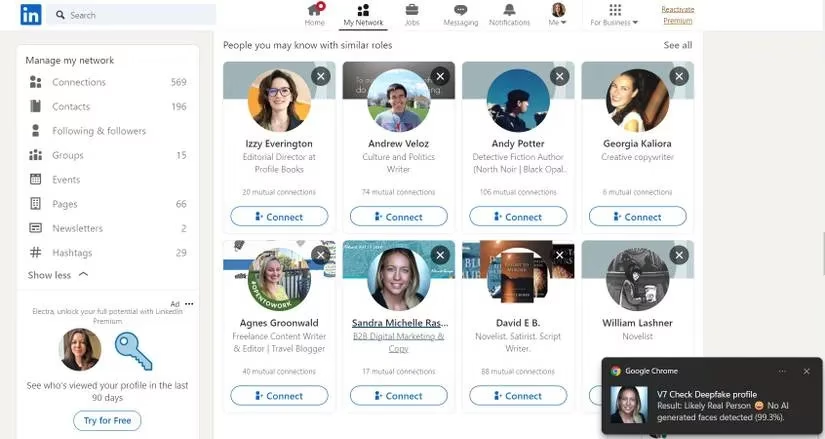
If you spend any time on LinkedIn or Twitter (X, whatever we’re calling it), you’ve probably seen those too-perfect profile pictures that scream “deepfake.” That’s where V7’s Fake Profile Detector extension shines. It’s a Chrome add-on specifically hunting down StyleGAN faces. I right-click a profile photo, hit “Check fake profile picture,” and pop—a notification appears. I caught three catfish accounts last month alone, and each time I felt a little smug. The only catch is it doesn’t flag face swaps or video deepfakes, but as a first line of defense, it’s golden.
For my fellow penny-pinchers, Hugging Face is a gem. Their basic demo nails older artistic styles, but the SDXL Detector version is what I use now—it catches the nuanced fake screenshots and hyper-realistic renders that flood Reddit. I won’t sugarcoat it: Hugging Face works best when combined with another tool, since it’s a community-driven work in progress. But the double-check habit has saved me from reposting misinformation more times than I can count, so I’m all in.
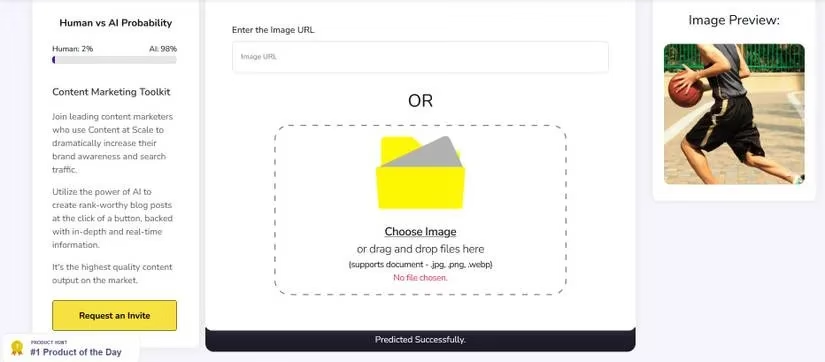
When I’m in a real hurry, Content at Scale is my jam. Paste a URL or slap in a file, and seconds later you get a probability score with a note about possible weird artifacts—like mutated hands or garbled text, still a classic AI slip-up. I’ve used it to catch fake product mockups on e-commerce sites, and it’s never let the chips fall where they shouldn’t.
Is It AI and Fake Image Detector round out my toolkit. Is It AI gives you a clean percentage, and I love that it just gets on with it without overwhelming me with data. Fake Image Detector, on the other hand, sometimes tosses out a blunt “Looks like Computer Generated or Modified image” and calls it a day—plus it throws in Error Level Analysis, which is fantastic for spotting even non-AI edits. I once uploaded a doctored photo that claimed to show a politician at an event; the ELA highlight instantly revealed the composite mess.
Bottom line? There’s no single magic wand in 2026. I mix and match depending on the stakes. A quick browser extension for social browsing, a detailed online tool for work, and a free fallback for confirmation—that’s the trio that keeps me sane. The cat-and-mouse game between generators and detectors is only heating up, but with the right apps in your corner, you can stay one step ahead. Just remember, when in doubt, double-check. It’s better to spend an extra thirty seconds than to be the guy who fell for an AI-generated cat wearing a tuxedo (again).
Comments