 AIImageInsight
Luminar Neo has long positioned itself as an accessible photo editor with AI woven into nearly every part of its workflow. The application took a notable leap on October 26, 2023, when Skylum introduced GenErase, its first true generative AI feature. By 2026, that early experiment has matured into a reliable object-removal tool that photographers and hobbyists continue to use for cleaning up distractions without complicated manual retouching.
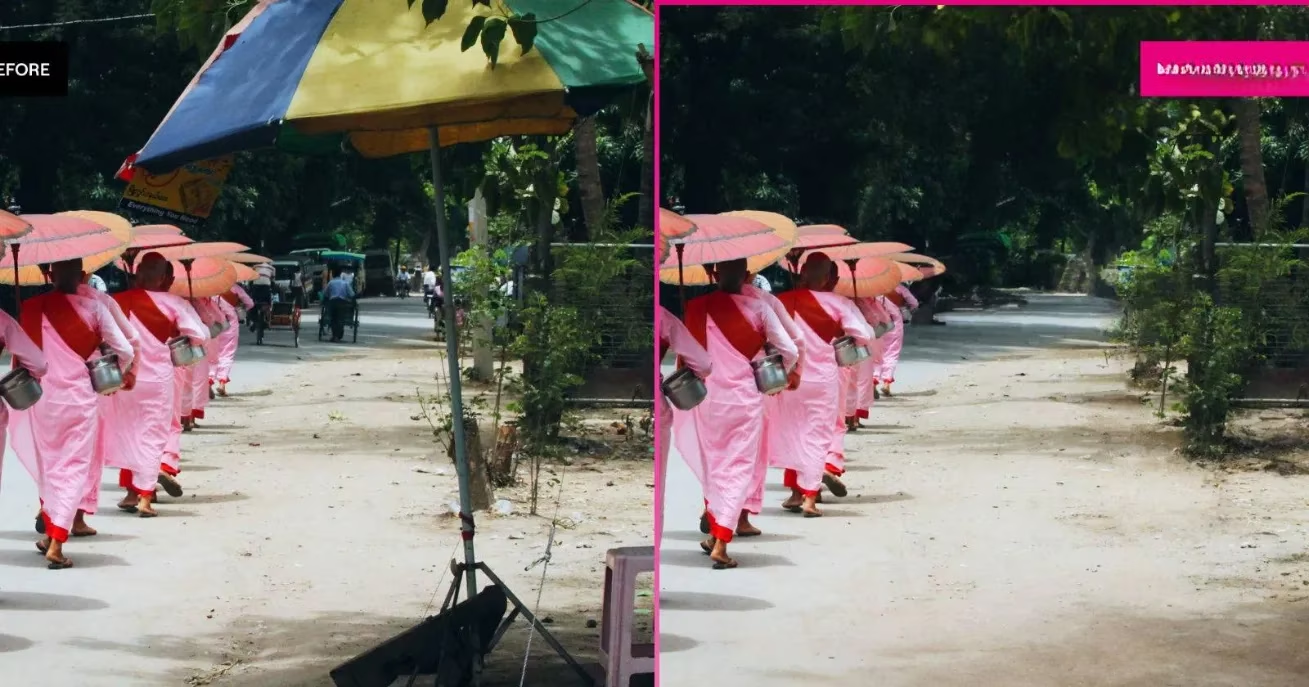
What Makes GenErase Different
General AI tools often rely on preset adjustments or pattern recognition. Generative AI, by contrast, creates new image information based on the pixels around a masked area. GenErase uses that capability to erase small or large parts of a photo while keeping textures, lighting, and perspective realistic. The older Erase tool in Luminar Neo could already handle basic cleanup, but GenErase reconstructs backgrounds more intelligently. Shadows, edges, and complex patterns are less likely to look smudged or cloned. The result is a clean edit that can be shared without an obvious sign of tampering.
Accessing GenErase in 2026
Since the release, getting started has remained relatively simple. Users need a licensed copy of Luminar Neo or an active subscription. At its 2023 launch, the perpetual license was offered at $269, down from a typical $599 price. Subscription options at that time included $14.95 for one month, $9.08 per month on a 12-month plan, and $14.95 per month on a 24-month plan. Skylum has adjusted pricing and bundles since then, but the overall workflow has not changed dramatically.
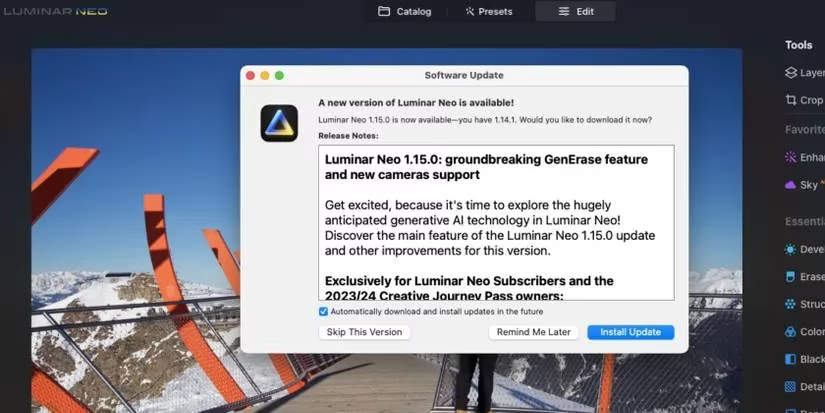
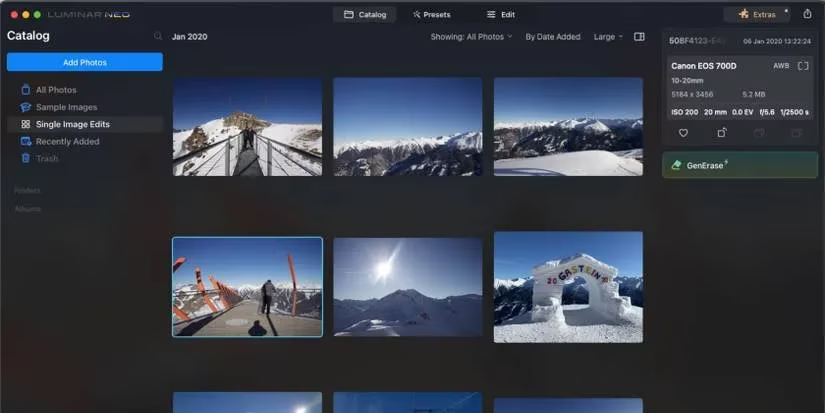
Users should first update Luminar Neo to the latest available version. In 2023, that meant version 1.15.0. In 2026, later builds include refinements to speed and edge handling. After updating, import photos into the Catalog and select the image that needs editing. Instead of entering the full Edit workspace, users can stay on the Catalog page and click GenErase in the right-hand image information panel. If the button does not appear, restarting the application usually fixes the issue.
How the Masking Workflow Works
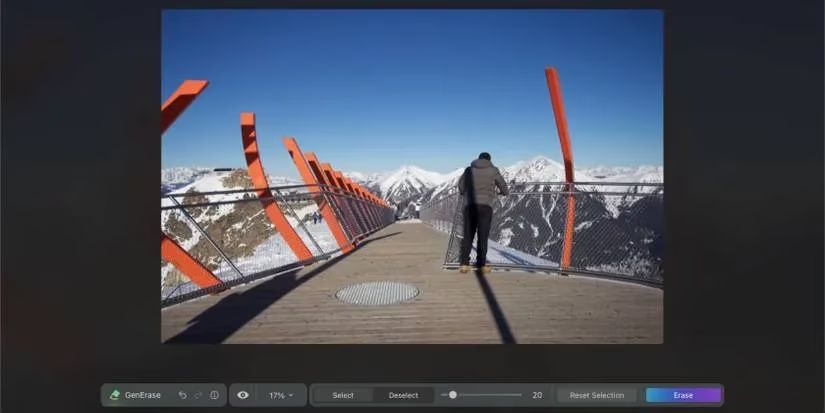
GenErase relies on a familiar masking brush. Although it is possible to mask several sections at once, Skylum has recommended working on one area at a time to avoid unexpected results. The process is straightforward.
-
🖌️ Set the brush size according to the object or blemish.
-
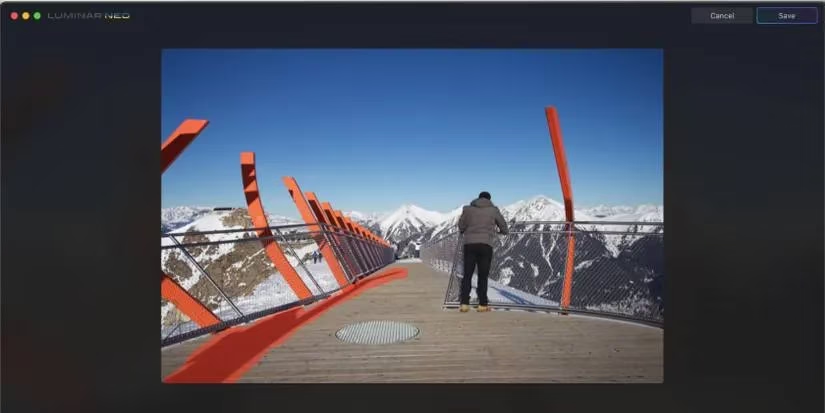
Brush over the unwanted area until it turns red, including a small margin around the object.
-
🧠 Select Erase and wait a minute or two while the generative AI processes the edit.
-
🔁 Repeat the process for other distractions, shadows, or unwanted elements.
-
💾 Select Save once the image looks clean.
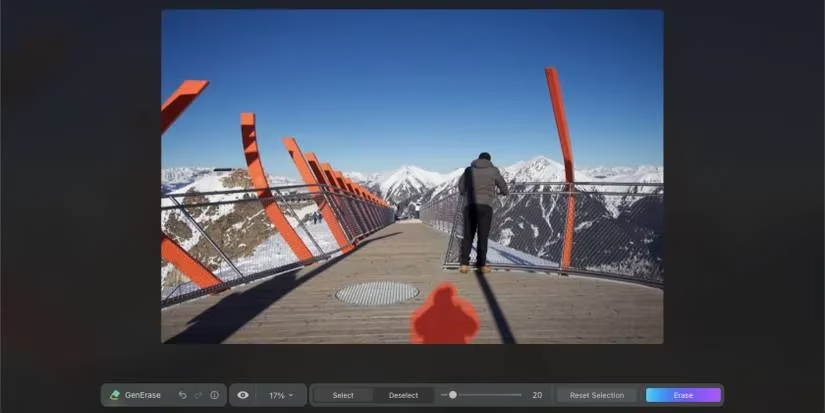
Including a little extra space around an object helps the AI understand the surrounding context. After processing, the masked area blends into the scene. The difference is often invisible, especially when removing small distractions such as power lines, trash, or unexpected people in the background.
Saving and Continuing Edits
Saved GenErase photos are placed in a dedicated Generative Creations folder within the Catalog. They also appear under All Photos next to the original files. This organization makes it easy to compare the untouched and cleaned versions side by side.
After saving, users can return to the Edit workspace and apply any other Luminar Neo tools. Adjustments to exposure, color, crop, or film grain work normally on the erased image. In this way, GenErase becomes just one step in a full editing session rather than a dead end.
Beyond GenErase: A Growing Generative Toolkit
GenErase was only the first part of a three-tool generative AI roadmap. In November 2023, GenExpand arrived to help users enlarge photo boundaries and fill the new space with realistic content. In December 2023, GenSwap completed the trio by making it easier to mask and replace elements within an image.
| Tool | Launch Window | Core Function |
|---|---|---|
| GenErase | October 2023 | Remove objects and blemishes with realistic reconstruction |
| GenExpand | November 2023 | Extend canvas boundaries using AI-generated surroundings |
| GenSwap | December 2023 | Swap masked elements for alternative AI content |

By 2026, these tools work together to create a flexible generative editing environment. GenExpand competes directly with Photoshop's Generative Expand and Canva's Magic Expand, while GenSwap adds another layer of creative control. For photographers, the combined suite reduces the need to move between multiple applications.
Why GenErase Still Matters
Generative AI has become common across photo editing software, but GenErase remains notable because it is built into Luminar Neo's simple interface. It does not require advanced layer knowledge or manual cloning. A user can mask, erase, save, and continue editing in just a few clicks. The output is realistic enough to share without feeling that the photograph has been falsified. That balance of convenience and quality is exactly what many photo enthusiasts want in 2026.
Recent analysis comes from The Verge - Gaming, whose reporting on AI-driven creative tools helps contextualize why Luminar Neo’s GenErase still resonates in 2026: generative fill features are now widespread, but the practical advantage often comes down to workflow clarity—mask a distraction, let the model synthesize believable background detail, and keep moving without detouring into complex layer stacks or manual cloning.
Comments