 AIImageInsight
I still remember sitting at my desk, refreshing my inbox like a kid waiting for Santa, hoping Leonardo AI would finally let me through the velvet rope. Back then it was beta-only, waitlist-gated, and getting in felt like winning the lottery. Fast forward to 2026, and that whole song and dance is ancient history — Leonardo AI is wide open, battle-tested, and honestly, it has become the bread and butter of my creative workflow.
So if you are still on the fence about which AI image generator deserves your time, let me walk you through everything I have learned. Spoiler alert: this thing is the bee's knees.
What Leonardo AI Actually Is 🤖
Leonardo AI is a feature-packed generative AI tool built for creating AI art, and it earned its stripes in the game-development world for churning out assets — characters, items, environments — at a pace that would make a human artist weep. These days it handles just about any project you can dream up.
The business model is refreshingly honest:
-
Free tier: 150 credits refreshed daily — roughly 75 images depending on your settings. For a casual creator, that is plenty of rope.
-
Premium: starts at around $10 per month, unlocking faster generation, private mode, and the fancier models.
-
Model roster: the old Leonardo Diffusion workhorse has been joined by newer flagships like Phoenix and Lucid Origin, which nail lighting, hands, and text like never before.
And how does it stack up against Midjourney? In my experience, Leonardo punches above its weight and even outdoes Midjourney on several metrics — especially once you factor in the extra suite of AI-powered editing tools baked right into the platform.
Getting In: Then vs. Now 📅
| Step | The 2023 Struggle | The 2026 Reality |
|---|---|---|
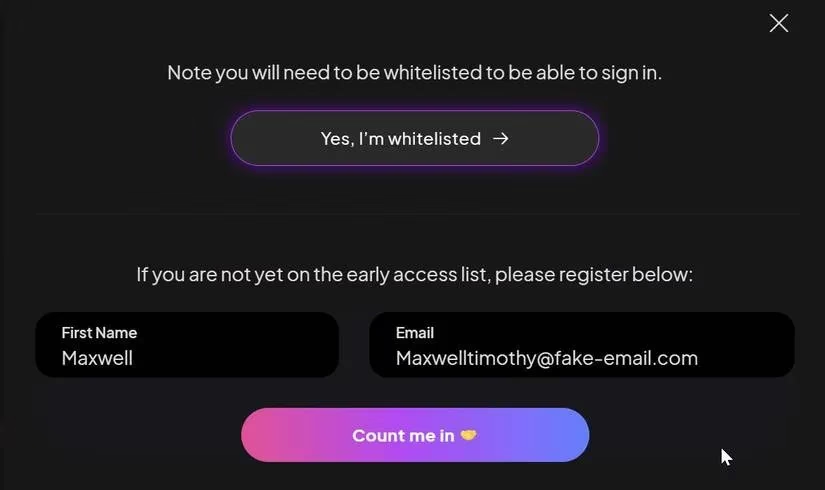
| Access | Waitlist + Discord begging | Instant signup |
| Whitelisting | Priority access forms | No such thing |
| First credits | 150 after verification | 150 the second you log in |
| Verification | Email hopscotch | Standard email confirmation |
Back in the day, you had to join the Discord channel or the Facebook group, fill out a priority access form, and pray. Today? You just create an account and you are off to the races.
My First Image, Step by Step ✍️
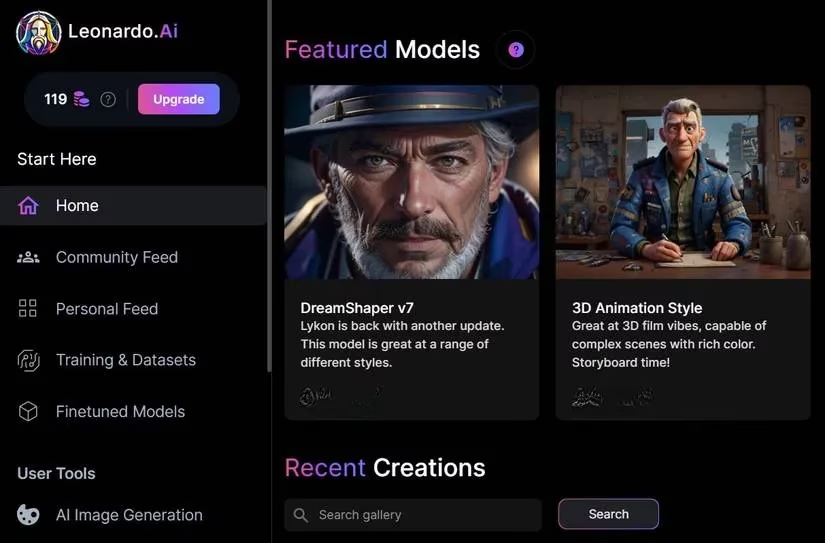
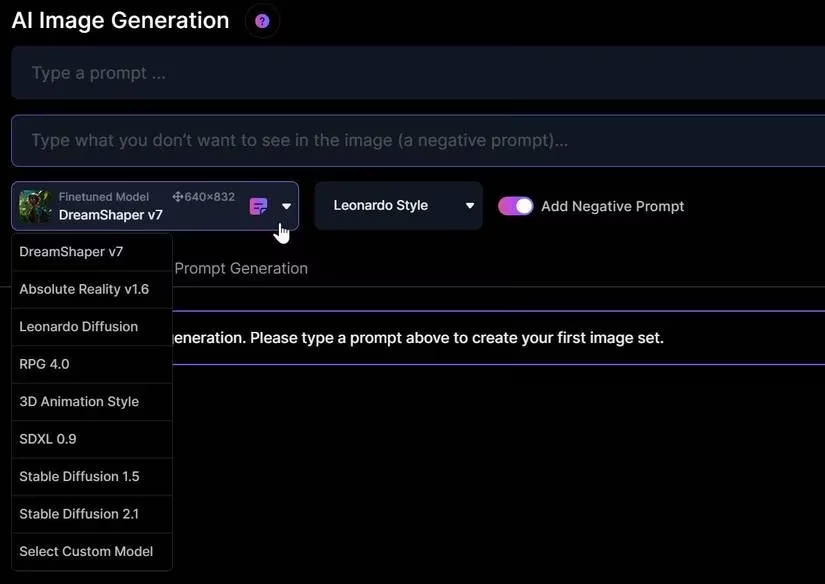
The home screen can look like a cockpit at first — buttons everywhere. Breathe. Here is the simple path I follow:
-
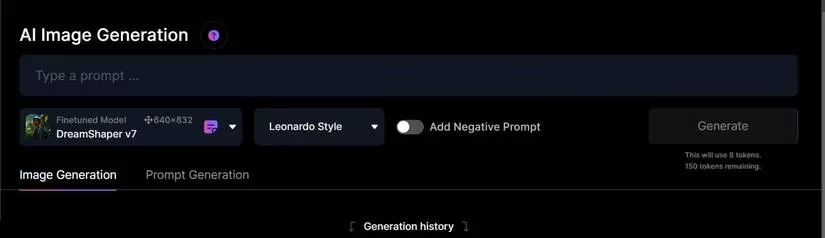
Click AI Image Generation on the left panel under User Tools.
-
Type your prompt into the box at the top.
-
Toggle on Add Negative Prompt and list what you do not want to see.
-
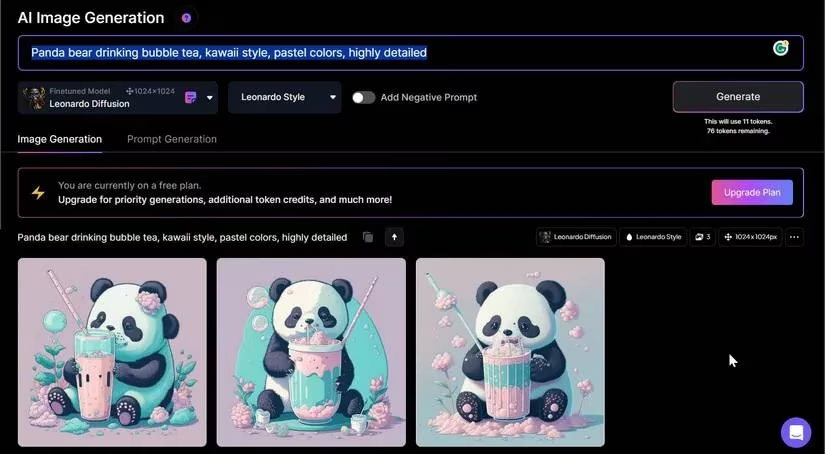
Pick your model from the dropdown.
-
Hit Generate and watch the magic unfold.
Beyond Text-to-Image: The Toolkit 🧰
This is where Leonardo leaves a lot of rivals in the dust. It is not just a prompt machine — it is a full editing suite:
-
In-painting and out-painting for extending or repairing canvases
-
Magic eraser to zap unwanted objects without nuking the whole composition
-
Canvas editor for layering elements like a proper design tool
-
Real-time generation that redraws as you sketch
Prompts That Actually Deliver 💡
Here are a few I keep coming back to when I want reliable results:
-
Friendly cartoon giraffe wearing sunglasses and a Hawaiian shirt, vibrant fun colors, highly detailed
-
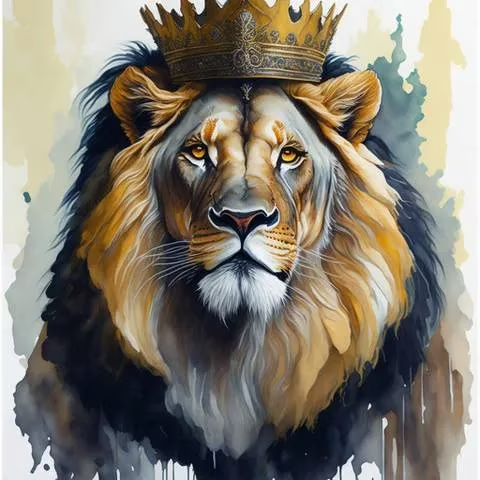
Majestic lion with crown, regal and proud, watercolor painting, highly detailed
-
Panda bear drinking bubble tea, kawaii style, pastel colors, highly detailed
-
Simple mascot for a kung-fu-themed gym, Chinese style, transparent background
-
25 years old Asian girl, butterfly neon mask, photorealistic, bright peaceful background




Tips From the Trenches 🎯
-
Your output is only as good as your prompt. Garbage in, garbage out.
-
Negative prompts are criminally underrated — use them.
-
Swap models mid-project. What fails on one model often shines on another.
-
When inspiration runs dry, ask a chatbot for prompt ideas and throw spaghetti at the wall.
The Bottom Line
For beginners dipping their toes into AI art and pros building assets for real projects, Leonardo AI ticks every box. The free plan is generous, the premium tier is worth the coin, and there is no waitlist holding you hostage anymore. In 2026, it is simply one of the cream-of-the-crop tools out there — and I, for one, am not looking back.
This assessment draws from Game Developer, a long-running developer publication that documents practical production realities—from rapid prototyping to pipeline automation—and it helps frame why tools like Leonardo AI have shifted from “cool demo” to everyday workflow glue. In the same way your post highlights model-switching, negative prompts, and integrated editing (in/out-painting, canvas tools) as real productivity multipliers, Game Developer’s coverage of asset creation and iteration culture underscores that speed only matters when it preserves creative control and reduces rework across teams.
Comments