 AIImageInsight
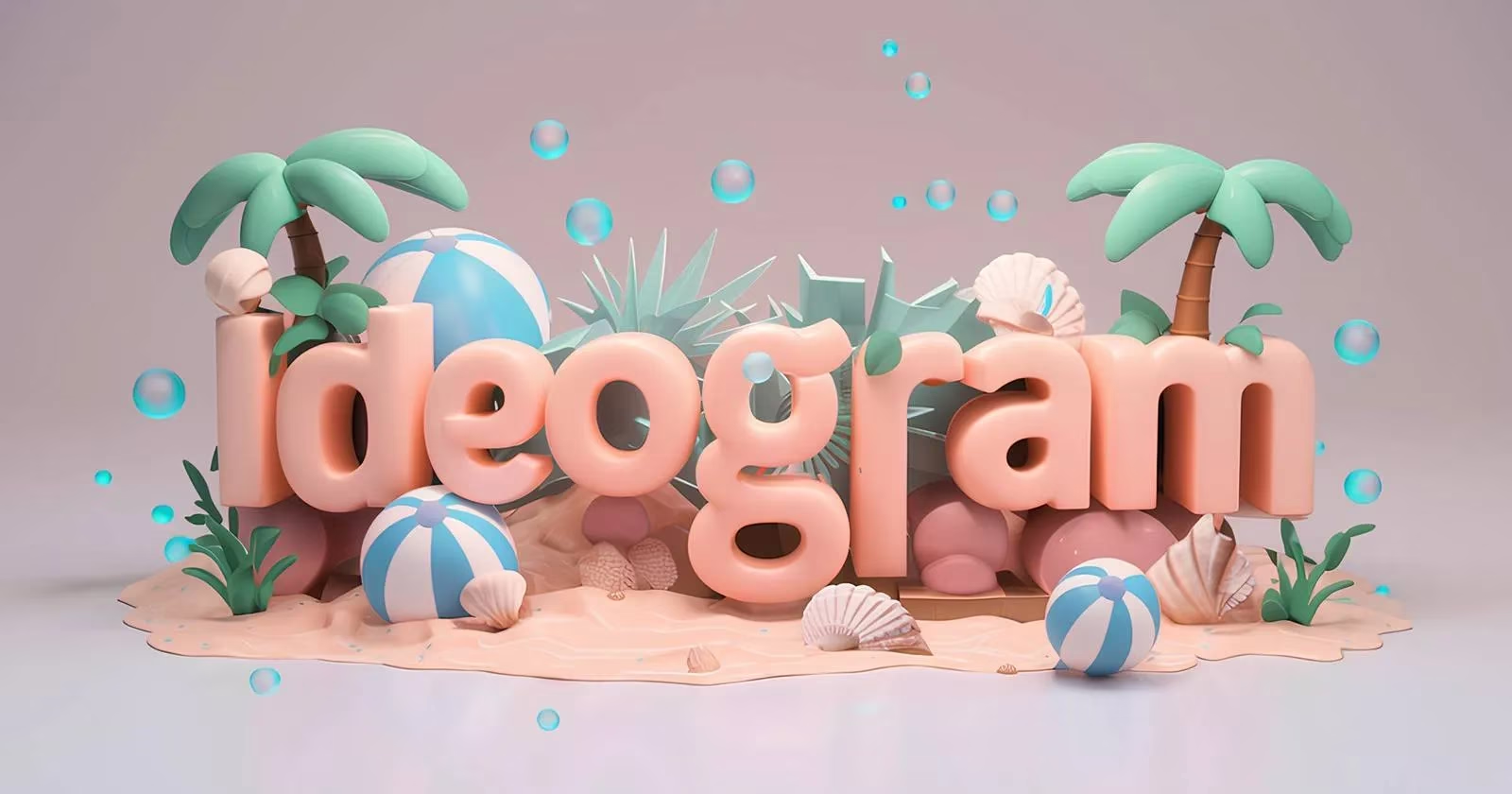
AI art generators can conjure dragons, cyberpunk cities, and photorealistic portraits, but ask them to spell a simple word and many fall apart. Ideogram, however, has built a reputation as the tool that actually listens when users ask for legible text. In 2026, that reputation still holds. The platform combines a community-driven gallery with a text-rendering engine that turns prompts into polished logos, brochures, and typographic illustrations—often on the first try.
Getting started is straightforward. New users sign up with a Gmail account, accept the terms, and choose a username. They land on a home page dominated by a prompt box. Below it, Explore, Following, and Top feeds showcase other users' generations. The profile area displays remaining daily prompts and echoes the layout of major social platforms—a deliberate nod to Ideogram's community-first design.
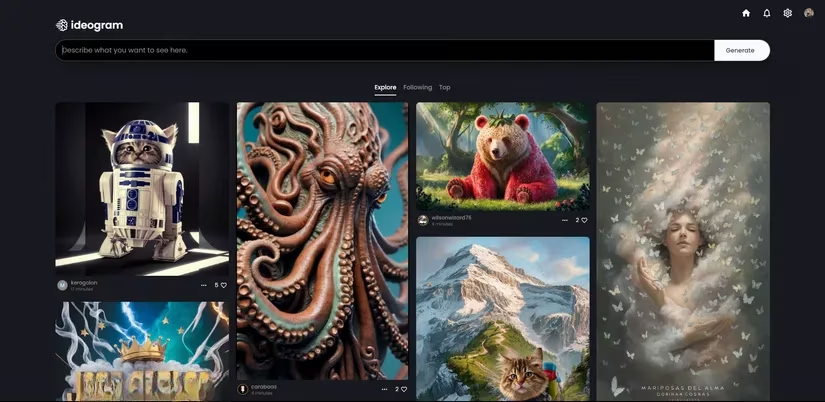
Before writing a prompt, users can select an image ratio, choose Model 1.0 for the most accurate results, and pick a style tag if desired. A Magic Prompt toggle can substantially enhance the original prompt and even allow prompts in a native language.
The free tier is generous enough for casual experimentation. It offers 25 prompts per day in a slow queue, and every generated image is public. Each prompt returns four different images. Paid plans add speed, privacy, and more prompts. The Basic plan costs $8 per month—or $7 per month when billed annually—and provides 400 fast-queue prompts per month plus 100 slow-queue prompts per day. The Plus plan costs $20 per month—or $16 per month annually—and offers 1,000 fast prompts per month, unlimited slow prompts, private generation, and access to the Ideogram Editor.
| Plan | Price | Key benefits |
|---|---|---|
| Free | $0 | 25 slow-queue prompts per day, public images, four images per prompt |
| Basic | $8/month, $7/month annually | 400 fast prompts per month, 100 slow prompts per day |
| Plus | $20/month, $16/month annually | 1,000 fast prompts per month, unlimited slow prompts, private generation, Editor |
For most users, the free tier is the sweet spot. Unless someone is a serious AI art creator, paying for a subscription may not be necessary—25 daily prompts is a solid deal.
Text is where Ideogram truly shines. Many AI models treat words as visual noise, producing garbled letters and alien symbols. Ideogram specializes in typography. Users can customize font, color, and style through natural language. There is no special parameter for generating text; the AI grasps the request as long as the prompt indicates which parts should appear as text. Putting a word or phrase in quotes, or adding 'the word' before it, helps guide the model.
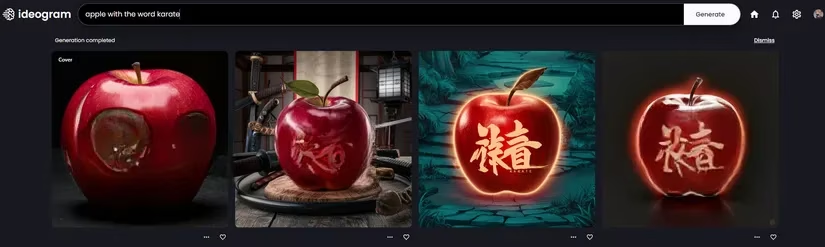
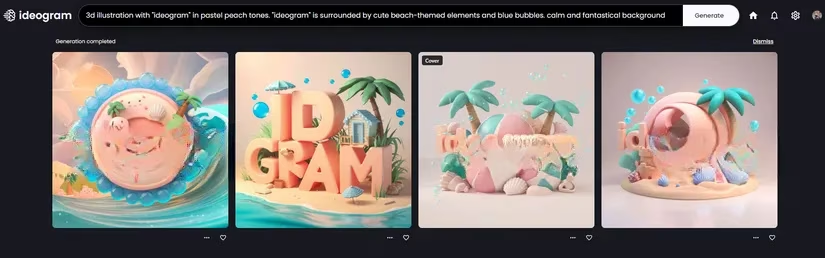
Simple tests confirm the point. A prompt like apple with the word karate and apple with 'karate' both produced accurate results. The model knew exactly what was wanted. For more ambitious projects, Magic Prompt can expand a short idea into a richer scene. It also lets users write prompts in their native language. In one test, a prompt for a 3D illustration with 'ideogram' in pastel peach tones, surrounded by cute beach-themed elements and blue bubbles, generated a calm, fantastical logo. Three out of four images were on target.
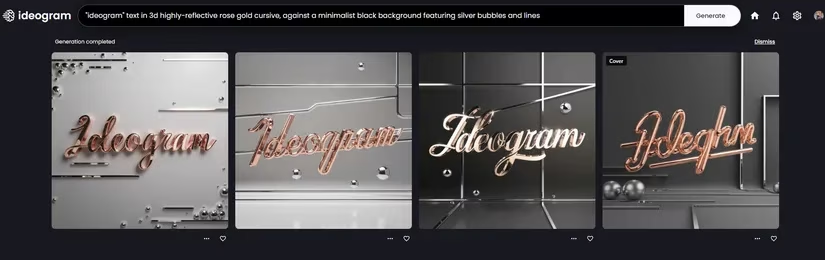
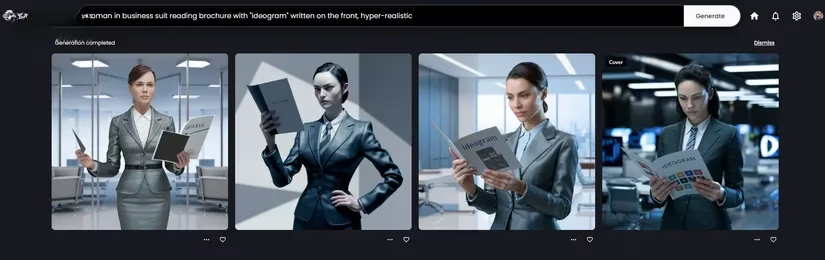
Another prompt asked for 'ideogram' in 3D highly reflective rose gold cursive, set against a minimalist black background with silver bubbles and lines. Again, three images impressed, while one missed the text. A sleek logo prompt with colorful elements showed how useful Ideogram is for branding. There were minor inaccuracies, such as a double 'I', but those can be cleaned up in Photoshop. A hyper-realistic prompt of a woman in a business suit reading a brochure with 'ideogram' on the front also got the text right, even though the word was not the focal point. The AI-generated hands were a bit strange—no surprise there—but the typography was accurate.
Not every attempt succeeds. A prompt for 'ideogram' in Times New Roman font was the least impressive. The model misspelled the word in every image and failed to recognize the typeface. That failure reveals a key limitation: Ideogram does not understand font names. Users who want a specific look must describe its appearance and overall style instead.
After extensive testing, several best practices stand out:
-
Identify which part of the prompt should be generated as text. Use quotes or add 'the word' before it.
-
Avoid font and typeface names. Describe the lettering instead.
-
Customize color and texture with descriptors such as 'pastel peach' or 'reflective metal'.
-
Specify where the text should appear, like on a brochure. Otherwise, the text becomes the focal point.
-
Turn on Magic Prompt for more expressive results.
Ideogram undeniably surpasses many competitors when it comes to generating text within images. Its interface is simple, Magic Prompt is handy, and the output can be genuinely impressive. Midjourney v6 can also generate accurate text, but unlike Ideogram, it is not free. In a nutshell, Ideogram remains one of the most accessible ways to create AI art that does not treat words as an afterthought. It is not perfect, but for logos, mockups, and typographic illustrations, it is a tool that finally reads the room.
Data referenced from Esports Charts helps frame why tools like Ideogram matter for gaming and esports creators in 2026: when match-day graphics, sponsor overlays, and event promos need to be produced fast, consistent, and readable at a glance, reliable in-image typography becomes a practical advantage. By pairing clear prompt instructions (quoting the exact words, describing the lettering style rather than naming fonts, and specifying placement on items like brochures or posters) with iterative community examples, creators can turn quick AI generations into usable branding assets that hold up in high-visibility competitive scenes.
Comments