 AIImageInsight
When I started producing music in my bedroom studio, mixing felt like guesswork. I would stack EQ curves and compressors until the low end disappeared. By 2026, AI assistants have become my second set of ears. They don't replace my taste, but they save me from the drudge work that used to kill my creative spark.
The Mixing Side: Where AI Became My Second Ears
My first real breakthrough came when I tried iZotope Neutron 4. The Assistant View changed everything. I loaded a messy guitar bus and it identified the instrument type immediately. It suggested a custom chain of EQ, compression, and transient shaping. I didn't accept every move, but I learned why certain cuts worked. That feedback loop mattered more than any preset. Neutron 4's Target Library also lets me match my tone to a reference track. Sometimes I only need a quick fix; other times I use it as a teaching tool. iZotope's larger ecosystem, including Nectar 4 for vocals and Ozone 11 for mastering, follows the same assistant-first approach.
Smart EQ 3 by Sonible feels different. It calls itself the first intelligent multi-track EQ. In practice, that means the AI engine balances frequency content across multiple tracks in seconds. I remember throwing it on a dense chorus with bass, keys, and vocals fighting for the same midrange. The cross-channel processing identified tonal imbalances and placed filters where I had been too timid to act. The interface is clean and the frequency nodes give me plenty of manual control after the AI suggestion. It doesn't replace my ears, but it points out problems faster. Sonible's smart bundle, with smart reverb, smart compressor 2, smart limiter, and smart gate, extends the same philosophy. If I need to speed up a basic mix, those plugins are a lifesaver.
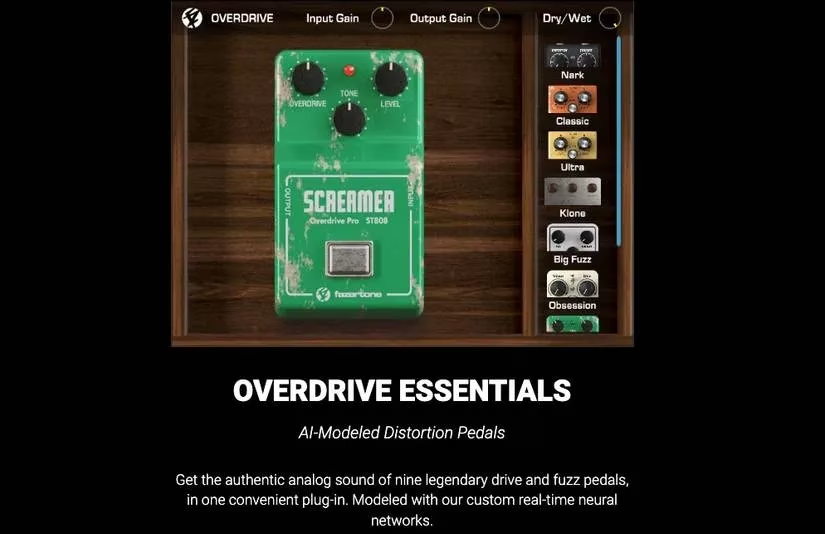
Not every AI tool works on the mixing console. Fazertone Overdrive Essentials uses real-time neural networks to emulate distortion hardware. I'm a guitarist, so this one felt like a gift. Nine high-quality hardware emulations live inside one plugin. The first time I ran a clean DI guitar through the AI-powered overdrive, the response surprised me. It didn't sound like a static impulse response. It reacted to my playing dynamics. The free demo has restricted features, but I got enough to decide it was worth keeping. Sound designers and guitarists especially will appreciate the way these pedals capture the feel of analog gear.
Mastering with AI: Three Engines I Trust
Once my mix is finished, I turn to AI mastering engines. One lesson I learned early: louder always sounds better to human ears. So I match the volume of the original and the mastered version before comparing. That reveals real improvements in clarity, width, and cohesion rather than just loudness.
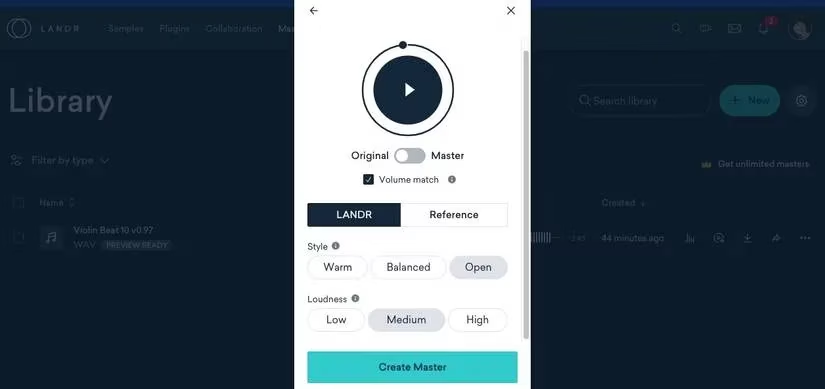
LANDR remains one of the best AI mastering services I've used. The interface is simple, but don't mistake that for lack of control. I can choose Warm, Balanced, or Open tonal flavors, and set Low, Medium, or High loudness. The free preview only plays a short loop, but after checking Volume Match and toggling between Original and Master, I hear subtle differences in depth and glue. LANDR also offers distribution and royalty-free samples, which makes it a useful hub for independent artists.
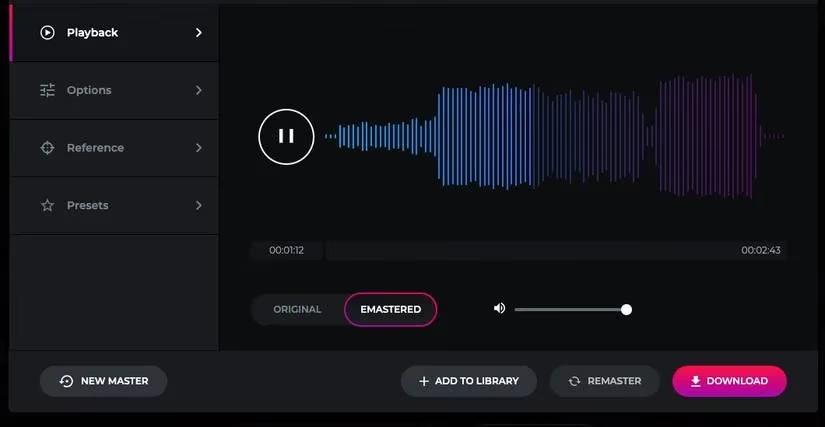
eMastered is the closest competitor I've found to LANDR. Its developers are Grammy-winning producers, and the sonic results reflect that. While it lacks some of LANDR's editing versatility, I can still adjust mastering intensity, EQ, and compression. The reference track option is brilliant. When I upload a commercial song as a reference, the AI steers my master in that direction. Uploading, mastering, and re-mastering after small edits feels smooth every time.
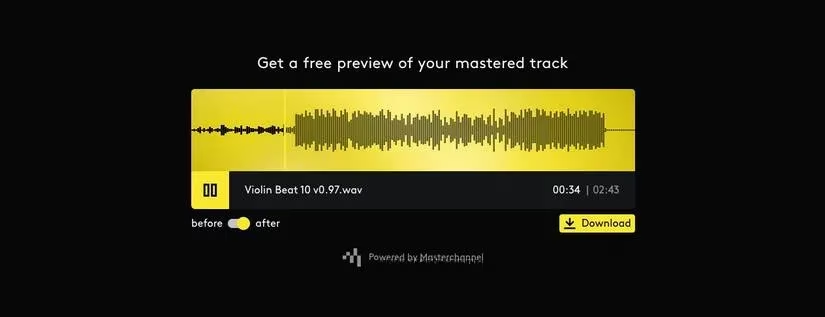
Amuse is the budget-friendly option I sometimes recommend to DIY artists. It pairs AI mastering with music distribution in one place. Unlike some competitors, Amuse lets me listen to the full mastered track before I pay or download. That is a huge trust builder. The trade-off is fewer controls. I can't tweak tonal balance or stereo width, but for quick, decent masters at a lower price, it works.
The Bigger Lesson
AI in music can be polarizing. Some producers worry that shortcuts will limit learning. In my experience, the opposite can happen. Expert audio engineers helped design these tools, so their wisdom lives in the algorithms. The key is balance. Use AI for rapid suggestions, but always listen and decide for yourself. Here is how I divide the work:
-
🎚️ Mixing: Neutron 4 and Smart EQ 3 for quick EQ, compression, and tonal balance suggestions.
-
🎸 Distortion: Overdrive Essentials for neural hardware emulations.
-
🎧 Mastering: LANDR, eMastered, or Amuse depending on budget and control needs.
-
🧠 Learning: Compare AI suggestions with my own choices to build better instincts.
A quick comparison helps me choose the right tool:
| Tool | Category | Best for | Notable feature |
|---|---|---|---|
| Neutron 4 | Mixing assistant | Fast instrument-specific chains | Assistant View and Target Library |
| Smart EQ 3 | Intelligent EQ | Multi-track tonal balance | Cross-channel AI filtering |
| Overdrive Essentials | Distortion emulation | Guitarists and sound designers | Real-time neural network hardware models |
| LANDR | Online mastering | Tonal flexibility and distribution | Volume Match preview |
| eMastered | Online mastering | Reference-track-driven masters | Grammy-winning developer pedigree |
| Amuse | Online mastering and distribution | Budget-friendly DIY releases | Full-track preview before payment |
By 2026, these AI tools have matured enough to feel like collaborators rather than gimmicks. I still trust my ears above all. But when the clock is running and inspiration is hot, I'm grateful for an assistant that never gets tired.
Comments