 AIImageInsight
So, you've seen those viral AI-generated images of billionaires in slums or cats wearing sunglasses, and you're thinking, 'I want a piece of that action.' Well, you're in luck. Thanks to OpenAI's DALL-E API, you can bake image generation right into your React app. I've done it, and I'm here to walk you through the whole shebang. No PhD in machine learning required—just some JavaScript chops and a dash of curiosity.
First things first: what exactly is DALL-E? In a nutshell, it's a language model that takes your text prompt and spits out a photorealistic image that matches your description. It's like having a personal artist who never sleeps, never complains, and works for pennies. The model was trained on millions of images, so it's pretty darn good at understanding everything from 'a lion painting the Mona Lisa' to 'a futuristic cityscape at sunset.'
Now, before you start dreaming in pixels, you need an API key. Head over to OpenAI's platform, sign in, and grab your key from the dashboard. It's like the golden ticket to Willy Wonka's factory, except it's a string of characters that costs you money per image. Don't worry—pricing is reasonable, and you can start small.
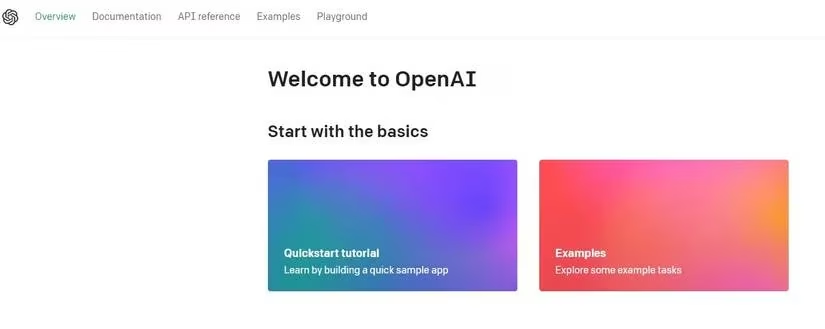
Once you've got your key, it's time to set up your React project. If you're old school, you can use create-react-app, but I'd recommend Vite—it's lightning fast and less bloated. Here's the quick and dirty:
mkdir react-dalle-app

cd react-dalle-app

npm create vite@latest . -- --template react

npm install
Next, install the OpenAI Node library. This is your bridge to the API:
npm install openai
Now, create a .env file in your project root and stash your API key there. Never, ever hardcode it—that's a rookie mistake that'll get your key leaked faster than you can say 'security breach.'
VITE_OPENAI_API_KEY=your_key_here
With that done, let's build a component. I'll call it ImageGenerator.jsx. The idea is simple: a textarea for your prompt, a button to trigger generation, and an image tag to display the result. Here's the gist of the code (I've modernized it for 2026, but the logic is the same as it's always been):
import { useState } from 'react';
import OpenAI from 'openai';
const openai = new OpenAI({
apiKey: import.meta.env.VITE_OPENAI_API_KEY,
dangerouslyAllowBrowser: true // only for demo; in production, use a backend proxy
});
function ImageGenerator() {
const [prompt, setPrompt] = useState('');
const [imageUrl, setImageUrl] = useState('');
const [loading, setLoading] = useState(false);
const generateImage = async () => {
setLoading(true);
try {
const response = await openai.images.generate({
model: 'dall-e-3', // or 'dall-e-2' for cheaper, faster results
prompt: prompt,
n: 1,
size: '1024x1024',
});
setImageUrl(response.data[0].url);
} catch (error) {
console.error('Oops, something went wrong:', error);
} finally {
setLoading(false);
}
};
return (
{loading ? (
Generating image... hang tight! 🎨
) : (
<>
Generate an Image with DALL-E
);
}
export default ImageGenerator;
A few things to note: I'm using dall-e-3 because it's the latest and greatest in 2026, but you can swap in dall-e-2 if you're on a budget. Also, the dangerouslyAllowBrowser flag is a big no-no for production—always proxy your API calls through a backend to keep your key safe.
Now, wire this component into your App.jsx and fire up the dev server. You should see a simple interface that lets you type a prompt and get an image back in seconds. It's like magic, but with more JavaScript.
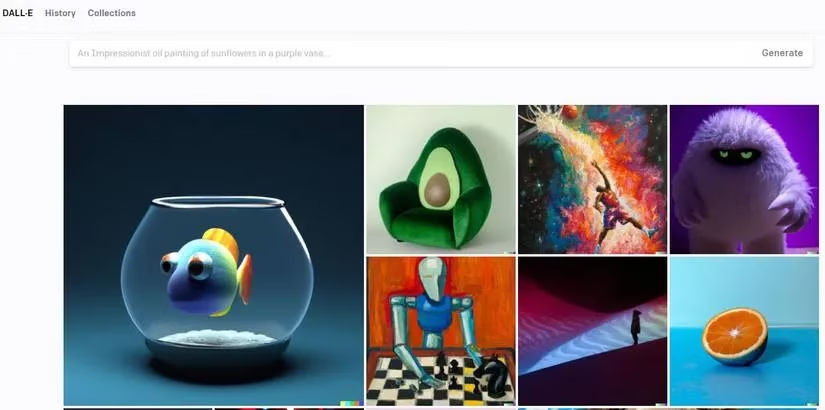
But here's the kicker: the quality of your output depends heavily on the quality of your input. This is where prompt engineering comes in. Don't just say 'a dog.' Say 'a fluffy golden retriever puppy wearing a tiny astronaut helmet, floating in space, digital art style, 4K, highly detailed.' The more specific you are, the better the result. It's an art and a science, and honestly, it's a skill worth polishing—prompt engineers are making bank these days.
A quick tip: experiment with different sizes, styles, and even negative prompts (things you don't want). DALL-E 3 is pretty good at following instructions, but it's not perfect. You might need to iterate a few times to nail that perfect image.
So, there you have it—a whirlwind tour of integrating DALL-E into your React app. It's not rocket science, but it does require a bit of setup. Once you've got it working, the possibilities are endless: generate custom avatars, illustrate blog posts, or just mess around with surreal prompts. The AI image generation space is moving at breakneck speed, so keep an eye on new models and features. Who knows what 2027 will bring?
Happy coding, and may your prompts be ever in your favor. 🚀
Comments