 AIImageInsight
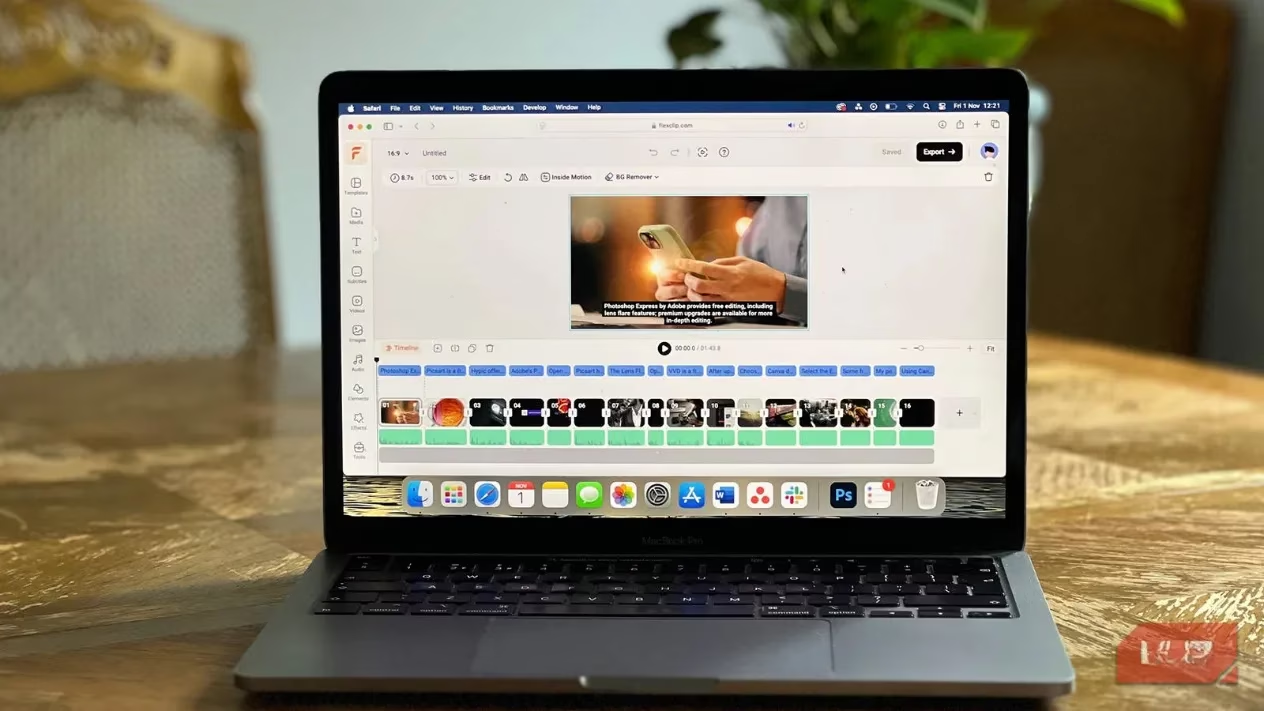
As we roll into 2026, the landscape of video editing tools is getting more competitive than ever. While heavyweights like Adobe Premiere Pro and ByteDance's CapCut still dominate the scene, there's a new player that's been steadily gaining traction among content creators and casual editors alike: FlexClip. This browser-based AI video and image editing tool, developed by PearlMountain (the brains behind FotoJet and DesignCap), has evolved into a seriously impressive platform that deserves your attention. No more dealing with massive software downloads or system slowdowns—FlexClip brings professional-grade editing right to your browser, and honestly, it's kind of a game-changer.
What Makes FlexClip Stand Out? 🤔
First things first, let's talk about accessibility. Being browser-based means you can jump into editing from literally any device with an internet connection. Whether you're on your desktop or mobile, your projects sync seamlessly thanks to cloud storage. This is perfect for creators who are always on the go. The interface is clean, intuitive, and won't make your computer crawl like some traditional software tends to do. It's the definition of 'user-friendly'.
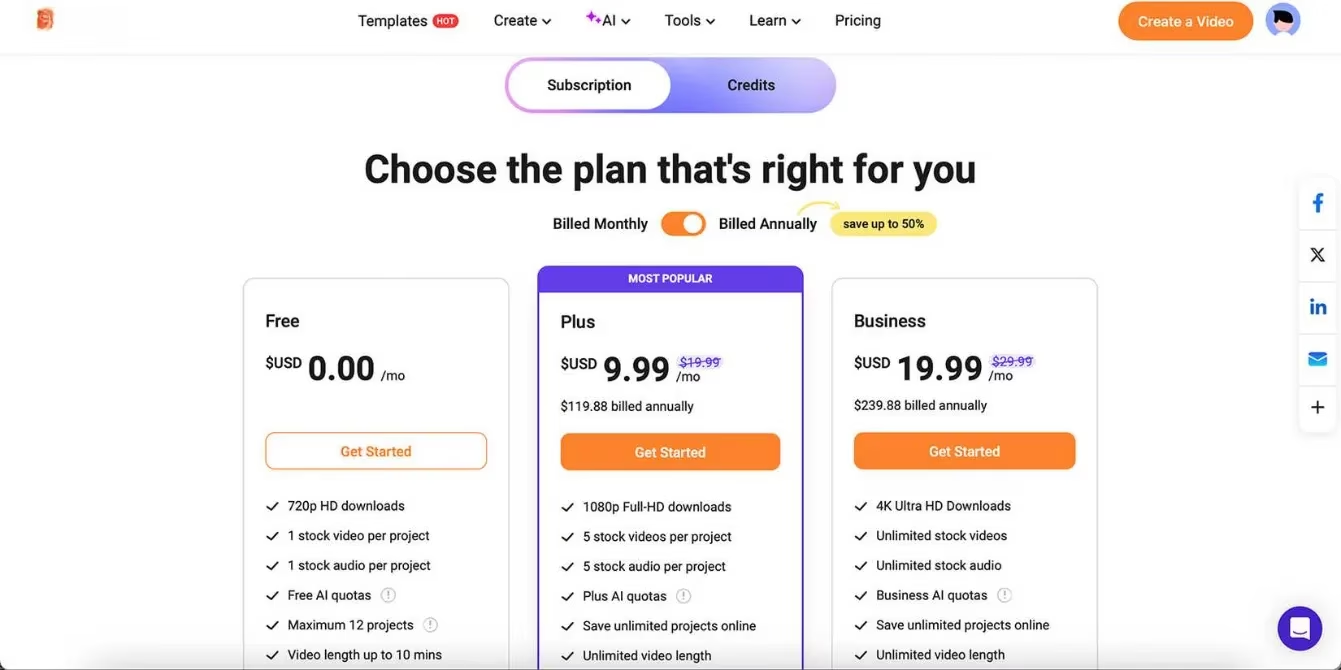
FlexClip operates on a freemium model, which is awesome for testing the waters:
-
Free Version: Up to 12 projects, 10-minute video limit, one stock video/audio per project, monthly AI credits (with watermark on exports)
-
Plus Plan: $9.99/month (annual billing) - removes watermark, more features and storage
-
Business Plan: Advanced features for teams
The Template Game is Strong 💪
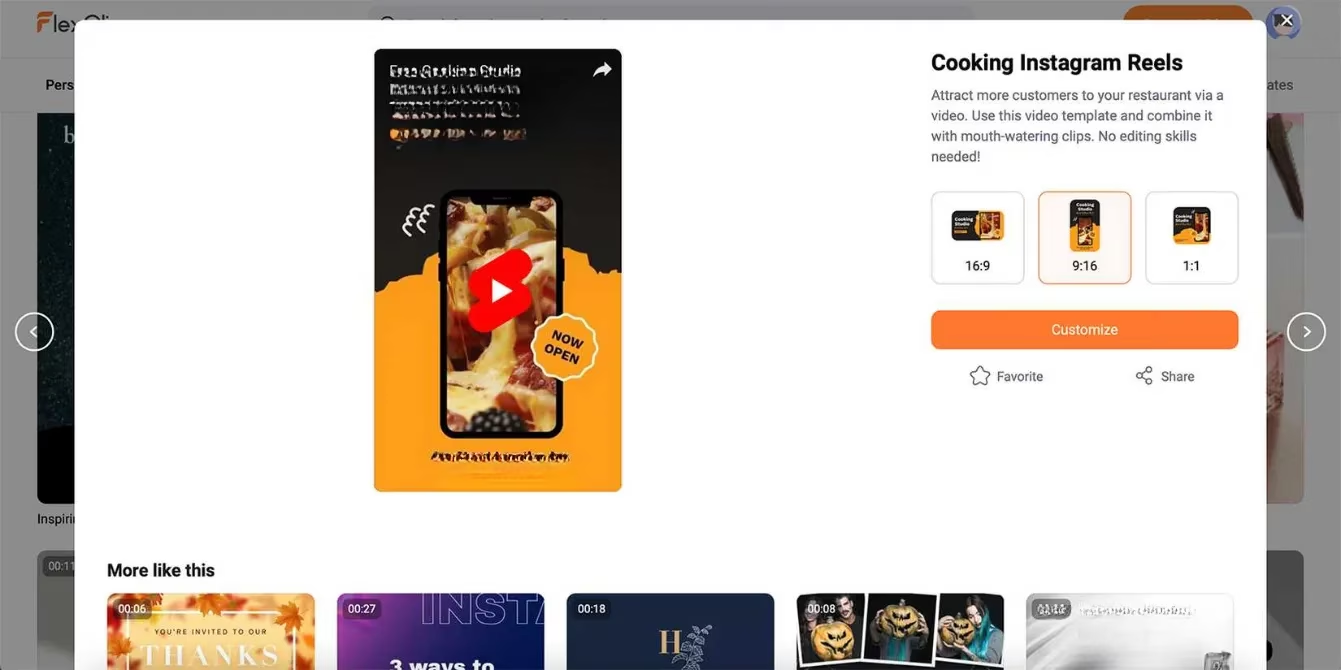
One of FlexClip's biggest strengths is its massive template library. We're talking about professionally designed templates for every platform imaginable:
| Platform | Aspect Ratios Available | Special Features |
|---|---|---|
| YouTube | 16:9 (Landscape) | Pre-timed animations |
| 1:1, 4:5, 9:16 | Social media optimized | |
| TikTok | 9:16 | Trendy transitions |
| Multiple ratios | Engagement-focused |
Each template comes with audio that you can keep or swap out, and they're already sized correctly for different platforms—no more manual resizing headaches! This alone saves creators hours of work.
Text and Subtitle Tools That Actually Work ✨
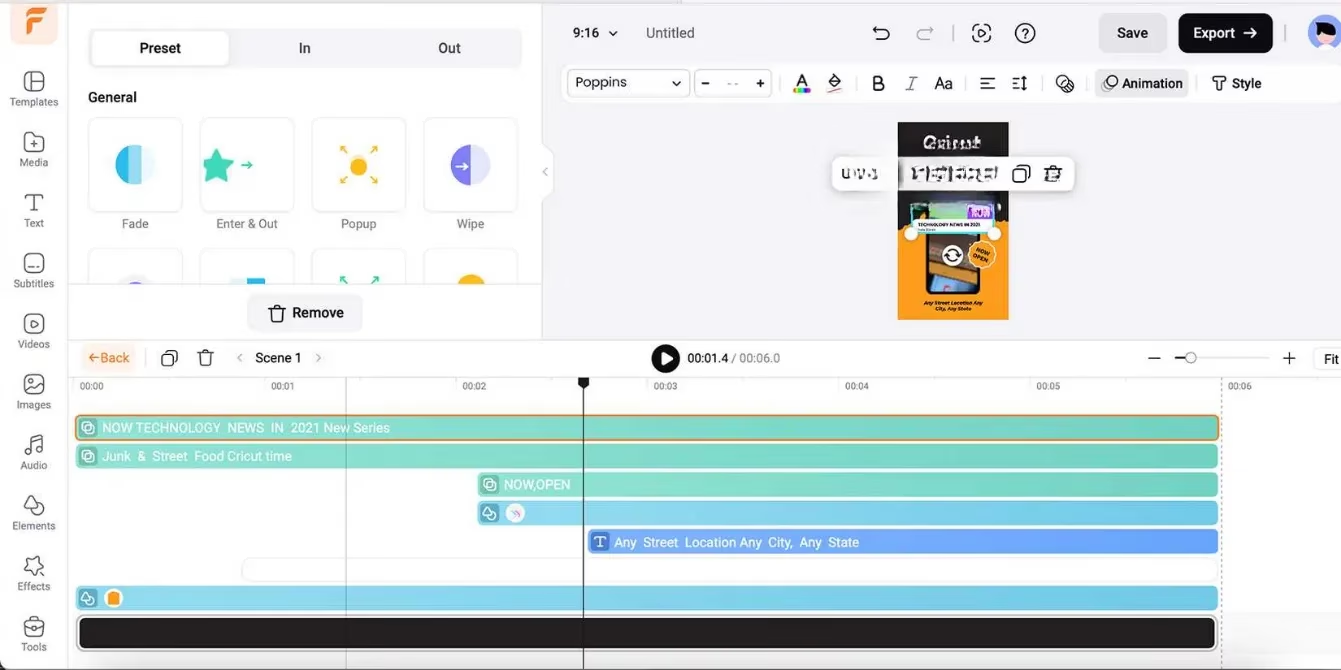
FlexClip's text tools are surprisingly comprehensive for a browser-based editor:
Static Text Features:
-
Huge font library with easy categorization
-
Customizable color, size, alignment, opacity
-
Animation states and effects
-
Pre-designed animated text layouts
Subtitle Magic:
The subtitle system is where FlexClip really shines in 2026. You have three options:
-
AI Auto Subtitle: Automatically generates subtitles from speech
-
Manual Subtitle: For precise control
-
Upload Subtitle File: Import existing SRT files
But here's the kicker—you can translate subtitles directly within the app using AI, and even convert written subtitles to speech with realistic voices. The voice options include different styles, speeds, and pitches, making your videos accessible to global audiences.
AI Features That Feel Like Magic 🧙♂️
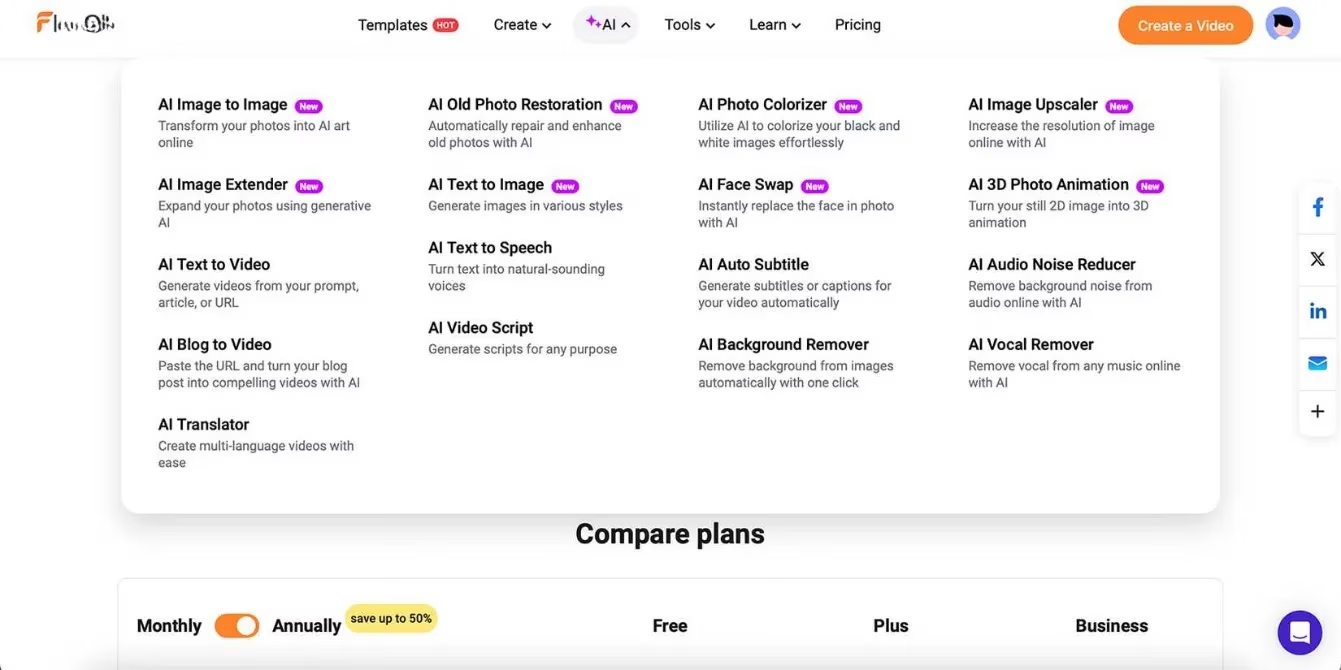
FlexClip's AI toolkit has expanded significantly since 2024, and in 2026, it's absolutely fire. Let's break down the standout features:
1. Text-to-Video & Article-to-Video
Type a prompt or paste an article URL, and FlexClip creates a complete video with visuals, narration, and timing. While it might have that 'AI-tell' initially, everything is fully customizable. It's a massive time-saver for content repurposing!
2. AI Video Script Generator
Stuck on what to say? Describe your video concept, and FlexClip generates a script you can use for narration. Pro tip: Always give AI-generated text a human touch before publishing, but it's perfect for overcoming writer's block.
3. AI Translator
This isn't just text translation—it translates speech too, with adjustable voices. Creating multilingual content has never been easier.
The Hidden Gems You Might Miss 🔍
Beyond the headline features, FlexClip packs some seriously useful tools:
-
Branding Toolkit: Save your brand colors, fonts, and logos for consistent content
-
Royalty-Free Libraries: Massive stock video and audio collections (similar to YouTube's library)
-
GIPHY Integration: Direct access to GIFs and stickers
-
Video Effects: Transitions, filters, and overlays
-
Direct Recording: Record your screen or webcam right in the editor
AI Photo Editing: The 2026 Update 📸
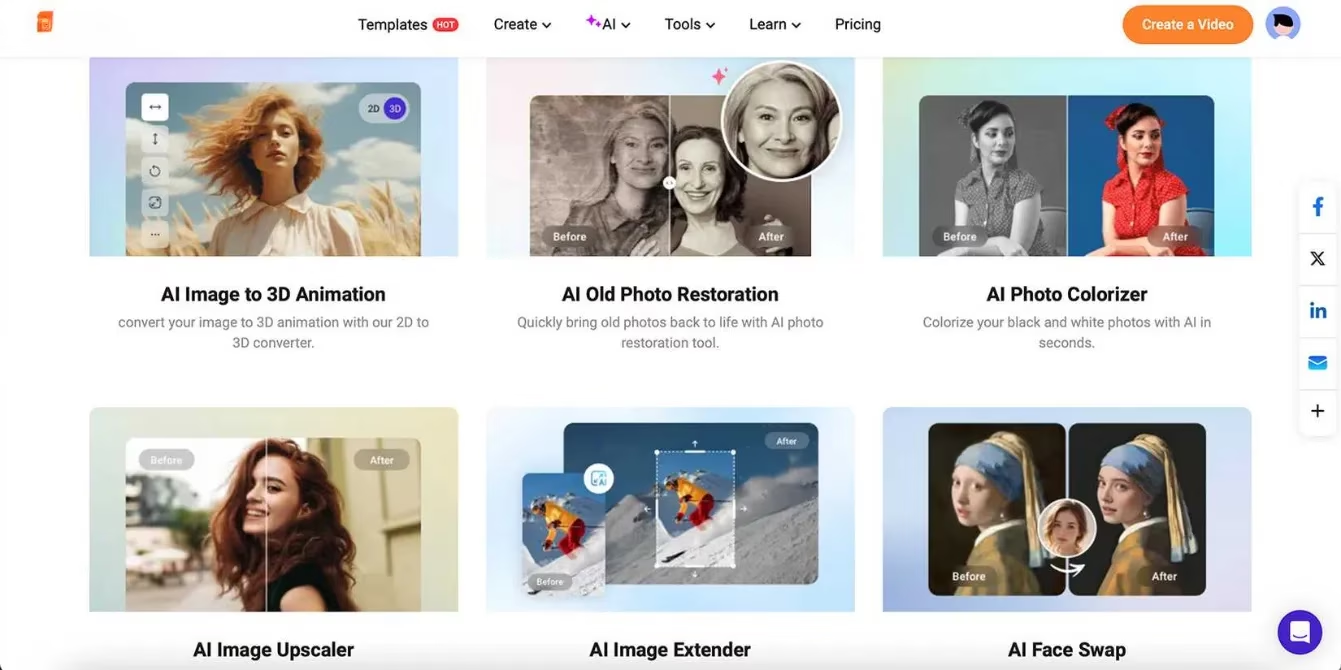
The photo editing tools added in recent years are nothing short of impressive:
🔥 AI Photo Colorizer: Restores colors to old or damaged photos
🔥 AI Old Photo Restoration: Fixes scratches, tears, and other damage
🔥 AI Image Upscaler: Increases resolution up to 4x original size
🔥 AI Image Extender: Similar to Photoshop's Generative Expand—extends photo boundaries
🔥 AI Face Swap: For when you need some fun in your edits
🔥 AI Image to 3D Animation: Adds depth and movement to flat images (this one's mind-blowing!)
Why FlexClip is Worth Your Time in 2026 🚀
Let's keep it 100: For a browser-based tool that isn't backed by a tech giant, FlexClip punches way above its weight class. The pricing is reasonable, the AI tools are top-notch, and having both video and image editing in one place is incredibly convenient.
The Bottom Line:
✅ Perfect for beginners and intermediate creators
✅ No software installation required
✅ Constantly updating with new AI features
✅ Cross-platform accessibility
✅ Professional results without the learning curve of traditional software
If you haven't checked out FlexClip yet, 2026 is definitely the year to do it. The free version gives you plenty to play with, and if you're creating regular content, the Plus plan at $9.99/month is a no-brainer. In a world where content creation moves at lightning speed, having a tool this versatile in your browser could be your secret weapon. FlexClip isn't just keeping up with the competition—it's setting the pace for what browser-based editing can be. Trust me, your workflow will thank you! 💯
Comments