 AIImageInsight
As we roll into 2026, the digital content landscape is more competitive than ever. If you're not creating slick, engaging videos, you're basically invisible, mate. And let me tell you, my secret weapon hasn't changed a bit since I first discovered it—it's only gotten better. CapCut, with its ever-expanding suite of AI tools, is still my absolute go-to video editor. It's the real deal, not just another flashy app. While I dabble with the desktop and browser versions, the mobile app on my iPhone remains my MVP. Why? It's got the most comprehensive toolkit, and those killer AI features are right at my fingertips. For anyone looking to create short-form content without pulling their hair out, this is the app you need.
Why CapCut's AI is a Game-Changer 🚀
The sheer number of AI tools in CapCut can be a bit overwhelming at first—like being a kid in a candy store. But the beauty is, they're not gimmicks. These are practical, time-saving features that actually work in real-world situations. The best part? A massive chunk of them are completely free, which is pretty wild for a creative tool this powerful. It makes you seriously question whether upgrading to CapCut Pro is even worth it. The AI tools are designed to handle the tedious stuff so you can focus on being creative.
Here’s a quick rundown of some of the fantastic free AI tools that I use regularly:
-
Script to Video: Turns your written ideas into visual stories.
-
Smart Ads: My personal favorite for whipping up product promos in minutes.
-
Transcript-Based Editing: Edit your video by just editing the text—genius for precision.
-
Text-to-Image & AI Poster Maker: Great for creating thumbnails and graphics.
-
AI Model: Adds a digital spokesperson to your videos.
Now, the Pro plan does unlock some next-level features. If you're a power user, investing in it can be a smart move. Pro gives you access to a built-in teleprompter, advanced image effects, video translation, and the fantastic Relight feature for adding dynamic lighting to your clips. It also supercharges the free tools. For example, the free version can detect all the "ums" and "ahs" in your speech, but Pro lets you delete them all with one click. Same with captions: AI generates them for free, but Pro gives you the fancy styles and animations to make them pop.
My Top AI Features in Action ✨
Let's dive into the two CapCut AI features I use the most. They've saved my bacon more times than I can count.
1. Smart Ads Generator: Commerce on Autopilot
This tool is an absolute lifesaver. Need to create an ad for your TikTok Shop, Amazon, or Shopify product? The Smart Ads generator lets you do it in a snap—no filming for a whole day or struggling with a script required. You can find it in the phone app under 'Smart Ads' or in the browser's 'Magic Tools' section as 'One-Click Video Creation.'
The process is a breeze:
-
Feed it Info: Paste your product URL, upload your images/videos, and describe the product's name and key features. (The AI can even suggest features if you're stuck!).
-
Set the Scene: Add your brand name, target audience, price, and any promo details like "50% off."
-
Generate & Tweak: Hit 'Confirm and Generate.' In seconds, you'll have multiple video ad variations. From there, you can easily swap out media, change the AI narration, or adjust the text.
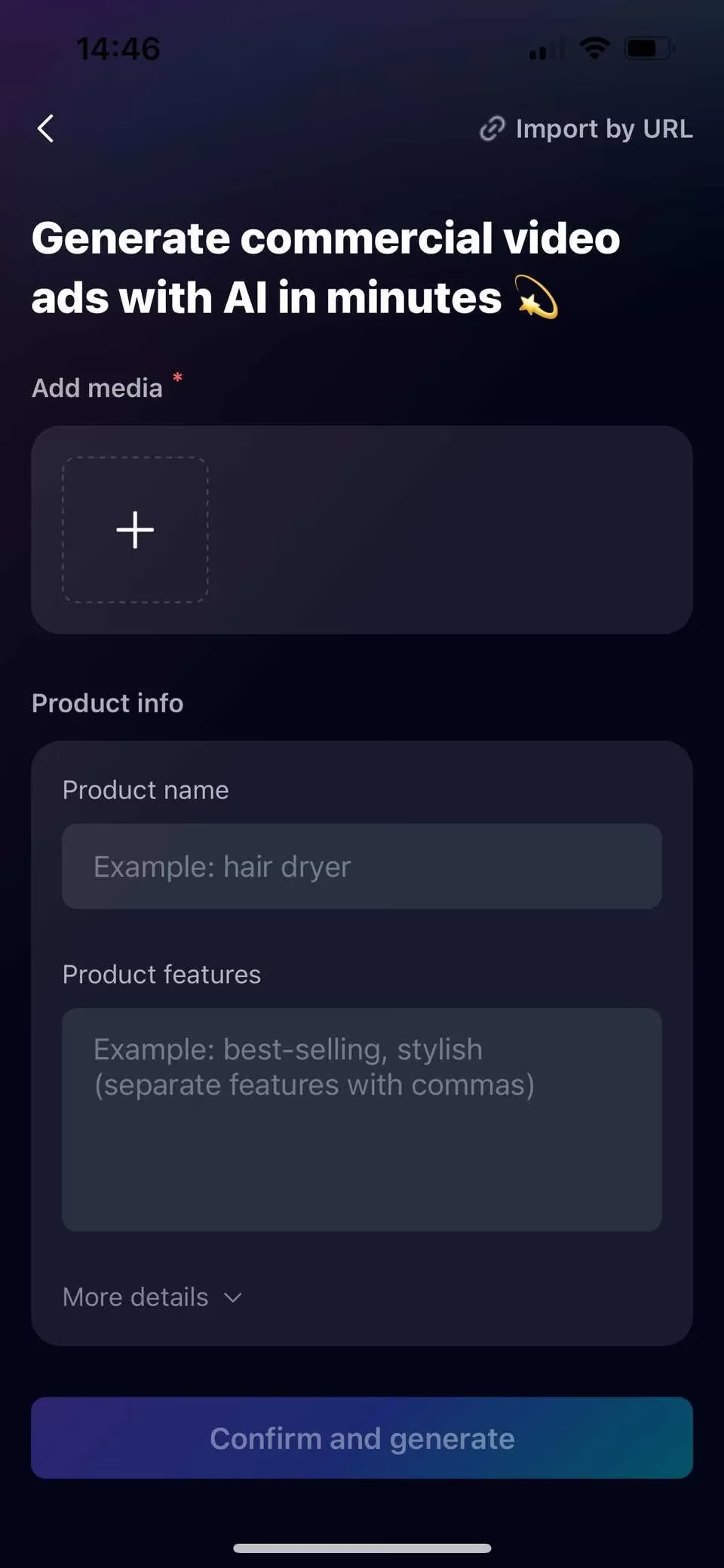
It streamlines the entire creation process, letting you focus on fine-tuning the perfect ad instead of building it from scratch. Total game-changer for small business owners and content creators.
2. Smart Templates: Riding Trends Without the Stress
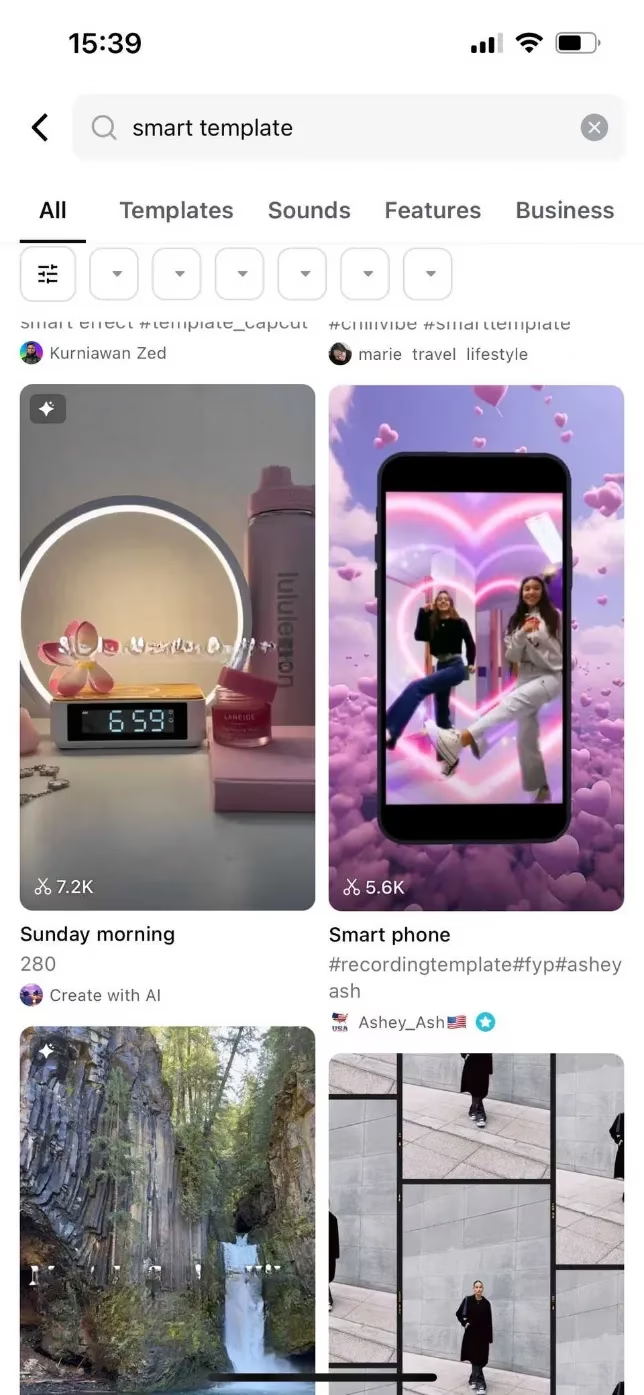
When I need to make a quick, trendy video for my socials, Smart Templates are my best friend. They're like regular templates, but with AI magic that analyzes your video clips and perfectly times them to the template's audio. No more manually splitting and cutting clips to the beat—it's all done for you.
How to use them:
-
On the Templates page, either search for "smart templates" or look for the sparkly diamond icon in the top corner of a template.
-
Select your template, choose all your video clips, and write a quick description of your video.
-
Let CapCut's AI work its magic and generate a preview.
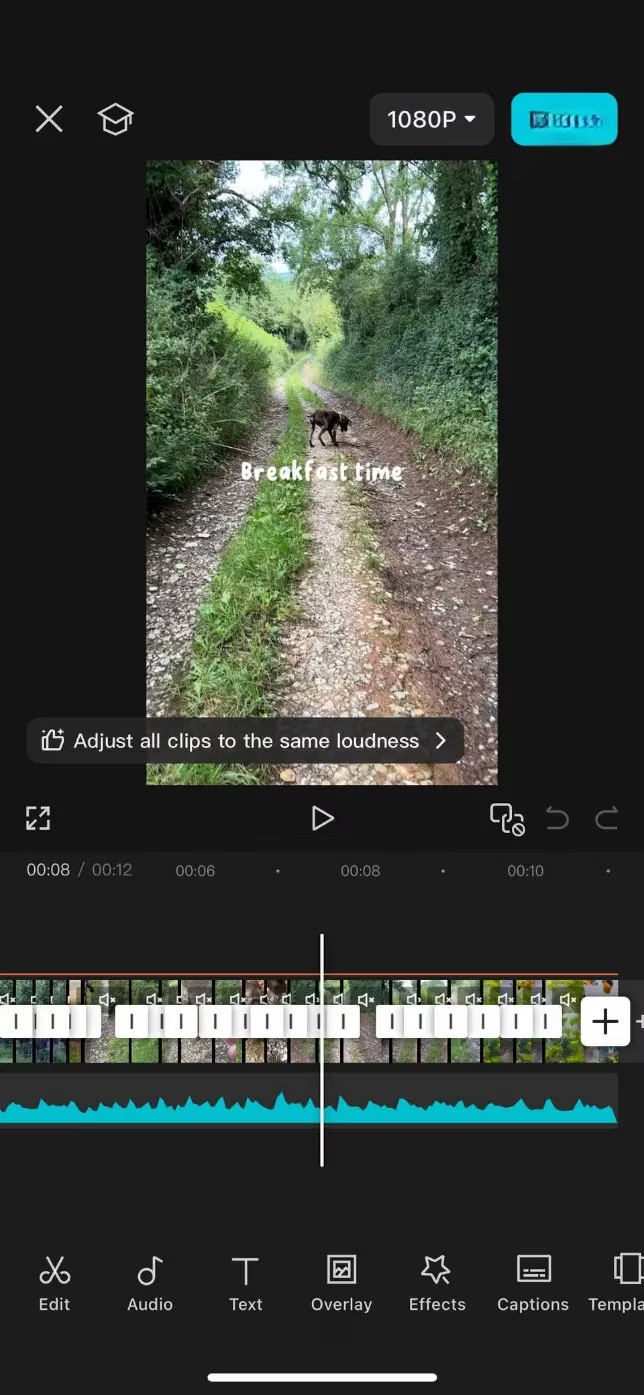
The real power comes in the editing suite afterward. You have full control:
| Element | What You Can Edit |
|---|---|
| Text | Wording, on-screen timing, font, style, color. |
| Video Clips | Replace, remove, or adjust the length. (A word of caution: changing clip length might throw off the AI's perfect audio sync!). |
| Audio | You can change it, but for that perfect beat-sync, it's often best to keep the original. |
Once you're happy, hit Export. A pro-tip: If you export as a 'TikTok video' to your device, you can avoid the CapCut watermark entirely, even if you don't plan to post it on TikTok.
The Bottom Line: Why It's Still #1 in 2026
Look, I'm not someone who lives and breathes short-form video trends, but when I need to create content—whether it's for fun, for a client, or for my own brand—CapCut is the only tool I reach for. Its AI features have genuinely removed the stress and time-sink from video editing. The fact that so much power is available for free is honestly mind-blowing. The AI tools are helpful, intuitive, and they just make sense. In a world where everyone is trying to create content, CapCut levels the playing field. It's my not-so-secret sauce for looking like a pro without the pro-level hassle. If you haven't given it a shot yet, what are you waiting for? It's a no-brainer. 🎬
Comments