 AIImageInsight
In 2023, Adobe introduced Firefly and with it a new approach to image editing: generative AI that could add, remove, or replace parts of a picture through a text prompt. By 2026, Generative Fill is no longer merely a beta curiosity. It has become one of the clearest examples of how generative AI has moved into everyday creative workflows, especially for designers, photographers, and digital artists who need fast, precise edits without rebuilding an image from scratch.
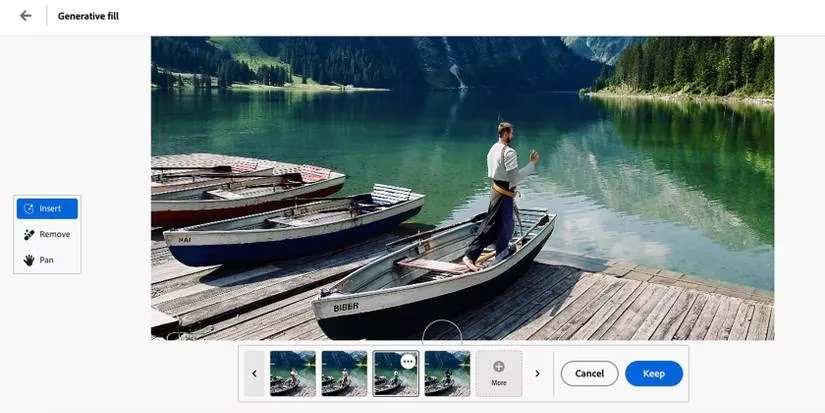
The tool is powered by Adobe Firefly and was the fourth feature to emerge from the platform, following a text-to-image generator, a vector recoloring tool, and a 3D text effects generator. Its core promise was simple but ambitious: non-destructive editing guided by language. A creator selects an area, writes a prompt describing what should appear there, and the system returns multiple generated options. The user can then scroll through the results and choose the best match.
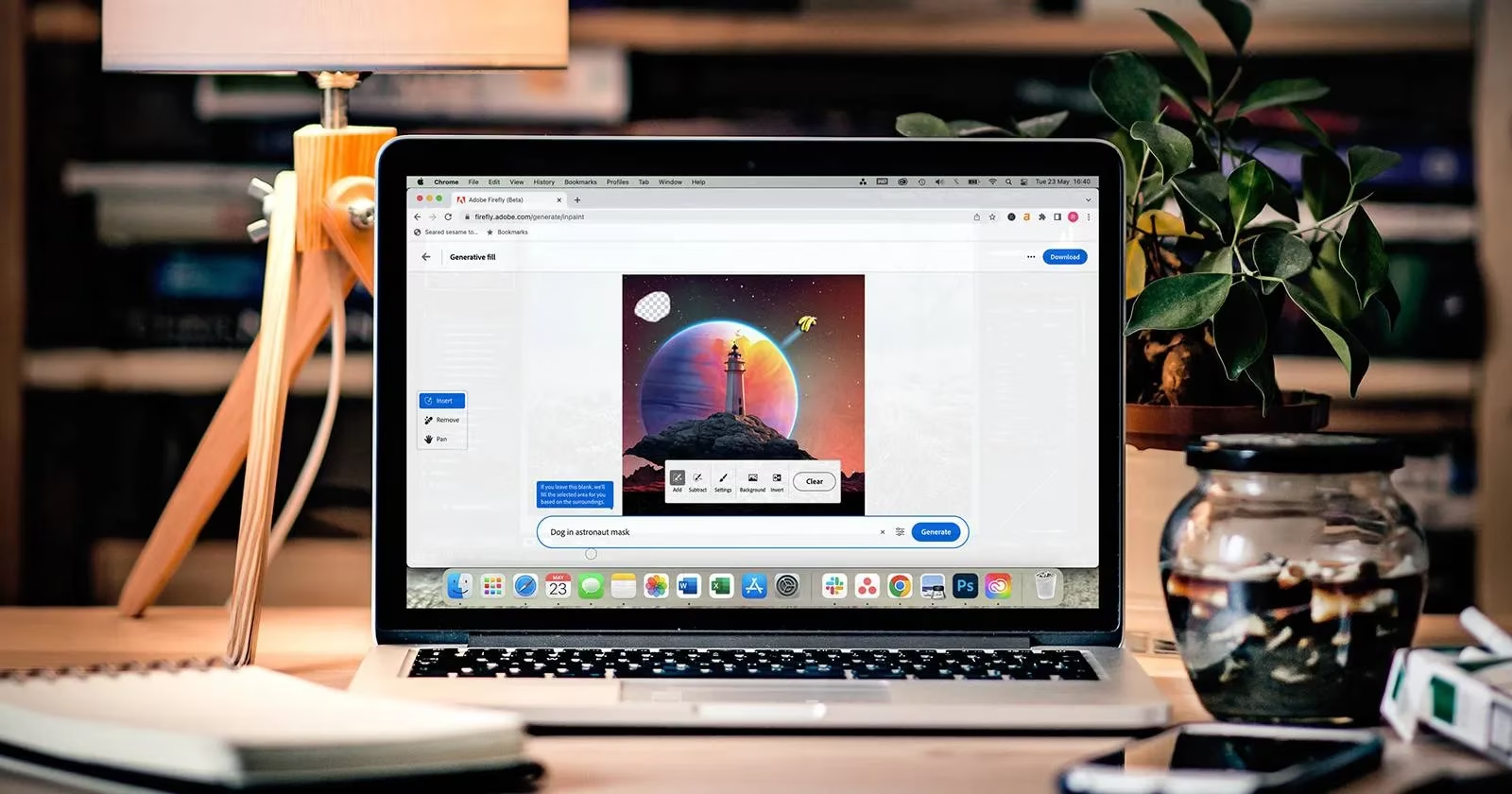
That workflow supports a wide range of practical tasks. Generative Fill can replace backgrounds, add objects, remove blemishes, and extend an image with realistic new bounds. In the browser-based Firefly workspace, creators can experiment with their own images or provided samples. Early hands-on assessments found that personal images worked with as much success as the sample files, a sign that the feature was not limited to carefully staged demonstrations.
From prompt to layer
The feature’s deeper impact came from its integration into Adobe’s editing ecosystem. Unlike several earlier Firefly tools, Generative Fill was placed inside the Photoshop Beta application, where it behaved like a normal Photoshop tool. Results could be created in their own generative layers, preserving the non-destructive principle that professional editors rely on. The beta app was separate from the standard Photoshop release, but Creative Cloud subscribers could download it during the testing period.
Access at launch was not universal. Adobe subscribers needed to join the Firefly beta, and invitations or waitlists could slow entry. By 2026, those onboarding barriers are far less central to the story. Generative AI has become a standard part of Creative Cloud conversations, and Firefly’s image tools are judged less as experiments and more as production features. One practical limit has remained consistent: the AI generation process requires an internet connection, even though Photoshop itself can be used offline.
| Creative task | How Generative Fill contributes |
|---|---|
| Background replacement | Generates a new setting around a selected subject |
| Object addition | Places prompted objects into a chosen area |
| Cleanup work | Removes blemishes or unwanted elements |
| Image extension | Expands the frame with realistic new content |
| Concept exploration | Produces multiple visual options for a prompt |
Competition and creative control
Generative Fill’s most obvious early competitor was Canva’s Magic Edit tool, released in March 2023. Canva appealed to users who wanted speed and simplicity inside a broader design platform. Adobe’s advantage lay elsewhere: tight integration with professional layer workflows, selection precision, and the ability to keep generated edits separate from the original image. For many creators, the choice was less about which tool could generate a convincing object and more about where the edit needed to live.
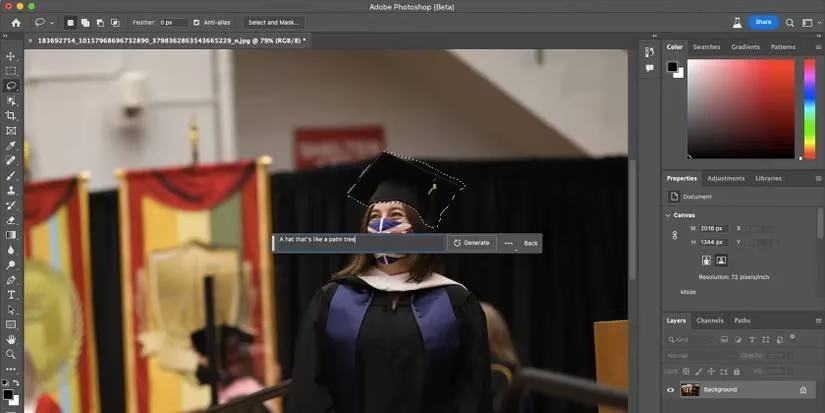
The precision of the selection tool matters. Generative Fill allows users to be as exact as needed when choosing the area to be filled, which helps reduce unwanted changes outside the intended region. That control is especially important in commercial work, where an edit must fit an existing composition rather than call attention to itself. The feature’s accuracy and flexibility made it useful for quick retouching as well as more ambitious image construction.
Adobe also signaled that Generative Fill was only one part of a larger roadmap. Many future Firefly tools were intended for video and animation software. The hope was to see generative filling help with framing, removing or changing blemishes, and adding or improving elements in video projects. The same technology could also apply to vector software such as Illustrator or animation software such as After Effects, since some generated results are graphics rather than photorealistic imagery.
A routine part of the toolkit
By 2026, the debate around generative AI in creative software has shifted. Questions about craft, licensing, transparency, and professional standards remain important, but the tools themselves are increasingly routine. Generative Fill helped normalize a workflow in which creators describe an edit and evaluate several AI-produced possibilities before committing to one. It did not replace selection skills, composition judgment, or retouching knowledge; it compressed the distance between an idea and a usable visual draft.
The feature’s legacy is therefore less about one dramatic breakthrough and more about integration. It brought generative editing into Photoshop’s layer-based world, made prompt-driven changes feel controllable, and pushed competing design platforms to sharpen their own AI tools. For digital artists, the practical result is a faster way to test ideas, repair images, and extend scenes. In 2026, that may sound ordinary. In 2023, it was a preview of how quickly AI would become part of the daily creative toolkit.
Comments