 AIImageInsight
By 2026, recoloring vector artwork has become one of the quieter but more useful corners of generative AI design. Adobe's Firefly-powered vector recoloring feature, first introduced in beta, now fits into a broader Illustrator workflow that prizes speed and iteration. The promise is straightforward: instead of manually adjusting swatches, designers can describe a palette or mood and receive multiple recolored versions in seconds. For teams juggling brand systems, campaign variants, and interface themes, that shift saves time and keeps creative energy focused on decisions rather than repetitive edits.
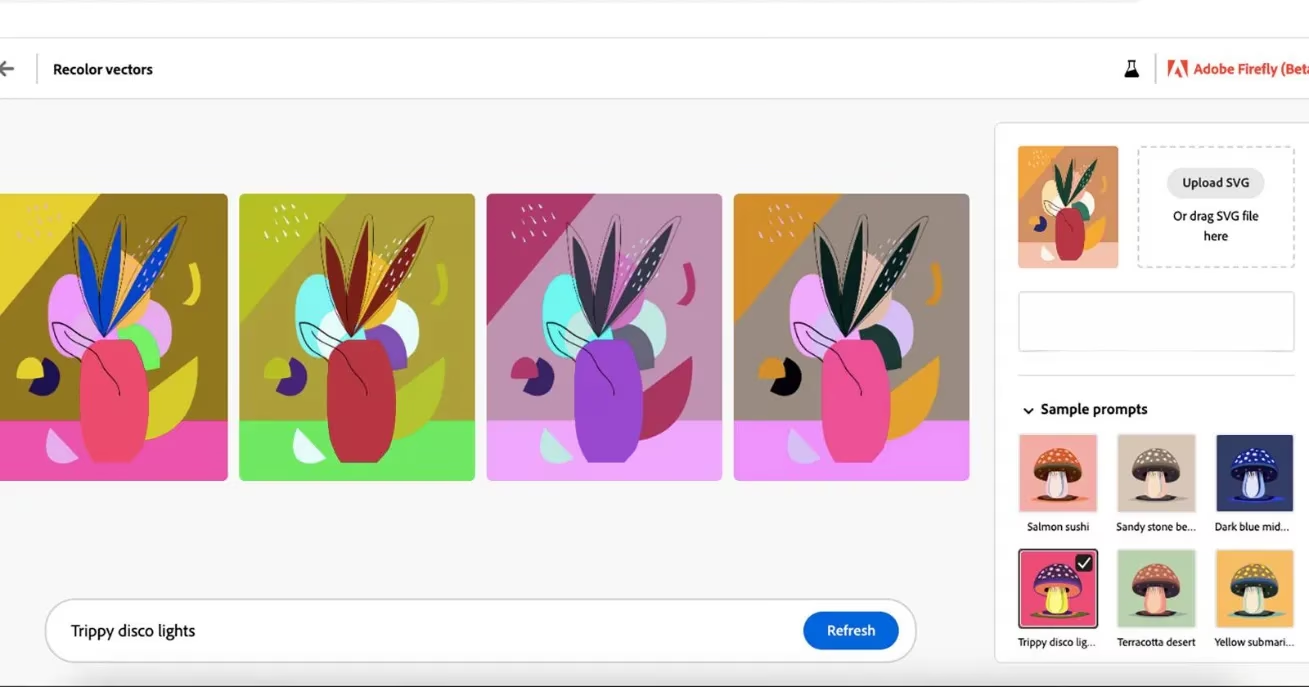
At its core, the tool is not a replacement for Illustrator's classic recolor artwork panel. It is an AI-assisted alternative. A vector file, ideally an SVG, is opened in the supported Firefly or Illustrator environment. The designer types a natural-language prompt, such as warm sunset palette for a travel brand or monochrome icons for a dark dashboard, and the system returns a set of color options. Early versions offered four choices at a time, and the same quick loop still defines the experience: review, refine, and generate again. That rhythm matters because color exploration is often where a project finds its identity.
Speed is the headline. Traditional recoloring can involve selecting paths, isolating groups, testing swatches, and repeating the process across dozens of objects. AI-assisted recoloring compresses that work into a conversation-like exchange. If the first four options miss the mark, the designer can adjust the prompt and try again. The tool does not remove craft from the process, but it does remove much of the friction that makes color experimentation tedious.
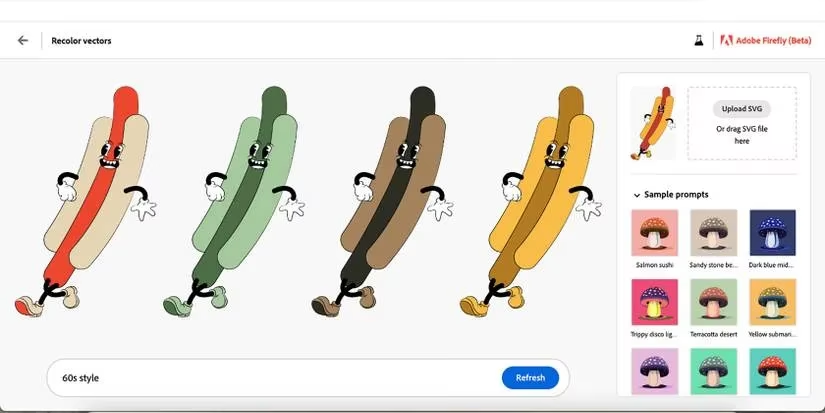
The practical uses are broad. A rebrand rarely means throwing away every illustration style. Often, the shapes and compositions still work, but the palette must change. Vector recoloring lets a designer preserve the visual language while testing new brand colors. Seasonal campaigns benefit in a similar way. Social media icons, badges, and decorative elements can be reused for Pride, Christmas, Halloween, or a limited-time promotion without being rebuilt from scratch. The same logic applies to UX and UI work, where light and dark themes demand consistent components in different color environments.
| Use case | Why it helps | Practical example |
|---|---|---|
| Brand refresh | Keeps approved illustration styles while testing new palettes | Recolor a hero illustration for a updated identity |
| Seasonal campaigns | Reuses icons and badges across events | Shift a holiday palette in seconds |
| UX and UI themes | Produces light and dark variants faster | Recolor dashboard icons for contrast |
| Stock vector reuse | Gives existing SVG collections a second life | Adapt a downloaded icon set to a client palette |
Stock vectors deserve special attention. Designers often collect SVG illustrations and icon sets because they are useful, but recoloring them piece by piece is slow. AI-assisted recoloring turns a large collection into a flexible library. A single set can serve multiple clients, campaigns, or product themes. The requirement is that the artwork be in SVG format, which remains a common and accessible format for vector assets. Once the file is ready, the designer can focus on art direction rather than manual path editing.
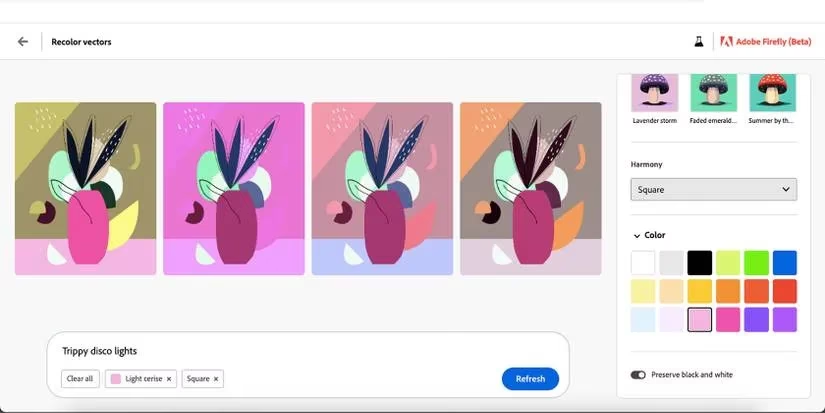
Adobe's broader AI story provides context. The company introduced Adobe Sensei in 2022, and new AI tools arrived quickly afterward. Firefly became the generative layer for creative work, and vector recoloring is one of its most practical expressions. It is less flashy than image generation, but it addresses a real production problem. Designers do not always need a completely new asset. Sometimes they need the same asset in a different color, and they need it now.
There are caveats. AI-generated color options still require human review. Brand guidelines, accessibility contrast, print limitations, and cultural color associations all demand judgment. The feature also depends on clean vector files and sensible grouping. A messy SVG will produce messy results. In that sense, the tool rewards good file hygiene. It accelerates the work, but it does not replace the designer's eye.
By 2026, the conversation around AI in design has moved beyond novelty. The useful tools are the ones that disappear into the workflow and solve ordinary problems. Firefly's vector recoloring fits that description. It helps designers explore more directions, reuse existing assets, and spend less time on repetitive color edits. The result is not simply faster output. It is more room for creative decisions. 🎨
Comments