 AIImageInsight
Ever snapped countless photos only to have them languish in your camera roll, never quite achieving that coveted Pinterest aesthetic? You're not alone. Most of us capture decent shots that simply lack that extra spark to make them social media standout material. But here's some exciting news for 2025: Adobe has unleashed a game-changing AI tool that can transform your ordinary images into extraordinary visual content, and the best part? It's completely free during its public beta phase.
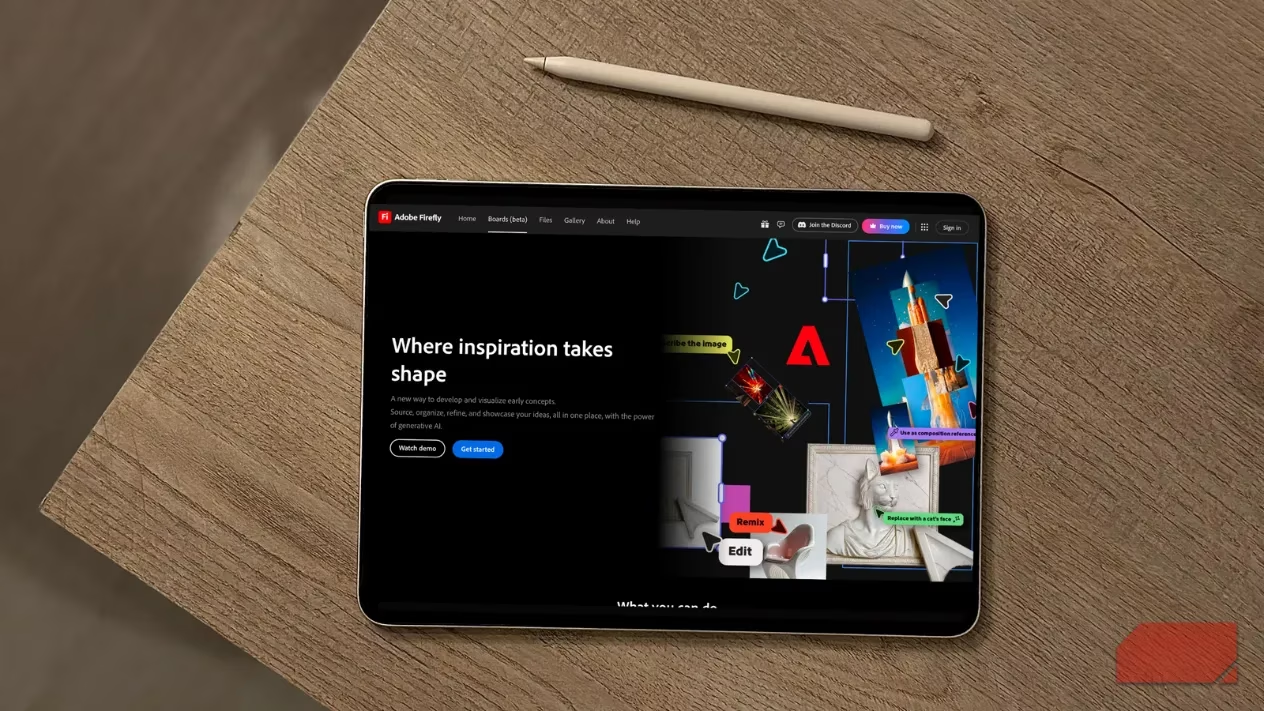
What Exactly is Firefly Boards? 🤔
Firefly Boards represents Adobe's latest innovation in AI-powered moodboarding and ideation tools. Launched in June 2025 as part of their public beta program, this feature is designed to help creators, photographers, and content developers brainstorm and visualize ideas more effectively. The entry barrier is remarkably low—all you need is an Adobe account to get started. During the beta period, users can create unlimited canvases, though generative AI features do require credits for extended use.
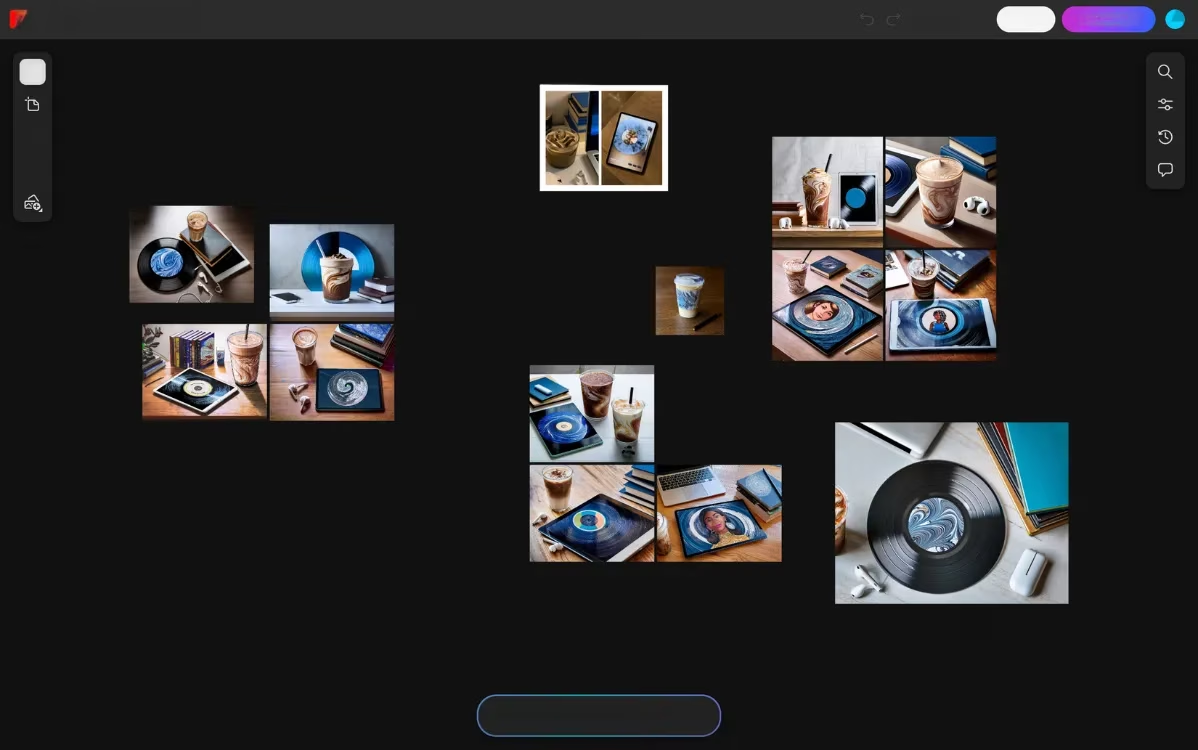
The Revolutionary Remix Feature 🔄
The standout capability that truly sets Firefly Boards apart is its ingenious Remix functionality. This isn't just another basic image blending tool—it's a sophisticated AI system that intelligently combines elements from multiple uploaded images to generate completely new, unique visuals.
Traditional AI image tools often leave users frustrated with limited control over outputs. You typically get a handful of variations and must settle for the "least bad" option. Firefly's Remix feature disrupts this pattern by giving creators unprecedented control over how different elements are blended together.
How Remix Works in Practice
Here's the magical process:
-
Upload Your Source Images: Select two or more images you want to blend
-
Activate Remix: Simply select your chosen images and click the Remix icon
-
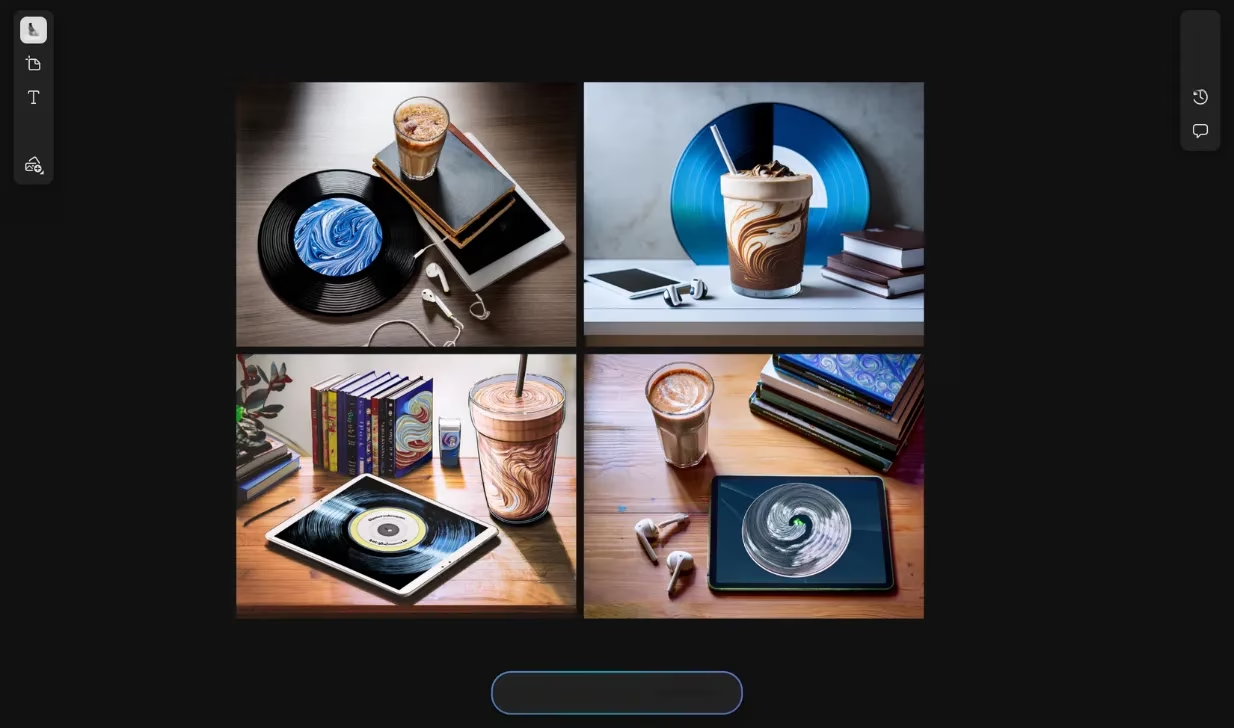
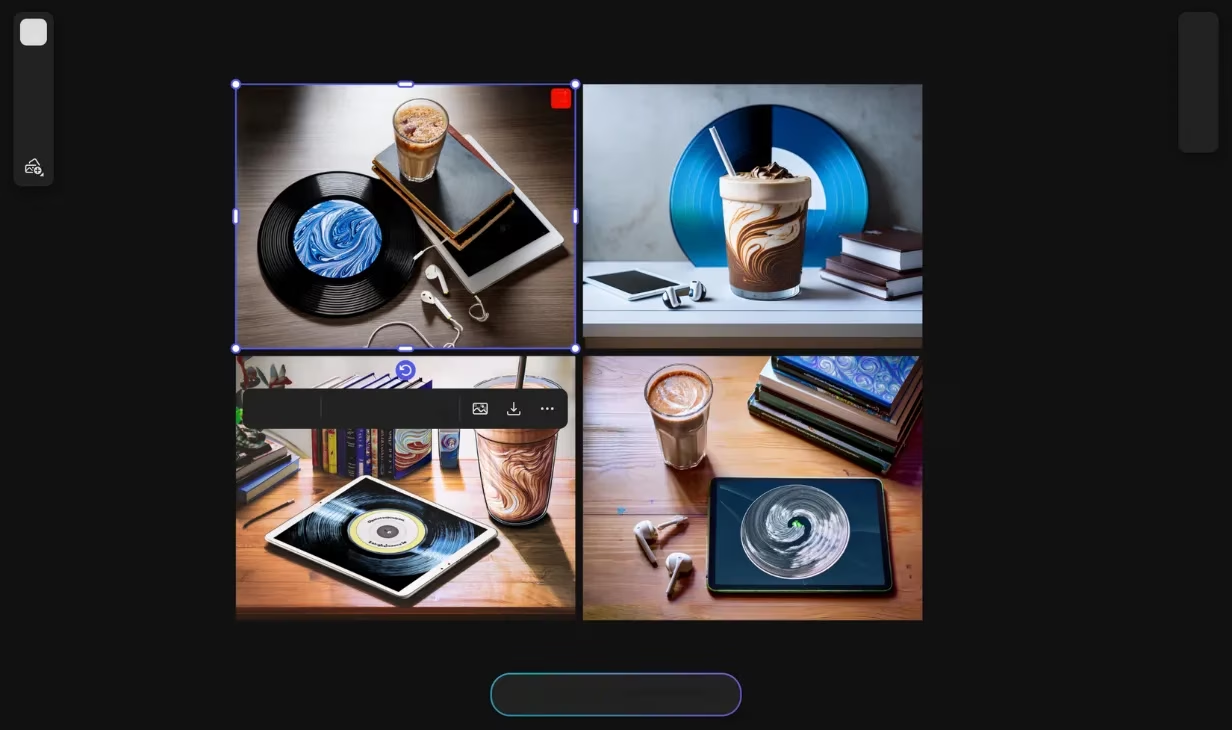
Instant Generation: Within seconds, four unique merged versions appear in a clean grid layout
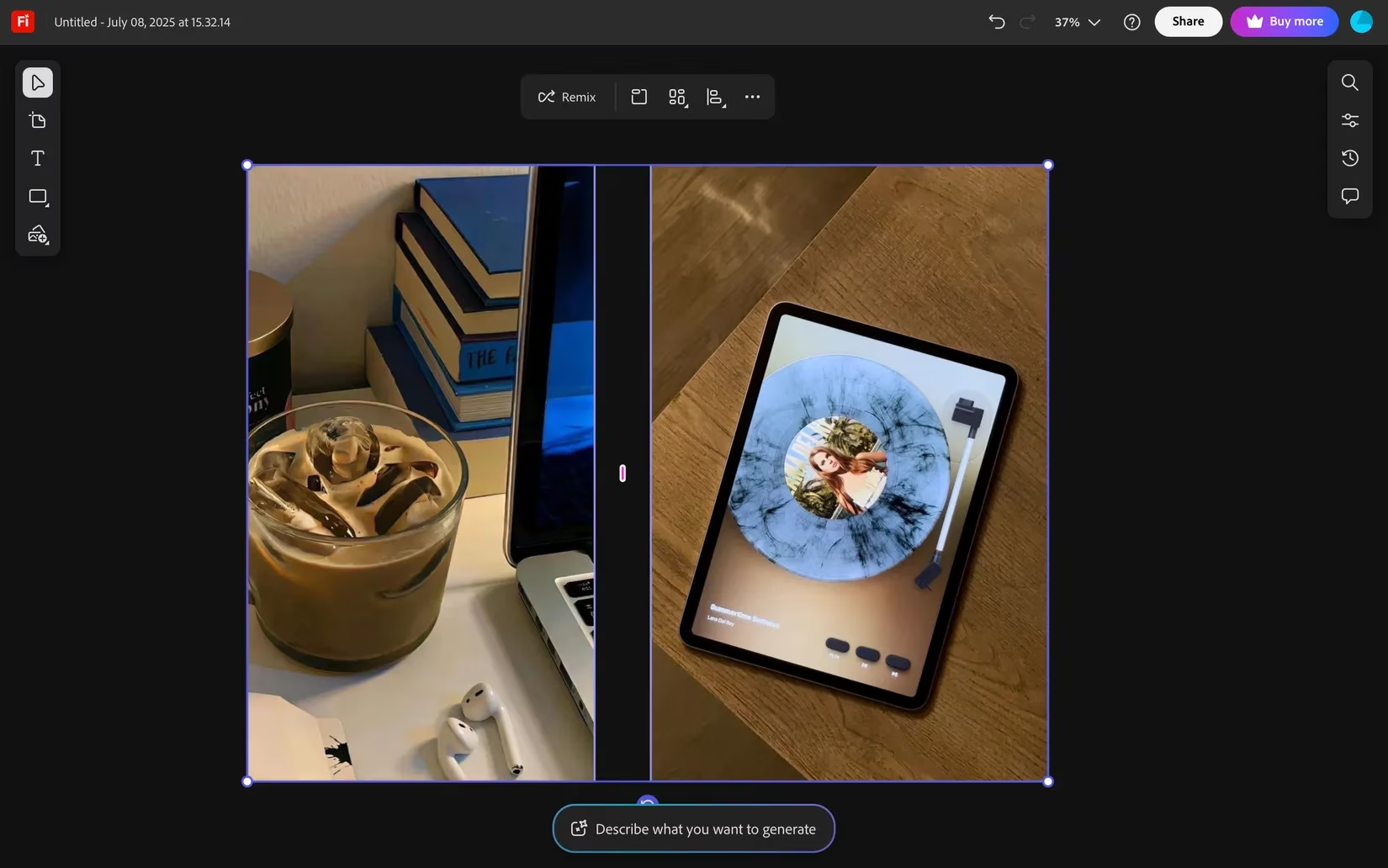
The AI intelligently identifies key elements from each source image and combines them in creative ways. For instance, blending a Pinterest reference image with a personal photo might preserve the coffee cup from the reference while incorporating the vinyl record from your own shot, creating harmonious composites that maintain elements from both sources.
Advanced Refinement Capabilities
What happens when you love a generated image but want to make tweaks? Firefly Boards delivers exceptional refinement tools:
Prompt-Based Editing
-
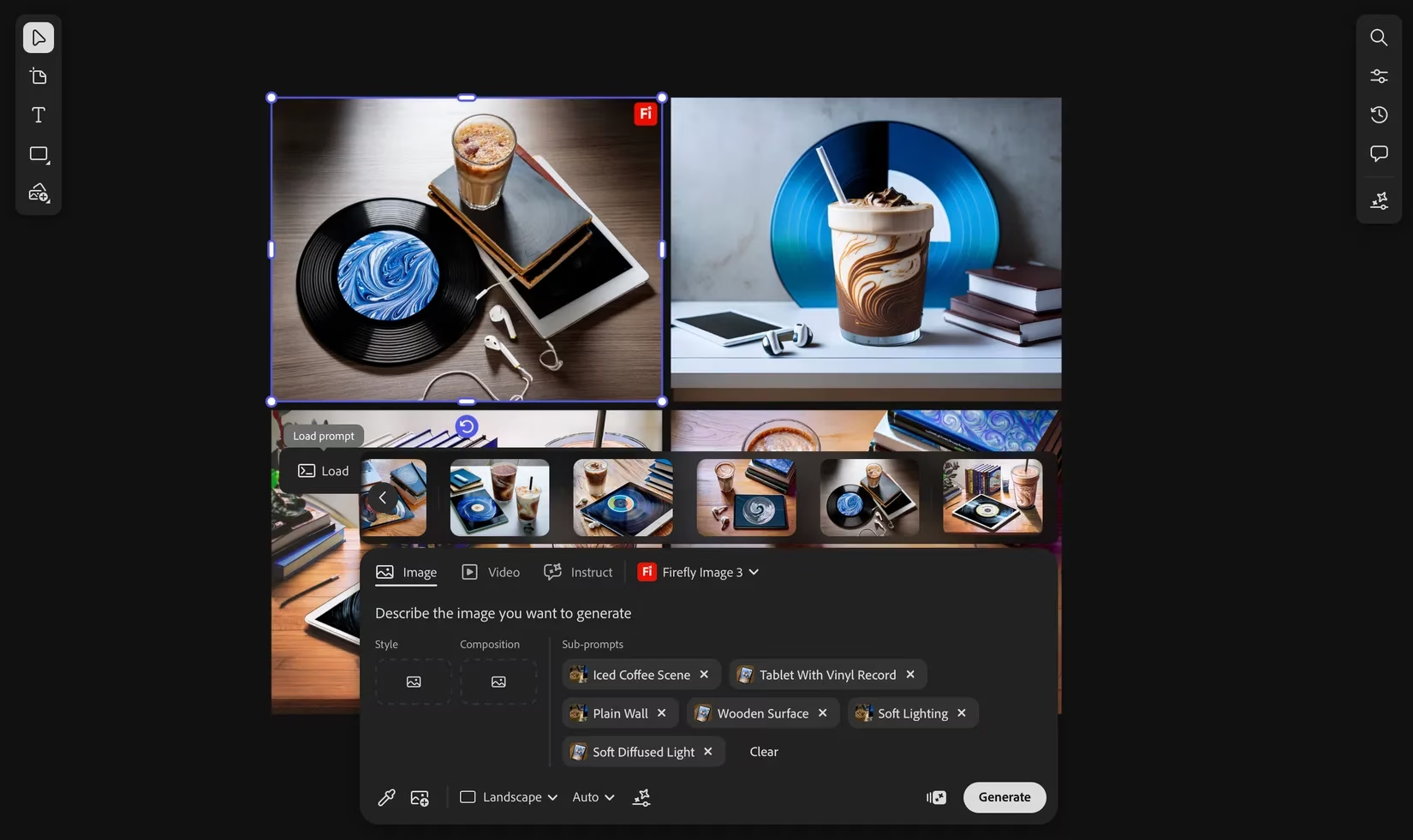
Load Generation Parameters: Select your favorite generated image and hit "Load" to see the exact prompts used
-
Sub-Prompt Analysis: The system breaks down which elements came from which source images
-
Selective Removal: Easily eliminate elements you don't like from the generated composition
Visual Reference Tools 👁️
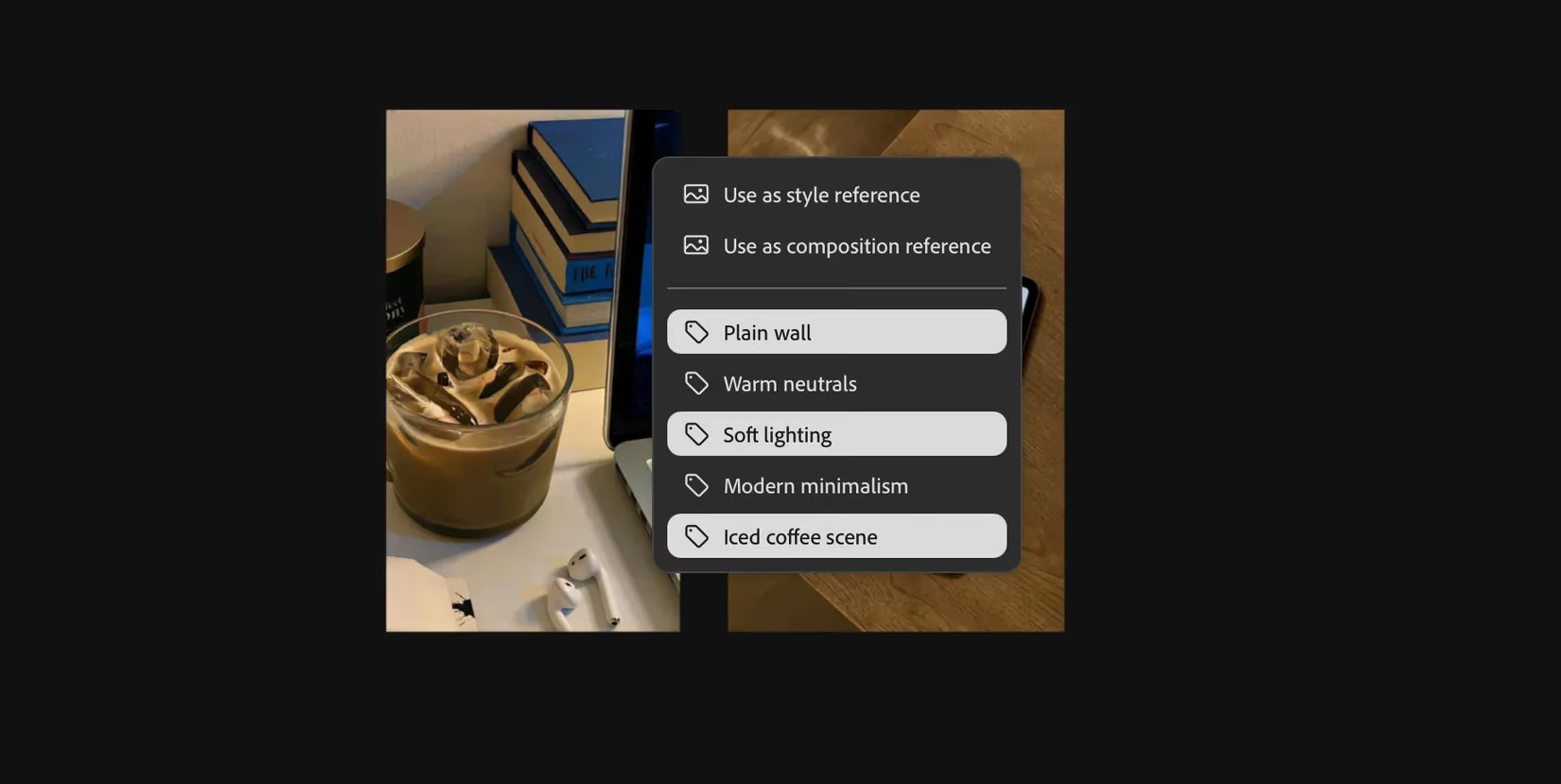
The eyedropper icon opens up powerful referencing capabilities:
-
Style Reference: Use any image (including generated ones) as a style guide for subsequent generations
-
Composition Reference: Maintain specific layouts and arrangements across different outputs
-
Element Extraction: Click the eyedropper on specific image areas to extract and reuse particular elements
Seamless Integration of Adobe's AI Ecosystem 🔗
Firefly Boards doesn't operate in isolation—it seamlessly incorporates many beloved features from Adobe's broader AI toolkit:
Background Removal Magic ✂️
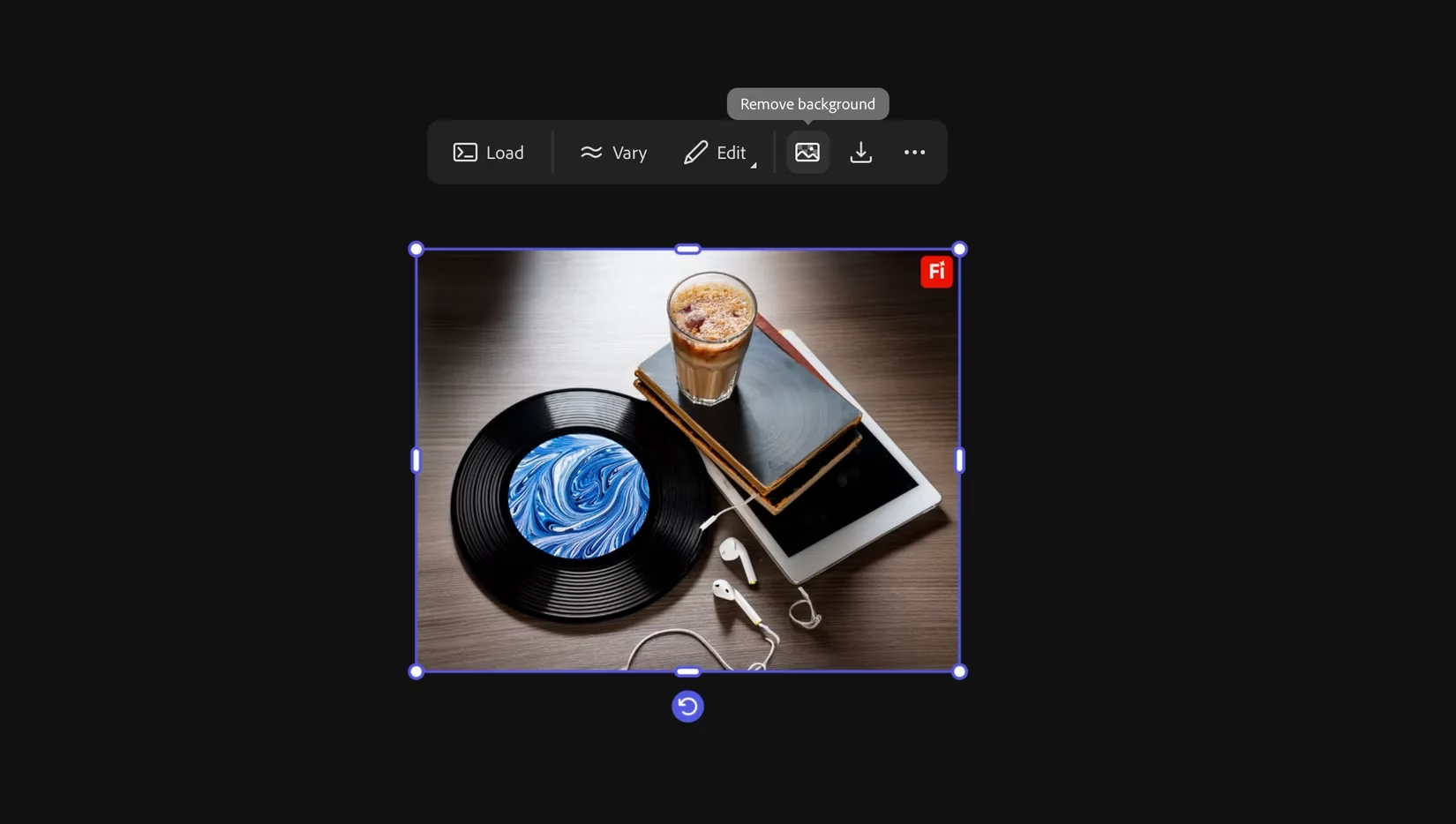
Need to isolate subjects? The Remove Background feature works directly within Boards, eliminating the need to switch between applications. This is perfect for creating clean, Pinterest-ready visuals without complex editing software.
Additional AI-Powered Features:
-
Generative Fill: Expand images or fill in missing areas intelligently
-
Image Generation: Create completely new images from text descriptions
-
Video Generation: Extend creativity into motion content
Why Firefly Boards Stands Out in 2025's AI Landscape 🌟
While numerous AI image tools exist today, Firefly Boards distinguishes itself through its remarkably intuitive interface that minimizes manual prompting. The platform understands that not everyone is a prompt engineering expert, and it brilliantly reduces the barrier to creating professional-looking visuals.
Key Advantages:
| Feature | Benefit |
|---|---|
| Minimal Typing Required | Visual tools replace complex prompt writing |
| Instant Visual Feedback | See results in seconds, not minutes |
| Iterative Refinement | Easy to tweak and regenerate based on results |
| Adobe Ecosystem Integration | Works seamlessly with other Adobe tools |
Final Thoughts 💭
Adobe Firefly Boards represents a significant leap forward in accessible AI-powered creativity. By combining sophisticated image blending with user-friendly refinement tools, it empowers creators of all skill levels to transform their ordinary photos into extraordinary visual content. The fact that it's currently free during its public beta makes this the perfect time to experiment and discover how AI can enhance your creative workflow.
Whether you're looking to revitalize your social media presence, create compelling mood boards, or simply explore new creative possibilities, Firefly Boards offers an exciting gateway into the world of AI-assisted visual creation. The future of digital creativity is here, and it's more accessible than ever before!
Comments